



SkySafari 8 Pro: The Ultimate Mobile Astronomy Experience
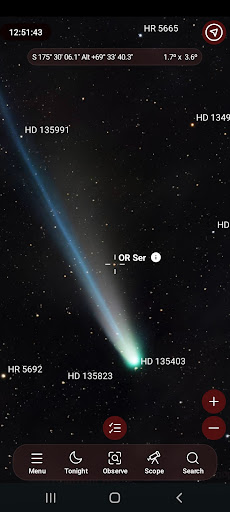
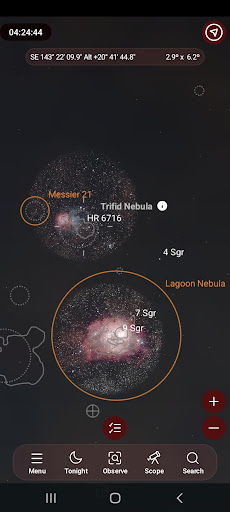
SkySafari 8 Pro sets a new standard for mobile astronomy applications, delivering an unparalleled blend of accuracy, powerful tools, and sleek design. Built upon the most comprehensive astronomical database ever integrated into a phone, this app is tailored for both amateur stargazers and seasoned astronomers seeking detailed information and seamless control features. Whether exploring from your backyard or preparing for an extended night under the stars, SkySafari 8 Pro provides the clarity, precision, and reliability that dedicated observers depend upon.
Innovative Features and Updates in Version 8
Customizable User Interface Themes
Enhance your visual experience with five new UI color themes. Instantly switch between different color palettes to suit your mood or environment, making your astronomy session more enjoyable and personalized.
Advanced Camera Support and Imaging Tools
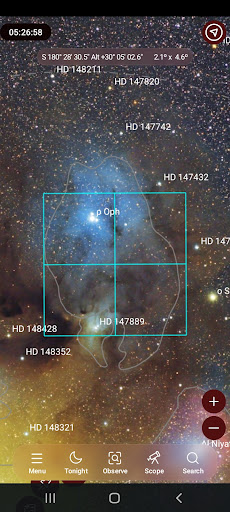
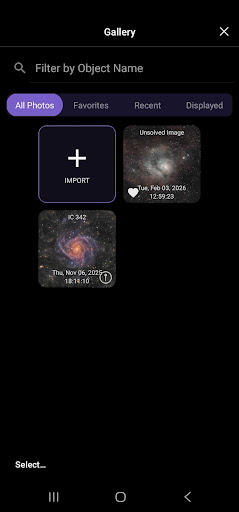
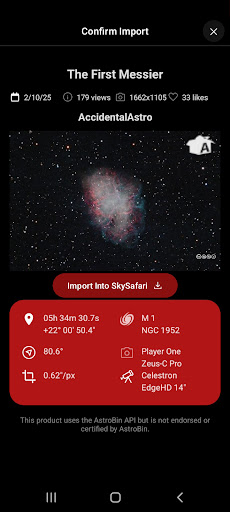
Connect directly to ALPACA-compatible astronomy cameras using the integrated ASCOM ALPACA camera support. Additionally, the app now offers seamless integration with SmartEye for improved imaging workflows, making astrophotography more straightforward and efficient. Import your own images from sources like AstroBin, FITS files, local storage, or URLs. The built-in image gallery also includes basic editing tools, allowing you to enhance or annotate your captures.
Enhanced Image Processing Capabilities
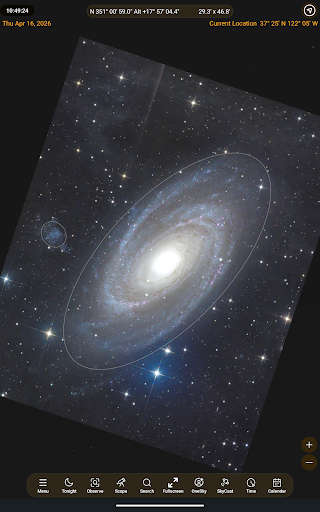
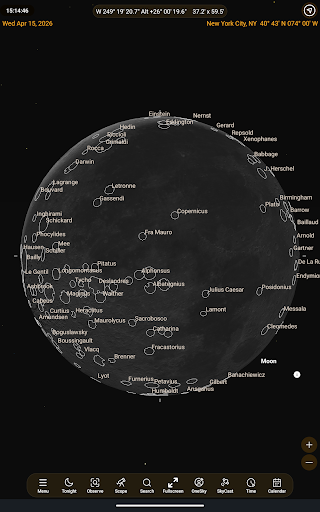
Leverage quick plate solving features to identify and locate celestial objects within imported images and place them directly onto your sky chart. Dive deeper into lunar exploration with detailed lunar surface outlines that illustrate maria, craters, mountains, and more, offering a richer understanding of the Moon’s terrain.
Precise Event Tracking and Planning
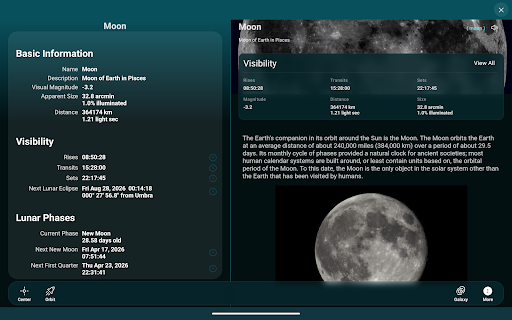
The Events Finder now includes features such as appulses, allowing you to pinpoint exact moments when the Moon or planets pass close to celestial landmarks like the Pleiades, other planets, or stars of a specific magnitude. It also supports searches for transits and occultations, helping observers plan their sessions with high accuracy.
Visual and Observing Enhancements
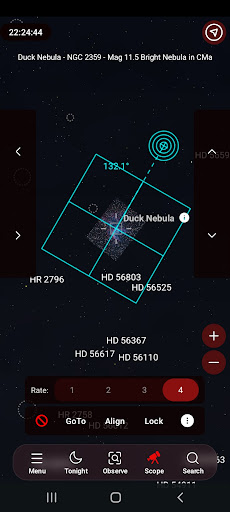
The rotatable FOV indicator enables you to rotate your field of view to any angle, perfect for camera matching or aligning your telescope. Observing conditions availability in Premium provides detailed hourly forecasts tailored for astronomers, including seeing index, sky quality metrics, and optimal viewing windows, ensuring the best experience during your sessions.
Features for Astronomy Enthusiasts and Beginners
If you're new to SkySafari 8 Pro, here are some of the capabilities that make it a must-have tool for astronomy lovers:
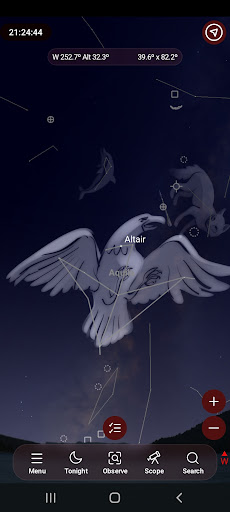
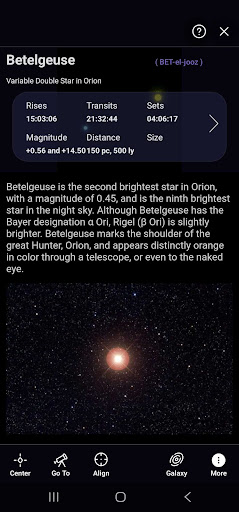
- Point & Identify: Simply hold your device to the sky to instantly identify stars, constellations, planets, satellites, and more.
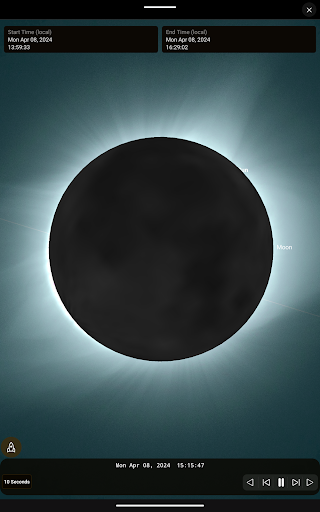
- Travel Through Time: Simulate the sky from up to 5 million years in the past or future, bringing to life meteor showers, planetary conjunctions, eclipses, and other celestial events.
- Telescope Control: Manage your telescope and observing sessions with advanced planning and logging tools supporting ASCOM ALPACA, INDI, and StarSense Explorer.
- Upcoming Events: Use the powerful search engine to discover upcoming astronomical phenomena visible from your location, whether tonight or far into the future.
- Cloud Sync (optional): Backup and sync your observing data securely to LiveSky and access it across multiple devices or via the web.
- AR Mode: Experience immersive sky viewing with augmented reality overlays. Preserve your dark-adapted vision with Night Vision Mode. Fly through the solar system with Orbit Mode, and explore deep-sky objects within the Galaxy View to see how they are situated within the Milky Way.
Whether you are a casual observer or a dedicated astronomer, SkySafari 8 Pro combines comprehensive data, intuitive controls, and innovative features to elevate your stargazing experience.
For more details, please review the Terms of Use and Privacy Policy.
Pros
- User-friendly interface that is easy to navigate
- Offers a wide range of features suitable for various needs
- Provides quick and reliable performance
- Regular updates ensure the app stays current and secure
- Excellent customer support for troubleshooting and assistance
Cons
- Requires a significant amount of storage space
- Some features are only available in the premium version
- Occasional bugs may affect user experience
- Limited customization options for advanced users
- May consume a considerable amount of battery life











