
What is ScratchJr?
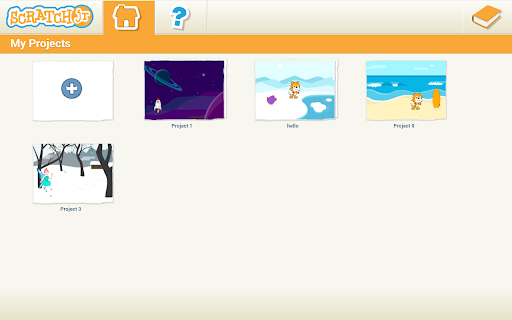
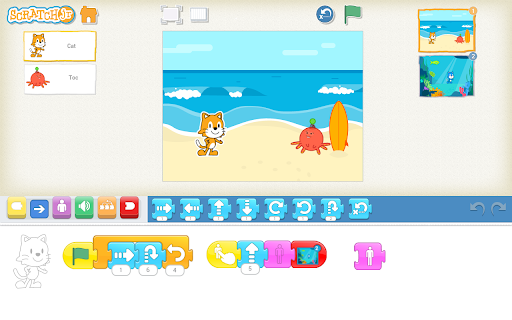
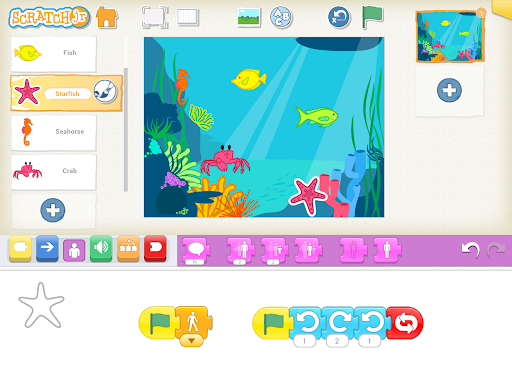
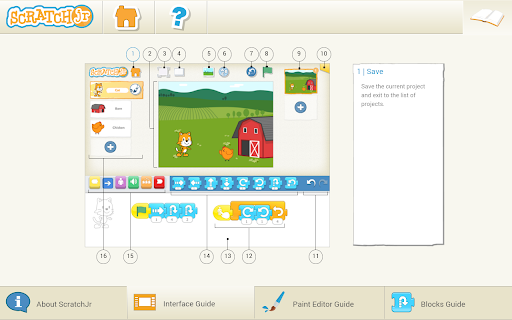
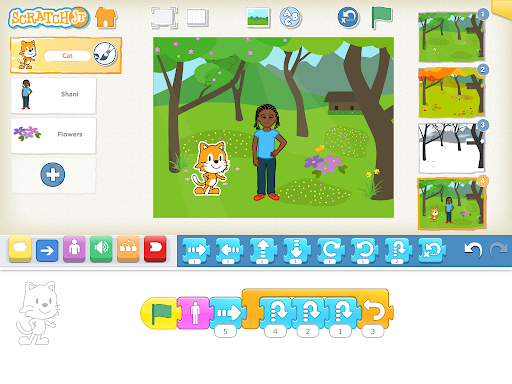
ScratchJr is an introductory programming language designed specifically for young children aged 5 and up. It empowers kids to create their own interactive stories and games by using a simple, visual programming environment. Through the app, children can snap together colorful graphical programming blocks to animate characters, making them move, jump, dance, or sing. Additionally, kids can personalize their characters by modifying them in the paint editor, adding their own voices and sounds, or even inserting photos of themselves to enhance their creative projects.
Inspiration and Development
ScratchJr takes inspiration from the popular Scratch programming language (http://scratch.mit.edu), which is already used by millions of young learners worldwide aged 8 and above. When developing ScratchJr, the creators reimagined the interface and programming language to suit the developmental needs of younger children. The platform was carefully designed to match children’s cognitive, personal, social, and emotional development. Code literacy today is seen as a vital new form of literacy—much like reading and writing—and ScratchJr is a step toward making programming accessible and meaningful for early learners.
The Educational Value of ScratchJr
Beyond just learning to code, ScratchJr encourages children to express themselves creatively and develop important skills such as problem-solving, sequencing, and project design. As children craft their projects, they naturally incorporate math and language skills within motivating and engaging contexts. This approach supports the development of early numeracy and literacy. Essentially, children are coding to learn, fostering an early interest in STEM and creative arts.
Who Developed ScratchJr?
ScratchJr is a collaborative project that brings together the Developmental Technologies group at Tufts University, the Lifelong Kindergarten group at the MIT Media Lab, and the Playful Invention Company. The implementation of the Android version was led by Two Sigma. The charming graphics and illustrations for ScratchJr were crafted by HvingtQuatre Company and Sarah Thomson. This team’s dedication ensures the app is both educational and delightful for young users.
Features and Compatibility
This free app is compatible with tablets that are 7 inches or larger and run on Android 4.2 (Jelly Bean) or higher, making it widely accessible for many families. ScratchJr's user interface is bright, engaging, and highly intuitive—kids don’t need to read to start creating! The app's design emphasizes visual programming language, where children drag and drop blocks instead of typing code, making it a fun and accessible way to learn the basics of programming and sequencing. Characters can be customized and animated, supporting endless possibilities for storytelling and game design.
Why Choose ScratchJr?
Kids are naturally drawn to the colorful graphics and simple interaction. ScratchJr not only introduces coding concepts but also promotes creativity, collaboration, and learning through play. Children can work together on projects, share their creations, and build confidence as they see their ideas come to life. The open-ended nature of the platform means there is no right or wrong way to create, fostering resilience and a positive attitude toward learning.
Conclusion
Overall, ScratchJr is much more than a simple coding app; it’s a powerful learning tool that helps young children develop critical skills while expressing their creativity. It lays the foundation for future success in science, technology, engineering, and mathematics (STEM) by teaching sequencing, problem-solving, and project design in a fun, engaging manner. With its beginners-friendly interface and versatility, ScratchJr is an ideal starting point for parents and educators aiming to introduce kids to coding early.
If you're interested in fostering a love for programming and creative expression among your children, ScratchJr offers an excellent resource to get started on the exciting journey into computer coding for kids.
Pros
- Kid-friendly interface with vivid colors.
- Fosters creativity and enhances problem-solving skills.
- Free from in-app purchases and advertisements.
- Safe environment suitable for children.
- Available in multiple languages to reach a broader audience.
- No cost to download and use without limitations.
Cons
- Limited to fundamental programming concepts.
- Young children may need adult assistance.
- Compatibility is limited to certain devices.
- Primarily designed for tablets.
- Lacks an online community for sharing projects.
- Graphics and sounds are quite simple.











