



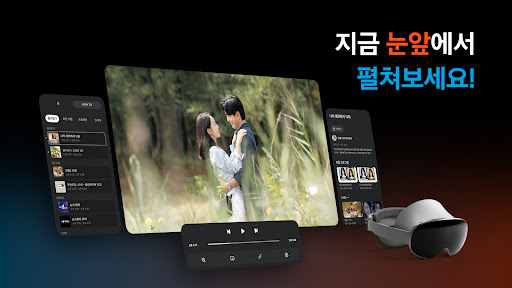
Introducing Samsung TV Plus - Your Ultimate Free Streaming Experience for TV & Movies
Are you tired of endlessly scrolling through channels, searching for something good to watch? Welcome to the world of Samsung TV Plus, a revolutionary free streaming app designed to bring your favorite TV & Movies right to your fingertips without any subscription fees. Whether you’re on your Samsung device, a smart monitor, or even a Family Hub refrigerator, Samsung TV Plus offers an expansive library of live channels and on-demand content, making entertainment truly accessible for everyone.
What Is Samsung TV Plus?
Samsung TV Plus is like having a mini-cable service on your device, but without the hefty bills or contracts. Available on both Android and iOS platforms, this app provides a diverse selection of free live TV channels, along with countless on-demand movies and shows. From breaking news to entertainment, sports, and those quirky game shows, Samsung TV Plus caters to all tastes—no subscription required. The service is built into many Samsung devices, which means you can access a vast array of content instantly, making it the perfect substitute for cable TV.
Key Features of Samsung TV Plus
User-Friendly Interface
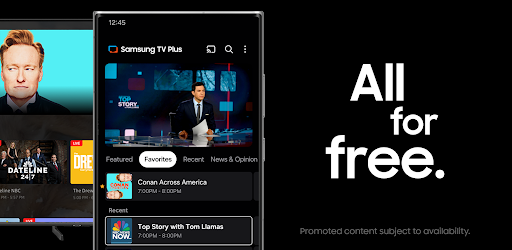
One of the standout features of Samsung TV Plus is its sleek and intuitive interface. Easy to navigate, the app allows you to browse seamlessly between live channels and on-demand content. With categories neatly organized, finding your favorite show or discovering new content is effortless—perfect when you’re juggling popcorn and remote controls.
Extensive Channel Lineup
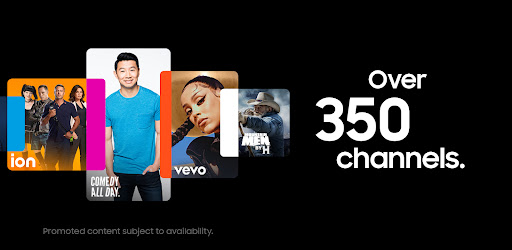
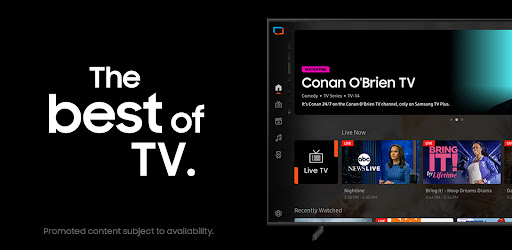
With over 350+ live TV channels and thousands of movies and shows on demand, the app offers something for everyone. Enjoy live local and national news from networks like ABC News Live, CBS News, NBC News NOW, CNN Replay, and Bloomberg Originals. For entertainment, binge-watch full seasons of "The Walking Dead," "Dateline," "Law & Order," "Top Gear," "Hell’s Kitchen," "Conan O'Brien TV," and more. Plus, indulge in free blockbuster hits on channels like Paramount Movie Channel, Hallmark Movies, The Movie Hub, and CINEVAULT: Classics.
Constant Content Updates
New channels, shows, and movies are added regularly, ensuring there’s always something fresh to watch. This makes the app perfect for spontaneous viewing, whether you’re in the mood for a classic film or the latest episode of your favorite series.
Accessible and No Cost
Enjoy a completely free viewing experience—no extra subscriptions or hidden fees. Samsung TV Plus offers a cable-like experience without contracts or set-top boxes, directly built into compatible devices for instant access.
Wide Device Compatibility
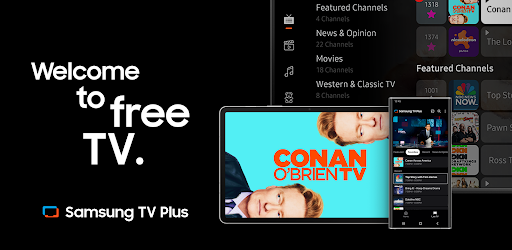
Available on 2016–2023 Samsung Smart TVs, Galaxy devices, smart monitors, Family Hub refrigerators, and even through the web, Samsung TV Plus ensures you can enjoy endless entertainment anytime, anywhere. All you need is an internet connection to stream content smoothly.
Why Choose Samsung TV Plus?
If you’re someone who loves variety and doesn’t want to commit to multiple subscriptions, Samsung TV Plus is the ideal solution. It offers a diverse array of content types—from news, movies, sports, entertainment, to niche channels—ensuring there's always something for everyone. Whether you're relaxing at home or on the go, this app makes it easy to stay entertained without extra costs or complicated sign-up processes.
Final Thoughts
For TV and movie lovers seeking a convenient, free streaming service, Samsung TV Plus proves to be a game-changer. Its easy-to-use interface, extensive content library, and the absence of subscription fees make it a fantastic addition to your entertainment lineup. Perfect for lazy Sunday afternoons or quick breaks, Samsung TV Plus delivers a rich variety of content that can satisfy even the pickiest viewers. So why wait? Grab your device, open Samsung TV Plus, and start exploring a universe of free entertainment. It’s an experience that proves sometimes, the best things in life really are free!
Pros
- Provides free access to a wide variety of channels.
- No subscription needed for streaming content.
- User-friendly interface with easy navigation.
- Available on multiple Samsung devices.
- Regularly updated with new content.
Cons
- Limited to Samsung devices only.
- Advertisements can disrupt the viewing experience.
- Requires a stable internet connection.
- Content availability may differ by region.
- Offline download option is not available.