



Introduction to the Remove Background From Video App
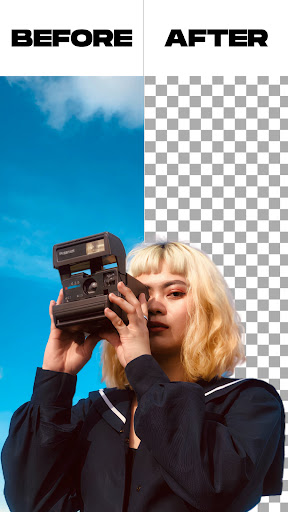
The Remove Background From Video app is a revolutionary tool designed for content creators, social media enthusiasts, and anyone looking to enhance their videos with professional-looking backgrounds. With this user-friendly application, you can effortlessly remove or change the background of your videos and photos, opening up a world of creative possibilities.
This app stands out by offering both automatic and manual background removal options, allowing you to customize your media with precision. Whether you're replacing the background with a solid color, an image, or even another video, this app provides a seamless experience that does not require complex editing skills.
Key Features of the Remove Background From Video App
Background Removal Options
The app provides two main options for removing backgrounds: an automatic background remover that analyzes your media and performs quick removal, and a manual background remover that allows for detailed editing. This flexibility makes it suitable for both quick edits and more precise projects.
Background Customization
After removing the background, you can change it to your preferred solid colors or gradient colors. The app offers a vast selection of thousands of colors, including various gradient options, so you can choose the perfect backdrop to match your content.
Image and Video Background Replacement
Beyond colors, this app enables you to replace the background with an image from your gallery or another video. With just a single click, your video's background transforms into your chosen scenery, whether it's a professional landscape or a fun animated backdrop.
Green Screen Functionality
The green screen feature works in two modes: selfie camera and back camera. Switching between these modes is simple and quick, allowing you to modify the background of both front-facing and rear camera videos effortlessly. This feature is particularly popular for creating entertaining and engaging videos with custom backgrounds.
How to Use the Remove Background From Video App
- Open the Remove Background From Video app.
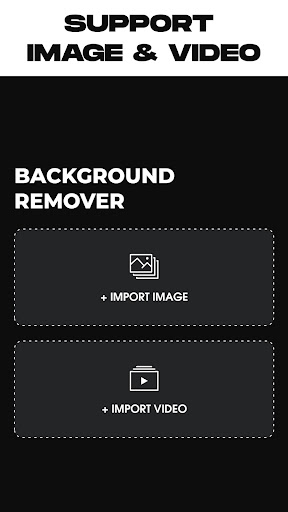
- Select your desired option: remove photo background or remove video background.
- Choose your media file from your gallery or record a new video directly through the app.
- The app will automatically process and remove the existing background.
- Once processed, you can customize the background by choosing from in-app options or uploading your own images or videos.
- When satisfied, tap the export button to save your edited media to your device gallery.
Why Content Creators Love This App
Many users have discovered that Remove Background From Video is a game changer for creating professional-looking videos without the need for expensive software or green screens. The app harnesses advanced AI technology to accurately detect and separate subjects from backgrounds, resulting in clean and crisp edits every time.
Its intuitive interface makes it accessible to beginners, while the high-performance processing ensures quick results. Whether you're editing a quick vlog, producing content for a brand, or just having fun, this app simplifies the editing process and accelerates your workflow.
Furthermore, the ability to preview edits in real-time allows you to make adjustments instantly, ensuring your final video is just right. With support for high-resolution videos, your creations will look professional without the hassle of traditional editing tools.
Final Thoughts
In the rapidly evolving world of digital content, having a powerful yet easy-to-use tool like Remove Background From Video makes all the difference. It democratizes video editing, enabling everyone—from novices to seasoned creators—to produce stunning content effortlessly.
Whether you're looking to enhance your social media posts, craft engaging marketing videos, or simply have fun experimenting with backgrounds, this app is a reliable companion. Its blend of smart AI technology and user-centric design ensures that your creative ideas are realized quickly and beautifully.
So, if you're ready to elevate your video projects and unlock new creative avenues, give Remove Background From Video a try. It’s more than just an app—it's your gateway to innovative and professional video content.
Pros
- User-friendly and straightforward interface
- Supports a variety of video formats
- Fast processing performance
- Produces high-quality videos
- Videos are free of watermarks
Cons
- Limited features in the free version
- Requires an internet connection to use
- Contains ads in the free edition
- Sometimes the app crashes unexpectedly
- Lacks a batch processing feature