

Introducing Plezy for Plex
Are you a passionate media enthusiast looking for a seamless way to organize and enjoy your movies, TV shows, and streaming content? Plezy for Plex is designed to elevate your media experience by providing a robust, user-friendly platform that complements your Plex media server setup. With Plezy, you can effortlessly browse, manage, and stream your media library on any device, ensuring entertainment is always at your fingertips.
Enhanced Media Management
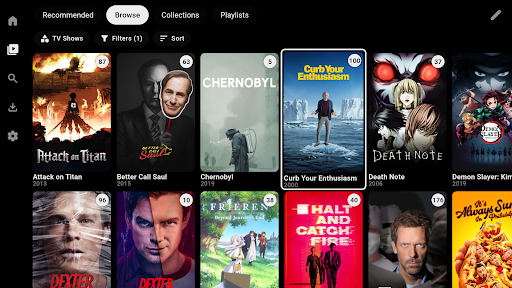
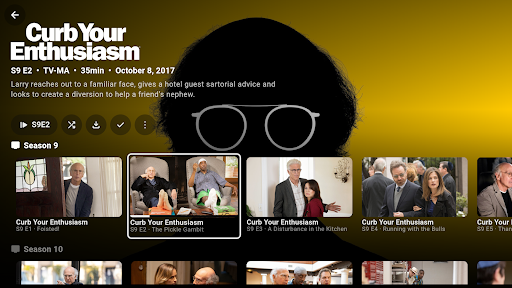
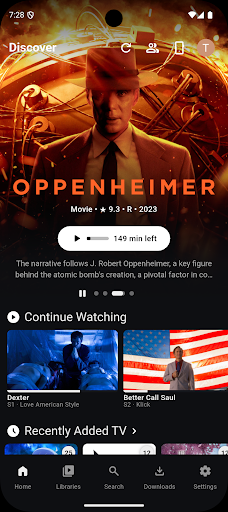
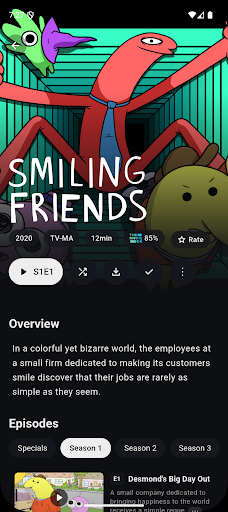
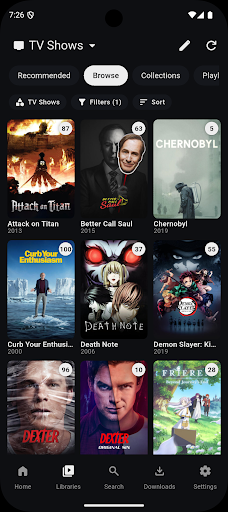
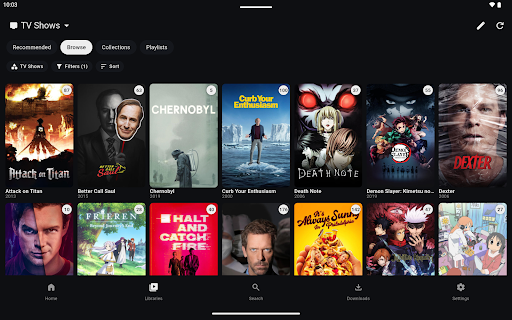
Plezy for Plex offers an intuitive interface that simplifies media browsing. Whether you're a casual viewer or a dedicated cinephile, Plezy helps you find your favorite content quickly. The app supports a diverse range of media types, allowing you to organize movies, TV series, music, and photos seamlessly. Advanced filtering options and smart playlists make discovering your content effortless, enhancing your overall media library management.
Sleek and Modern User Interface
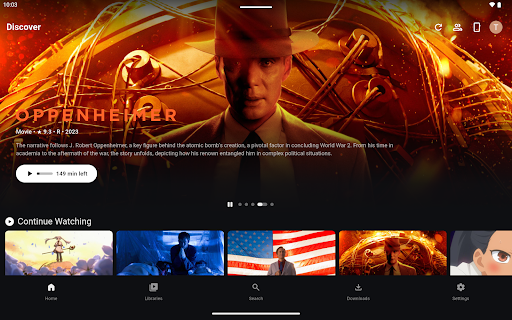
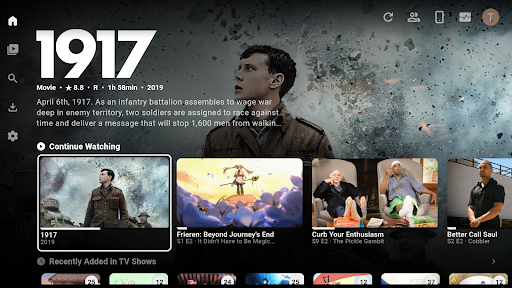
The app adopts a modern and clean design, providing a visually appealing experience. Its sleek interface mimics popular UI styles for an engaging user journey. Easy navigation, customizable layouts, and well-organized categories ensure a smooth browsing session. Plezy for Plex is optimized to deliver an elegant, clutter-free experience that matches your aesthetic preferences.
Reliable Streaming and Compatibility
Enjoy uninterrupted streaming with Plezy for Plex, which ensures stable connections and high-quality playback across various devices. Compatibility extends across smartphones, tablets, and smart TVs, making it versatile for different screens. The app supports multiple media formats and integrates seamlessly with your existing Plex server, providing a reliable media streaming experience wherever you are.
Personalization and Customization
Customizing your media experience is effortless. Plezy allows you to personalize themes, layouts, and viewing preferences to suit your mood and style. You can set favorite genres, create custom playlists, and even adjust display options for optimal viewing. This level of personalization guarantees that your media app adapts to your unique preferences.
Regular Updates and Feature Improvements
The developers behind Plezy for Plex are committed to ongoing enhancement. Regular updates introduce new features, support for additional media formats, and performance improvements. This ensures you receive an evolving app that keeps pace with your media consumption habits and technological advancements.
Why Choose Plezy for Plex?
- Seamless Integration with Plex media server for effortless media management
- Elegant UI designed for intuitive navigation and aesthetic appeal
- High Compatibility across multiple devices and media formats
- Customizable Experience to match your preferences and viewing habits
- Reliable Streaming with optimized performance and low latency
- Regular Updates to keep your media experience fresh and feature-rich
Final Thoughts
Plezy for Plex stands out as an essential tool for media lovers who want a modern, clean, and highly customizable app to enhance their Plex streaming experience. Its user-friendly interface, reliable performance, and continuous updates make it a top choice for managing your digital media library. Whether you're binge-watching your favorite series or exploring new music collections, Plezy for Plex offers an engaging, efficient, and enjoyable platform to enjoy your media content with ease.
Pros
- User-friendly interface simplifies navigation and usage.
- Fast performance ensures smooth operation without lag.
- Extensive features offer versatile functionality.
- Regular updates improve stability and add new capabilities.
- Strong security measures protect user data and privacy.
Cons
- High learning curve for beginners due to complex features.
- Occasional bugs may affect user experience.
- Battery consumption can be significant during extended use.
- Requires substantial storage space on devices.
- Premium features are locked behind paid subscriptions.