
Discover Minecraft Education: A Game-Based Platform for Creative Learning
Minecraft Education is a game-based platform designed specifically for school and organizational use. It transforms the popular sandbox game into an engaging educational tool that inspires creative, inclusive learning through play. With its blocky worlds, students and educators can explore a wide range of subjects, unlocking new methods to understand complex topics. Whether it’s reading, math, history, or coding, Minecraft Education offers lessons and standardized curricula tailored for various learning styles, making it accessible and effective for all types of learners.
Flexible and Easy to Use for Educators and Students
One of the key strengths of Minecraft Education is its versatility. The platform provides hundreds of ready-to-teach lessons, creative challenges, and blank canvas worlds that allow teachers to customize their approach. It’s designed for ease of use, requiring no prior gaming experience to get started. This means educators can seamlessly integrate it into their existing curriculum, fostering an environment where students learn by doing and exploring.
Preparing Students for the Future with Critical Skills
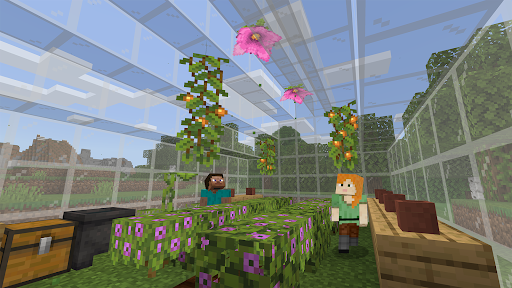
Minecraft Education is more than just a game; it’s a powerful tool to cultivate key skills such as problem solving, collaboration, digital citizenship, and critical thinking. These skills are essential in today’s rapidly evolving workplace. By engaging in immersive content created in partnership with organizations like BBC Earth, NASA, and the Nobel Peace Center, students gain exposure to real-world topics. The platform’s culturally relevant lessons and building challenges spark a passion for STEM and help prepare learners to succeed in tomorrow’s world.
Key Features and Tools that Enhance Learning
- Multiplayer mode: Enables collaboration across platforms, devices, and hybrid environments.
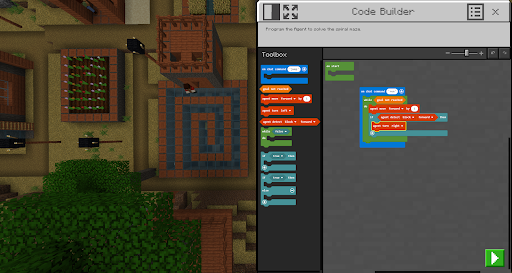
- Code Builder: Supports block-based coding, JavaScript, and Python with an intuitive interface and in-game execution, perfect for introducing students to programming.
- Immersive Reader: Assists players in reading and translating text, ensuring inclusivity.
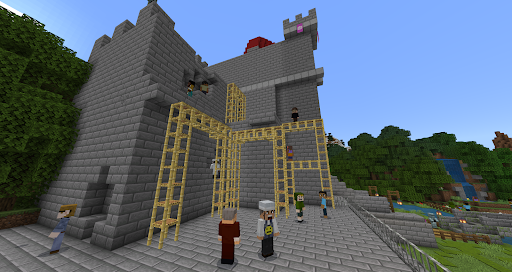
- Camera and Book & Quill: Allow documentation and export of in-game creations.
- Integration with Microsoft Teams and Flipgrid: Supports assessment and teacher controls.
Licensing options are available for schools and organizations, which can be purchased through a Microsoft 365 Admin Center. Educators are encouraged to consult their Tech Lead to learn about academic licensing. All users should adhere to the terms of use and privacy policy applicable at the time of purchase and use.
Why Choose Minecraft Education for Learning?
If you're exploring innovative educational tools, Minecraft Education stands out as a transformative learning platform. It effectively combines the engaging gameplay of Minecraft with structured educational content, making it an ideal solution for both teachers and parents. The platform encourages active participation, fostering a deep understanding of subjects through interactive experiences and project-based learning. From simulating historical events to conducting scientific experiments, students become active creators in their learning journey.
As a learning tool, Minecraft Education sparks curiosity and motivation among students, helping them develop essential skills needed for current and future careers. Its extensive library of lessons and customizable worlds create an environment where creativity and critical thinking thrive. Whether used in a classroom or at home, this platform provides a fun and effective way to deepen understanding and nurture lifelong learners.
Pros
- Engages students with interactive lessons
- Supports creativity and collaboration
- Offers diverse subject integration
- Accessible on multiple devices
- Includes classroom management tools
Cons
- Requires stable internet connection
- May distract students from tasks
- Subscription model can be costly
- Limited functionality without teacher guidance
- Steep learning curve for beginners











