

Introduction to Google Classroom
Are you tired of juggling multiple platforms just to keep up with your coursework or teaching responsibilities? Google Classroom is a powerful, all-in-one educational app designed to simplify teaching and learning. Seamlessly integrating with other Google services, this platform acts as your digital classroom, streamlining tasks such as assignment management, communication, and organization. Whether you're a student or an educator, Google Classroom provides a user-friendly experience that enhances productivity and fosters better engagement in the educational process.
Key Features of Google Classroom
User-Friendly Interface
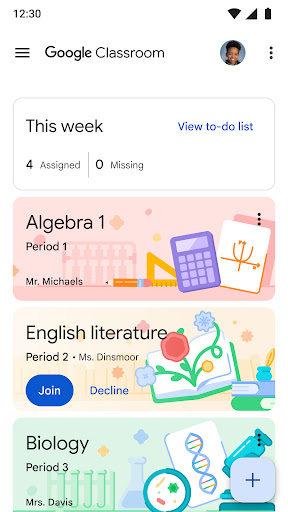
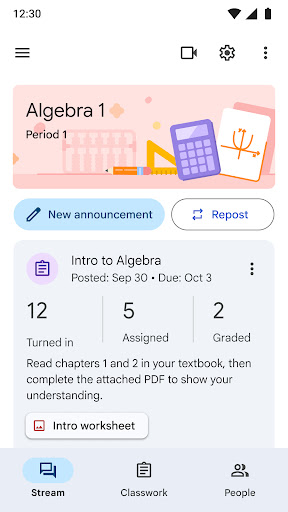
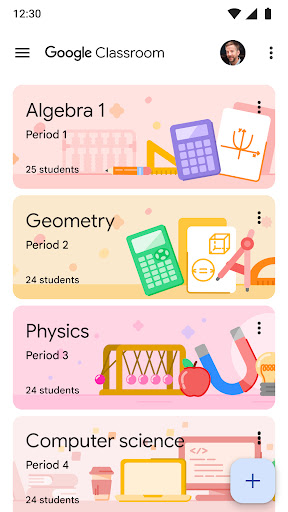
Google Classroom boasts a clean, intuitive interface that makes navigation effortless. Designed with simplicity in mind, the platform ensures that users can access their assignments, announcements, and class materials with just a few clicks. This streamlined layout prevents confusion, allowing students and teachers to focus on what matters most—learning and teaching—without getting lost in complicated menus or multiple tabs.
Easy to Set Up
Getting started with Google Classroom is quick and straightforward. Teachers can add students directly or share a simple join code for the class. The setup process typically takes just minutes, enabling educators to begin creating lessons and assignments swiftly. This ease of setup makes Google Classroom accessible to all levels of tech familiarity, ensuring that educators can focus on delivering quality education without technical hurdles.
Saves Time and Boosts Productivity
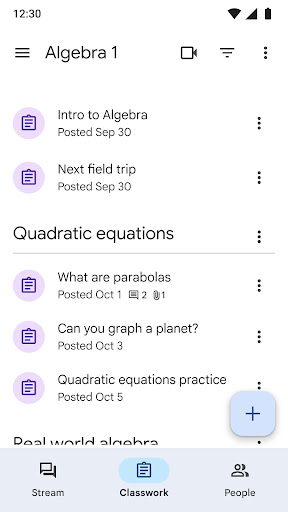
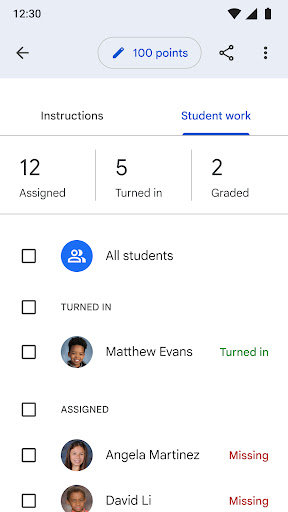
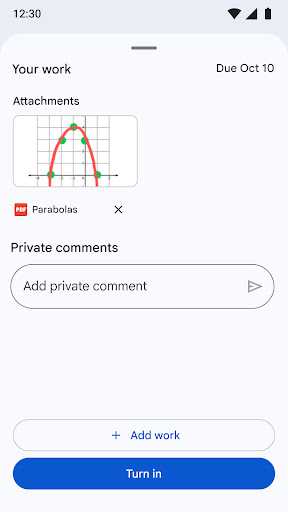
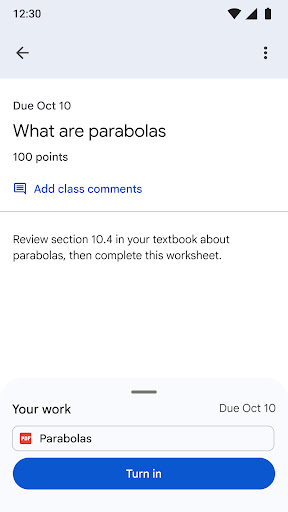
One of the standout benefits of Google Classroom is its paperless workflow. Teachers can create, review, and grade assignments all within the platform, significantly reducing administrative time. Students benefit from a centralized assignments page that displays upcoming tasks and deadlines, helping them stay organized and accountable. This efficient management fosters a more productive learning environment and minimizes the risk of missing deadlines.
Enhanced Organization
All class materials, including documents, photos, and videos, are automatically organized into folders in Google Drive. Students can easily access their resources, keeping everything neatly stored and ready when needed. Additionally, assignments are conveniently displayed, so students and teachers can monitor progress and stay on top of coursework effortlessly.
Streamlined Communication
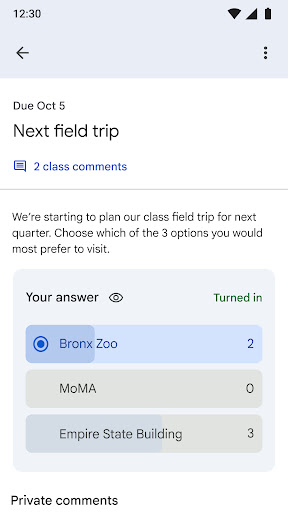
Google Classroom facilitates instant communication between teachers and students. Teachers can post announcements, start discussions, and share resources directly within the platform. Students can respond, ask questions, or share their work on the class stream, fostering an interactive and collaborative learning environment. For those who prefer privacy, private comments allow for discreet communication with instructors or peers.
Secure and Privacy-Focused
As part of Google Workspace for Education, Google Classroom is committed to user privacy and security. The platform contains no advertisements and does not use student data for advertising purposes. Permissions such as camera, storage, and accounts are essential for enabling features like taking photos, attaching files, or choosing user accounts, with privacy safeguards in place to protect user information.
Additional Benefits and Accessibility
Google Classroom is accessible across various devices, including computers, tablets, and smartphones. This flexibility ensures that users can stay connected and productive whether they’re at home, in the classroom, or on the move. The platform’s synchronization guarantees that all updates and materials are current across devices, supporting a flexible, modern educational experience.
By integrating seamlessly with Google Docs, Sheets, Slides, and Drive, Google Classroom allows for easy creation, sharing, and collaboration on assignments and projects. This integration not only saves time but also encourages teamwork and real-time feedback, enriching the overall learning process.
Conclusion
In summary, Google Classroom is an essential tool for modern education, offering an efficient, organized, and collaborative platform for both students and teachers. Its ease of setup, time-saving features, and robust communication tools make it an excellent choice for enhancing teaching effectiveness and improving student engagement. Whether you're looking to digitize your classroom or streamline your academic workflow, Google Classroom is definitely worth exploring to transform your educational routine into a more productive and enjoyable experience.
Pros
- Seamless integration with Google services
- User-friendly interface for students and teachers
- Efficient assignment management
- Real-time collaboration features
- Supports multimedia content sharing
Cons
- Limited customization options
- Requires internet access
- No offline mode for assignments
- Notifications can be overwhelming
- Limited grading options











