Introduction to FotoFusion - Editor Photo
FotoFusion - Editor Photo is a comprehensive and powerful image editing application designed to transform ordinary photos into stunning, professional-looking artworks with just a few simple steps. Whether you're a beginner eager to explore your creativity or a seasoned professional seeking advanced editing capabilities, FotoFusion offers an extensive suite of features to meet all your photo editing needs.
Key Features of FotoFusion - Editor Photo
Advanced Photo Editing
Effortlessly crop, rotate, and flip your images to achieve the perfect composition.
Filters & Effects
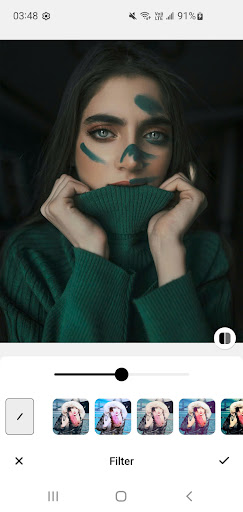
Browse through dozens of artistic filters and captivating effects to enhance the visual appeal of your photos.
HSL Adjustment
Fine-tune Hue, Saturation, and Lightness to achieve the ideal color balance and vibrancy.
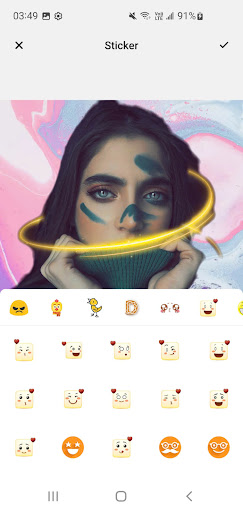
Stickers & Text
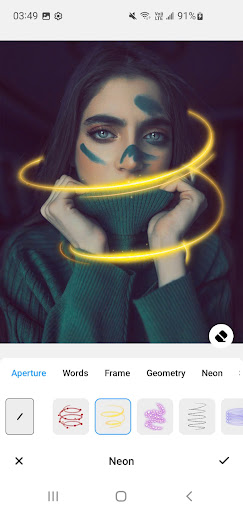
Access a vast collection of stickers and add customizable text with stylish fonts to personalize your images.
Freehand Drawing
Create unique artwork or annotations using adjustable brush tools and freehand drawing features.
Aspect Ratio & Crop
Resize your images with common aspect ratios such as 1:1, 16:9, and 4:5, optimized for platforms like Instagram, Facebook, and TikTok.
Mirror & Flip
Generate symmetrical effects or flip images to add creative flair to your photos.
Compress & Resize
Reduce image file size without compromising quality, perfect for fast sharing and storage management.
Cutout Tool
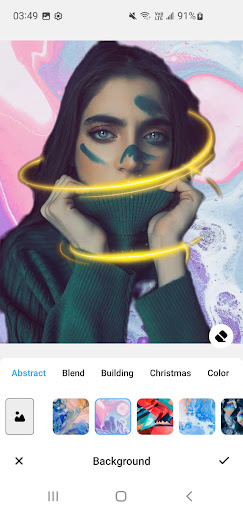
Use the smart background remover to instantly create transparent PNG images, ideal for overlays and collages.
Ease of Use and Performance
Getting started with FotoFusion is straightforward — simply search for the app in your app store, download with a tap, and install. The app is lightweight, ensuring your device's storage isn’t overwhelmed. Its intuitive user interface provides a seamless editing experience, making complex photo adjustments accessible even for beginners. The clear layout and straightforward controls mean you can focus on your creativity without any hassle.
Creative Tools and Sharing Capabilities
One of the most compelling aspects of FotoFusion - Editor Photo is its rich set of creative tools. Beyond basic edits, users can create photo collages, add stylish text, and incorporate fun stickers. The background remover feature is particularly impressive, allowing you to eliminate backgrounds easily and replace them with custom designs, a feature often sought after in professional photo editing apps.
Once your masterpiece is ready, sharing your edited photos directly to social media platforms is quick and convenient. Previously, exporting in high resolution ensures your images look crisp whether printed or used as device wallpapers, making FotoFusion versatile for both personal and semi-professional use.
Conclusion
If you're looking for an all-in-one photo editing app that combines powerful features with a user-friendly experience, FotoFusion - Editor Photo is an exceptional choice. It provides an array of editing tools—from basic adjustments to advanced effects—and allows you to unleash your creativity effortlessly. Perfect for social media enthusiasts, content creators, or anyone wanting to spice up their images, FotoFusion transforms your smartphone into a mini professional photo studio. Download it today and start creating stunning visuals with ease!
Pros
- Intuitive interface suitable for users of all ages.
- A comprehensive set of editing tools available.
- Supports exporting images in high resolution.
- Receives regular updates with new features.
- Compatible with most image formats.
Cons
- Premium features require in-app purchases.
- Occasional advertisements may be disruptive.
- Some features need an internet connection to function.
- Limited features in the free version.
- Initial setup process can take a significant amount of time.