Draw Cartoons 2: An Innovative Animation App for All Ages
Are you eager to create your own animated stories but find traditional animation software overwhelming? Draw Cartoons 2 is a fantastic solution that simplifies the process and makes cartoon creation accessible to everyone. This versatile app is available on both Android and iOS, ensuring that no matter your device, you can dive into the world of animation easily.
Getting Started with Animation
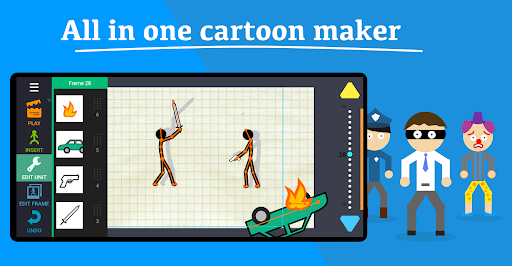
Jumping into Draw Cartoons 2 feels like stepping into a mini animation studio right in your pocket. The app’s user-friendly interface and intuitive design make it simple for beginners to start creating without feeling overwhelmed. Whether you're a young artist or an adult exploring digital storytelling, this app helps turn your ideas into animated reality with ease.
Features That Make Draw Cartoons 2 Stand Out
Comprehensive Cartoon Creation Tools
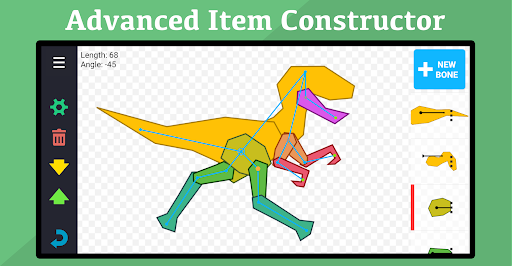
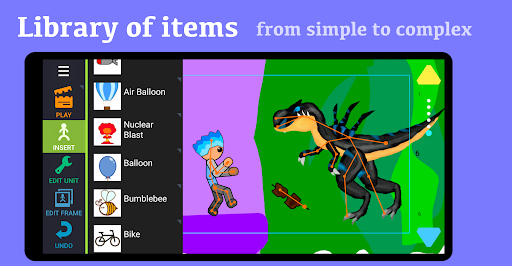
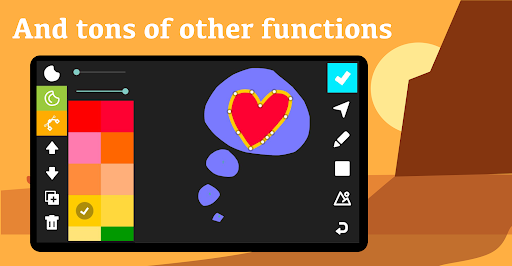
The app takes care of every aspect of creating cartoons, from drawing characters to publishing finished animations. Its extensive features include a library of characters and items that you can use to craft your scenes quickly. Want something more personalized? The items constructor allows you to create objects from scratch or use templates, giving you endless creative possibilities.
One of the key highlights is the support for skeleton-based characters, enabling you to build complex, smooth animations by setting keyframes. Whether you're animating a simple walk cycle or an elaborate scene, you can craft fluid movements effortlessly.
When your cartoon masterpiece is ready, you can export as video to share your work with friends or upload it online. Keep in mind, some features may require in-app purchases to unlock additional functionalities.
Creating and Animating Characters
Custom Characters and Objects
The app’s rich asset library means you can select from a wide range of pre-made characters and objects. This saves time and jumpstarts your projects. For more personalized creations, the items constructor lets you design characters from scratch or via templates. Adjust features like eyes, clothes, and accessories to give your characters a unique look, adding a personal touch to every animation.
Smooth Animation Workflow
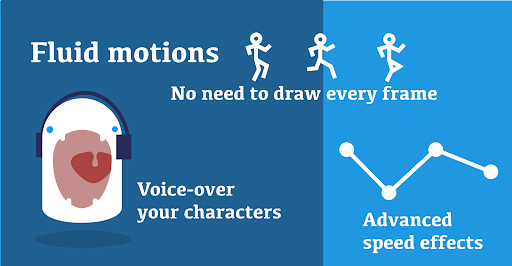
Animating in Draw Cartoons 2 involves a straightforward frame-by-frame method. You can move your characters around, change their poses, and set keyframes to define critical points in the animation. The app automatically fills in the in-between frames, making the movements appear seamless and natural—almost like magic.
An added feature is the ability to add voice-overs. This allows you to record dialogues or add sound effects directly within the app, transforming static cartoons into lively, talking characters. This feature enhances storytelling and engages viewers on a new level.
Designed for All Ages and Skill Levels
Draw Cartoons 2 is perfect whether you’re a kid doodling for fun or an adult experimenting with storytelling. It offers an educational angle, helping young learners understand basic animation principles while providing adults with a creative outlet. The app encourages experimentation and offers a playful environment to unleash your artistic potential.
Conclusion: Unlock Your Creativity with Draw Cartoons 2
In summary, Draw Cartoons 2 is a delightful and comprehensive animation app that democratizes cartoon creation. Its array of powerful features — from character design, smooth animation, to video export — serve both amateurs and aspiring professionals. Whether you want to craft short stories, animated jokes, or full-length cartoons, this app provides the tools to bring your ideas to life easily and funnily.
If you’re ready to explore your artistic side or just have some creative fun, give Draw Cartoons 2 a try. You might discover a hidden passion for animation that could turn into a lifelong hobby or even a profession.
Pros
- User-friendly interface suitable for beginners.
- A wide selection of pre-made characters available.
- Smooth playback of animations.
- Regular updates introducing new features.
- Ability to export animations in various formats.
Cons
- Limited options for advanced editing.
- Occasional app crashes have been reported.
- Advertisements can sometimes be disruptive.
- Some features require in-app purchases.
- Sound effects library is somewhat limited.