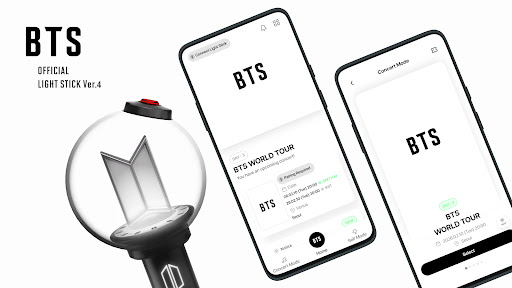
Overview of the BTS Official Light Stick Ver.4 Mobile App
Main Features
1. Connect Light Stick
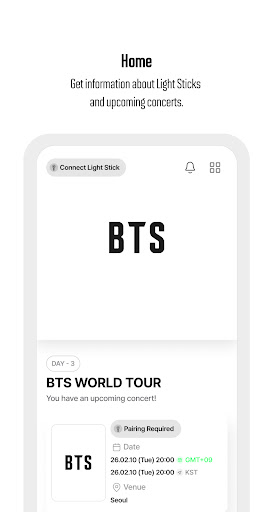
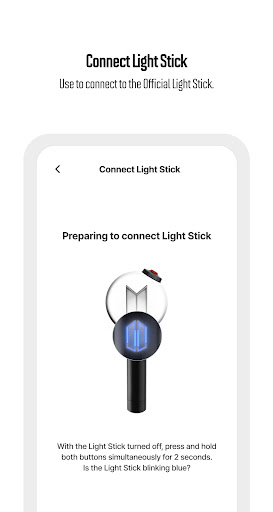
This feature allows users to connect their Official Light Stick using Bluetooth technology. To initiate pairing, ensure the Light Stick is turned off. Press and hold the buttons on the handle simultaneously for about 2 seconds, which puts the device into Bluetooth Mode, indicated by a blinking blue light. Once in this mode, activate Bluetooth on your mobile device and select the Light Stick from available devices to establish a connection. This effortless pairing process ensures fans can control their light effects conveniently throughout the concert.
2. Concert Mode
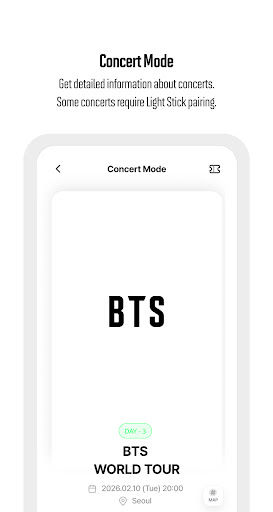
With this feature, users can access detailed information about upcoming concerts, including whether the pairing process is required. During live events, the Light Stick can synchronize with stage performances by displaying various lighting patterns. These patterns are designed to match the stage effects, creating an immersive visual experience for fans. The app makes it easy to manage these features, ensuring fans are always prepared for the visual display at each concert.
3. Light Stick Update
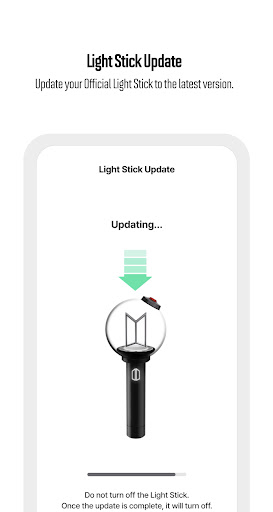
Keeping your Light Stick up-to-date is vital for optimal performance. The app allows users to download and install the latest firmware updates, ensuring compatibility with new features and improved stability. Regular updates help prevent operational issues during concerts and provide the best lighting effects synchronized with BTS’s latest stages and performances.
Important Precautions When Attending a Concert
- For concerts that do not require pairing, the Light Stick will automatically illuminate when turned on prior to the event.
- In cases where pairing is necessary, refer to the separate concert guide, input the concert information into the app’s [Concert Mode] menu, and then proceed to pair the device.
- Always keep your Light Stick firmware updated. If an update is needed, official announcements will be made through authorized channels.
- On the event day, network congestion may delay firmware updates or pairing processes. It’s recommended to complete these steps beforehand at home to avoid issues at the venue.
- Before use, replace old batteries with new alkaline AAA batteries. Using outdated batteries may cause the Light Stick to fade, flash different colors, or turn off unexpectedly during the concert. Carry extra batteries to ensure uninterrupted performance.
- Once paired, the Light Stick will stay connected throughout the concert, and the lighting effects will automatically continue even if the batteries are replaced.
App Access Permissions
- Bluetooth: Essential for connecting and controlling the Light Stick.
- Location: Used as a reference for app services; no data is stored.
- Photo: Required for saving and loading code images.
- Storage: Needed for storing data necessary for app functionality.
Conclusion
Pros
- Offers significant benefits and advantages.
- Provides reliable and high-quality performance.
- User-friendly interface making it easy to operate.
- Flexible features that cater to diverse needs.
- Strong community support and regular updates.
Cons
- Limited customization options available.
- Some features may require additional costs.
- Occasional software glitches or bugs.
- Compatibility issues with certain devices.
- Learning curve for new users can be steep.