Introducing Blood Pressure Tracker: Your Comprehensive Health Monitoring App
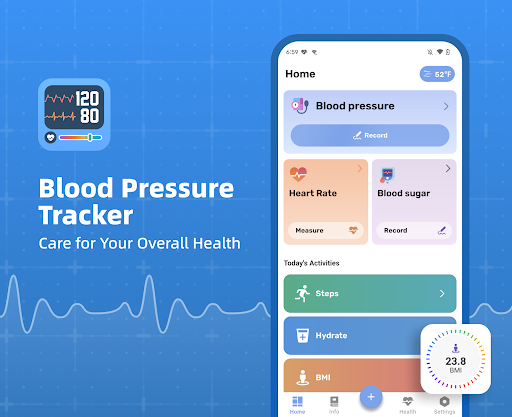
Welcome to Blood Pressure Tracker, an innovative mobile application designed to help you effortlessly manage and monitor your vital health metrics. Whether you're aiming to keep an eye on your blood pressure, heart rate, or blood sugar levels, this app provides a fast, simple, and secure solution. It is particularly ideal for individuals who want to stay on top of their health status, track changes over time, and share data with their healthcare providers for better insights.
Target Users of Blood Pressure Tracker
This app is specially tailored for users who:
- Wish to check their blood pressure regularly but occasionally forget or find it inconvenient
- Still record measurements manually on paper and desire a digital alternative
- Are uncertain if their blood pressure, blood sugar, or pulse fall within healthy or normal ranges
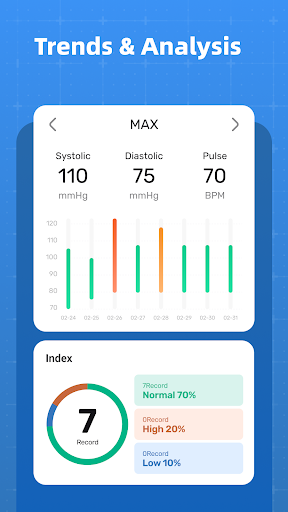
- Want to easily track and analyze trends and fluctuations in their health data
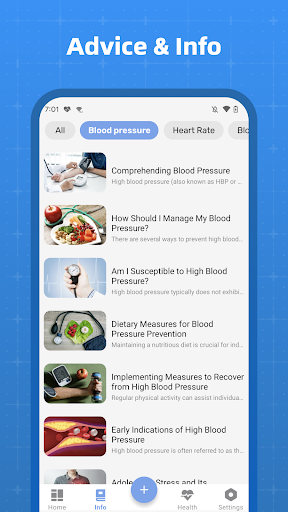
- Seek access to scientific and accurate information on blood pressure, blood sugar, and maintaining a healthy lifestyle
- Require a reliable way to show their blood pressure condition and trends to their doctor
Key Features of Blood Pressure Tracker
We recommend using Blood Pressure Tracker because of its user-friendly features that support a healthier lifestyle and better health management:
- Seamless Recording: Easily log your blood pressure, blood sugar, and pulse data without hassle. The app simplifies data entry to help you stay consistent.
- Comprehensive Data Tracking: Apart from blood pressure and blood sugar, monitor other health parameters such as water intake, steps, and BMI (Body Mass Index) for a complete overview of your health.
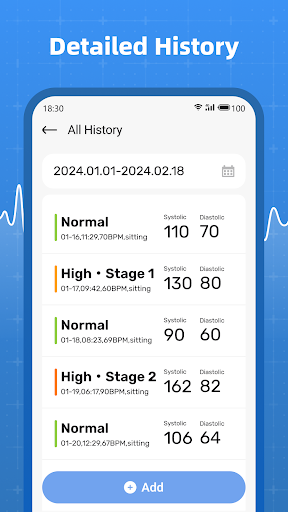
- Historical Data Access: Instantly review past measurements with an organized history. Detect subtle changes over time, enabling timely actions for health improvement.
Note: Please be aware that the Blood Pressure Tracker app does NOT measure blood pressure or blood sugar directly; it only records and analyzes the data entered by users.
Why Choose Blood Pressure Tracker?
Opting for Blood Pressure Tracker means choosing a reliable companion for your health management. Its intuitive interface and comprehensive analysis tools help you make informed decisions about your health. Regular tracking enhances your ability to notice patterns and identify potential issues early, fostering better communication with healthcare professionals. Whether you're managing a chronic condition like hypertension or just aiming to maintain optimal wellness, this app is your ideal partner.
Benefits of Using Blood Pressure Tracker
By incorporating this app into your routine, you'll enjoy benefits such as simplified health data recording, detailed trend analysis, and improved understanding of how lifestyle factors influence your vital health metrics. The app encourages a proactive approach by providing a clear picture of your health status over days, weeks, or months, thereby supporting healthier habits and lifestyle modifications.
Pros
- User-friendly interface that simplifies navigation
- Provides a wide range of features to enhance experience
- Reliable and consistent performance
- Regular updates improve functionality and security
- Excellent customer support for troubleshooting
Cons
- Limited customization options for users
- Occasional technical glitches may occur
- Some features require additional in-app purchases
- Initial setup process can be complex for new users
- Battery consumption can be high during intensive use