

Introduction to AI Photo Editor: Photo Enhance
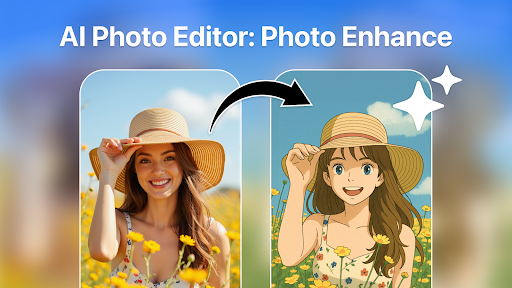
If you're passionate about capturing moments and transforming your photos into stunning visuals, the AI Photo Editor: Photo Enhance app is a revolutionary tool designed to elevate your photography experience. Combining ease of use with powerful AI-driven features, this app offers a comprehensive solution for enhancing photo quality, removing unwanted objects, and applying creative effects — all in a user-friendly interface suitable for both beginners and seasoned photographers.
Key Features of AI Photo Editor: Photo Enhance
• Photo Enhancer: Object Remover
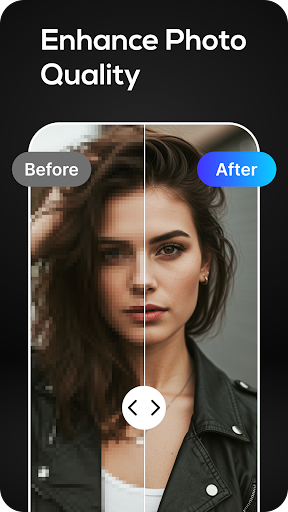
The Photo Enhancer: Object Remover feature transforms ordinary images into extraordinary works of art. Whether you want to sharpen your vacation memories, perfect a selfie, or create eye-catching content for social media, this feature provides high-quality enhancements seamlessly. Its intuitive design allows you to take full control of image editing—improving clarity, color vibrancy, and sharpness with just a few taps. One of the standout capabilities is its high-quality AI photo enhancement, which automatically analyzes your photos, identifying areas needing improvement. The app then applies intelligent adjustments to boost sharpness, brightness, contrast, and vibrancy, making images look professionally edited—even those taken in challenging lighting conditions. Want to enhance low-resolution images or improve the detail in your shots? The higher resolution picture enhancer ensures your photos look crisp and vibrant, truly capturing every moment in stunning HD quality. Additionally, with the app’s free trial feature, you can experience these powerful enhancements without any cost, making it easier than ever to elevate your photography game.
• Object Removal and Background Cleanup
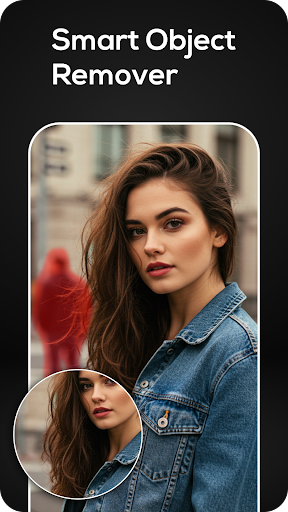
Sometimes, unwanted elements—like photobombers, distracting objects, or cluttered backgrounds—ruin the perfect shot. AI Photo Editor: Photo Enhance excels in object removal, offering precise editing that seamlessly blends the surrounding pixels to eliminate unwanted items. Whether removing a stranger from your vacation shot or clearing up a messy background, this tool ensures your images are clean and focused. Plus, the app functions as a photo background object remover, making it simple to achieve a clutter-free aesthetic. The removal process is effortless, and images can be edited without watermarks, ensuring professional-looking results every time.
• Complete Photo Optimization
Combining the photo enhancer and object remover features, this app becomes your go-to tool for perfecting every shot. It not only boosts overall image quality but also helps eliminate distractions, so your photos look as if they were taken by a professional photographer. Whether editing personal memories, refining images for business portfolios, or curating social media content, AI Photo Editor: Photo Enhance makes achieving high-quality visuals simple and quick. The precision editing tools, especially the photo retouch AI remove unwanted objects, ensure that even the most complex edits feel smooth and natural. This ease of use allows users to produce polished, sharp, and vibrant images effortlessly.
Why Choose AI Photo Editor: Photo Enhance?
In a crowded market of photo editing apps, AI Photo Editor: Photo Enhance stands out due to its combination of advanced AI technology and user-friendliness. The app offers a powerful yet effortless solution for improving your photos without requiring technical skills or expensive software. Its simple interface means that anyone can start editing with just a few taps, making it perfect for quick touch-ups or detailed modifications. Whether you're a casual user looking to enhance your social media images or a professional seeking to streamline your workflow, this app provides versatile tools to meet your needs. With features like batch editing, you can enhance multiple images simultaneously, saving time and effort. The app preserves image quality while applying enhancements or removing objects, ensuring your photos look natural and stunning. Make your photo gallery stand out by transforming ordinary snapshots into visually captivating images with ease.
Final Thoughts
The AI Photo Editor: Photo Enhance app offers an exceptional combination of advanced AI algorithms and user-centric design, making professional-quality photo editing accessible to everyone. Its ability to enhance photo quality to HD, seamlessly remove unwanted objects, and apply creative filters makes it a powerful tool for capturing and sharing unforgettable moments. Whether you're looking to elevate your personal photography, improve your social media content, or professionalize your portfolio, this app provides the features you need. Its high-performance tools ensure you get the best results with minimal effort, turning everyday images into impactful, vibrant visuals. Download AI Photo Editor: Photo Enhance today and start creating flawless photos that truly reflect your style and creativity!
Pros
- Enhances photo quality effectively.
- User-friendly interface design.
- Wide range of editing tools.
- Fast processing speed.
- Offline editing capabilities.
Cons
- Limited free version features.
- Occasional ads can be disruptive.
- Requires large storage space.
- Some features need improvement.
- In-app purchases can add up.