PPSSPP - PSP Emulator: Play Classic PSP Games on Your Android Device
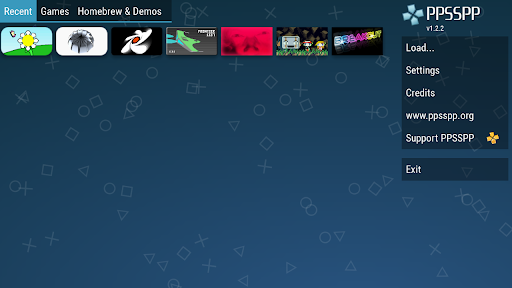
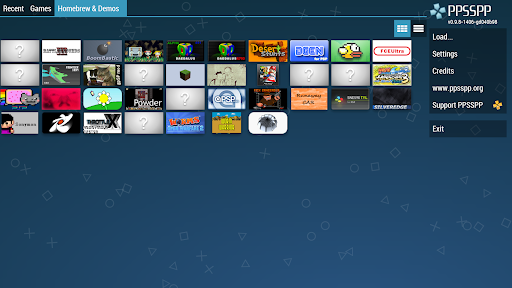
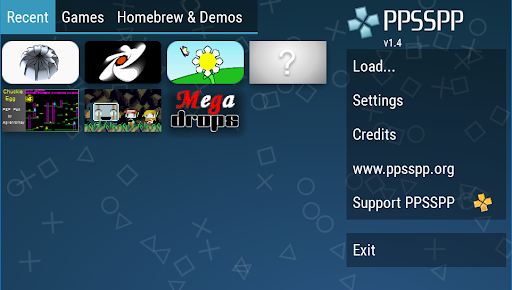
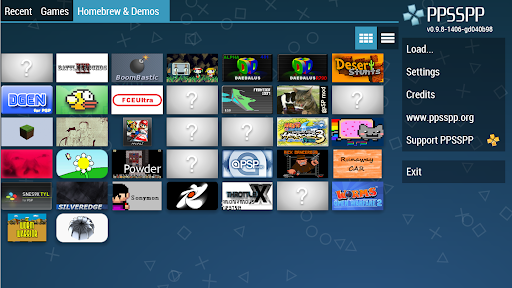
Are you longing for the nostalgia of classic PSP gaming? With the PPSSPP - PSP emulator, you can relive those cherished moments right on your Android device in high definition. This powerful emulator allows you to turn your own PSP game files into .ISO or .CSO formats or enjoy free homebrew games available online. Simply place your game files in the /PSP/GAME directory on your SD card or USB storage and start playing. It’s a versatile solution catering to gaming enthusiasts who want to experience their favorite PSP titles anywhere, anytime.
Note that this is the free version of the app. If you'd like to support ongoing development and unlock additional features, consider downloading PPSSPP Gold. For more details, visit the official website at ppsspp.org. Users can also explore online forums for game compatibility tips and troubleshooting help, ensuring a smooth gaming experience across a wide range of titles.
Experience the Joy of Retro Gaming with PPSSPP
Remember the good old days of playing on the PlayStation Portable? The PPSSPP - PSP emulator is here to bring back those nostalgic moments on your smartphone—whether you’re using Android or iOS. This app recreates the classic PSP gaming experience, augmented with modern enhancements that make old favorites look better and play more smoothly than ever before.
Why Choose PPSSPP?
This emulator is a game changer for fans of portable gaming. It enables you to play all your favorite PSP titles in stunning full HD resolution. From action-packed adventures to RPG classics like Final Fantasy: Crisis Core, the emulator enhances graphics quality, providing a more immersive and visually appealing experience.
Simplified Setup & Customization
Worried about complicated setups? Don’t be. The installation process is straightforward—just a few taps, and you’re all set. The emulator supports features such as save states, allowing you to continue your game progress seamlessly. You can also customize the on-screen controls to suit your playing style or connect an external gamepad for a more authentic feel, transforming your device into a portable PSP console.
Reliable Performance & Compatibility
Performance-wise, PPSSPP runs games smoothly, with titles like God of War: Chains of Olympus and Final Fantasy: Crisis Core delivering lag-free gameplay on compatible devices. The emulator supports various file formats including ISO, CSO, and homebrew games, making it versatile and user-friendly. Your gaming library is only limited by your imagination and storage capacity.
Active Community & Continual Updates
If you encounter any issues, the vibrant PPSSPP community online offers plenty of support, tips, and troubleshooting advice. The developers regularly release updates that fix bugs, improve speed, and add new features, ensuring that the experience remains top-notch for users around the world.
Conclusion
Whether you're a retro gaming enthusiast or simply want to revisit classic PSP titles with enhanced graphics, the PPSSPP - PSP emulator is a must-have app. It combines ease of use, excellent performance, and nostalgic appeal to deliver a handheld gaming experience in the palm of your hand. Dust off your digital game files, set up the emulator, and rediscover the magic of PSP gaming on your modern device.
Pros
- Excellent compatibility with PSP games.
- Customizable on-screen controls for better gameplay experience.
- Supports save states to easily resume progress.
- Enhanced graphics quality for high-resolution visuals.
- Compatible with a wide variety of platforms.
Cons
- May require a high-performance device for smooth gameplay.
- Some games might experience audio problems.
- Occasional crashes may occur with certain games.
- In-app advertisements can be disruptive.
- Initial setup process can be challenging for new users.