Introduction to My OldBoy! - GBC Emulator
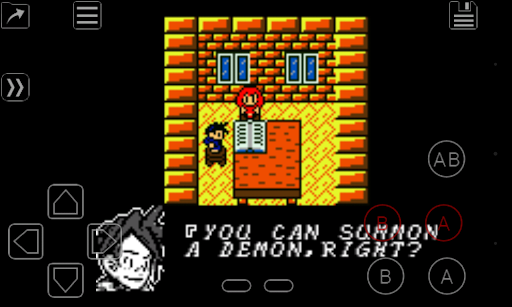
The My OldBoy! - GBC Emulator is a comprehensive and ultra-fast emulator designed to bring the nostalgic experience of Game Boy and Game Boy Color gaming directly to your Android devices. From the most basic, low-end smartphones to powerful tablets, this emulator ensures smooth and accurate gameplay across a broad range of hardware. It effectively replicates almost every aspect of the original hardware, offering a genuine retro gaming experience. Special features like link cable, rumble, and tilt sensor support enhance the realism, making it feel like you’re playing on the original console. Customizing the visual experience is also possible via custom color palettes, enriching monochrome games with vibrant colors. Thanks to its sophisticated save system, you can save your game progress anytime and resume seamlessly. Additionally, the fast-forward feature allows you to skip through lengthy sections or slow down gameplay to handle difficult parts, making the overall gaming experience more flexible and user-friendly.
Key Features of My OldBoy! - GBC Emulator
High Compatibility and Performance
The emulator boasts excellent game compatibility, supporting an extensive library of Game Boy and Game Boy Color titles. Its fast emulation is powered by ARM assembly code, enabling it to run games smoothly at up to 60 FPS without frame skips, even on devices with modest specifications. This efficiency not only guarantees a lag-free experience but also conserves your device’s battery, allowing for extended gaming sessions.
Rich Customization and Visual Enhancements
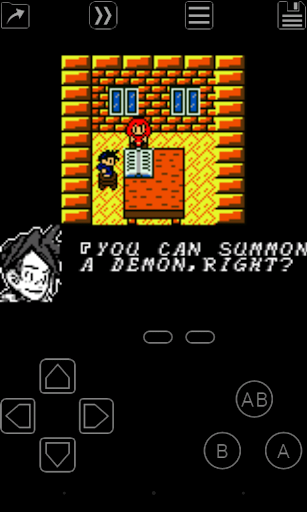
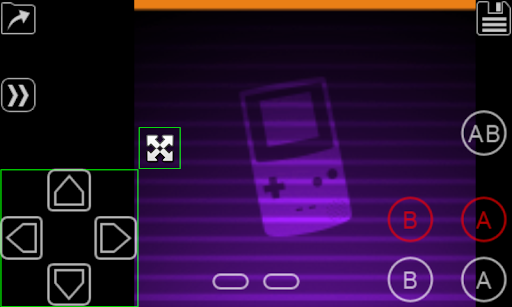
The emulator offers a variety of customization options, such as game palette adjustments with Super Game Boy palettes, which bring more colors to monochrome or limited-color titles. You can also enhance graphics using GLSL shaders for cool visual effects, and tweak screen layout and key mappings through an intuitive layout editor. This ensures personalized control and viewing preferences, making each gaming session uniquely tailored to your style.
Additional Features for Retro Gaming Enthusiasts
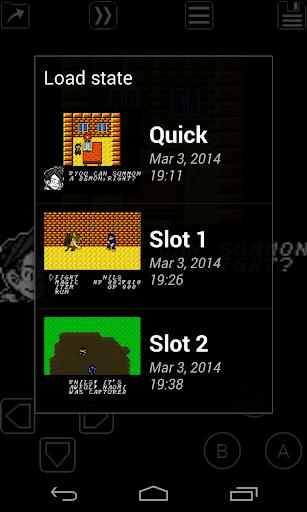
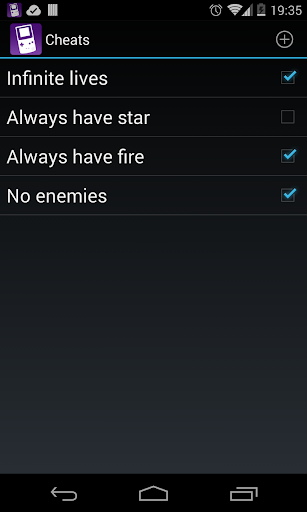
Beyond basic emulation, the app supports save states with screenshot capabilities and can sync save files with Google Drive for easy backup. You can enter multilined cheat codes from GameShark or Game Genie, enabling or disabling them during gameplay on the fly. ROM patching with IPS/UPS files is also possible. For multiplayer gaming, the link cable emulation works over Bluetooth or Wi-Fi, allowing you to enjoy multiplayer battles with friends even across different devices. Other noteworthy features include external controller support, an interface seamlessly integrated with the latest Android systems, and multiple screen profiles for quick switching based on your preferences.
Playing Your Games on My OldBoy! - GBC Emulator
How to Use and Legal Notes
To start gaming, simply place your legally obtained ROM files onto your SD card and browse and select them within the app. The emulator does not include any games itself, maintaining a strict adherence to legal use. It is important to note that My OldBoy! - GBC Emulator is not affiliated with Nintendo, its subsidiaries, or affiliates, and is intended solely for playing legally acquired copies of game ROMs. The app features a highly user-friendly interface with a well-designed menu system, allowing you to easily access save features, configure controls, and customize visual settings. With support for external controllers and shortcut buttons, players can enjoy a comfortable and versatile gaming setup, whether on a smartphone or tablet.
Conclusion
In an era dominated by high-end graphics and complex gameplay mechanics, My OldBoy! - GBC Emulator offers a heartfelt nostalgia trip down memory lane. It strikes an impressive balance between authentic retro gaming and modern conveniences, making it an essential app for retro gaming enthusiasts. With its high compatibility, customizable features, and seamless performance, this emulator redefines how you experience classic Game Boy and Game Boy Color titles on your mobile device. Whether you're reliving childhood memories or exploring these timeless games for the first time, My OldBoy! provides a reliable, fun, and visually appealing way to enjoy classic handheld gaming on the go. Dust off those ROMs, fire up the emulator, and immerse yourself once again in the charming pixel art and catchy chiptune music that made the Game Boy a beloved icon in gaming history.
Pros
- Highly accurate emulation of Game Boy Color (GBC) games.
- Supports fast-forward to skip lengthy intros.
- Bluetooth-based link cable emulation.
- Customizable control schemes.
- Allows saving games at any point using save states.
Cons
- Advertisements are present in the free version.
- Requires setup for optimal performance.
- Limited features available in the free version.
- Does not include a built-in game library.
- Occasional issues when loading ROM files.