Introduction to My Boy! - GBA Emulator
Are you a fan of retro gaming and looking to relive the golden days of pixelated adventures? My Boy! - GBA Emulator is your perfect companion for bringing classic Game Boy Advance titles back to life right on your Android device. Designed with speed, compatibility, and user experience in mind, this emulator offers a seamless way to enjoy your favorite GBA games whether you own a low-end phone or a high-end tablet.
Features of My Boy! - GBA Emulator
Performance and Compatibility
One of the standout qualities of My Boy! is its exceptional emulation performance. Thanks to the innovative JIT recompiler, games run at blazing fast speeds with minimal lag, ensuring an authentic gaming experience. The emulator boasts very high compatibility, allowing you to play nearly all GBA titles smoothly. Whether you’re into Pokémon, Zelda, or Mario games, you can trust that most ROMs will work flawlessly.
Advanced Emulation Features
The app emulates almost all hardware aspects of the GBA, including linking devices for multiplayer gaming, either on the same device or across Bluetooth or Wi-Fi connections. It also supports hardware sensors like gyroscope, tilt, and solar sensors, as well as rumble features through your device's vibrator, giving you a more immersive experience. Additionally, High-level BIOS emulation is included, so no BIOS files are necessary.
Tools and Enhancements
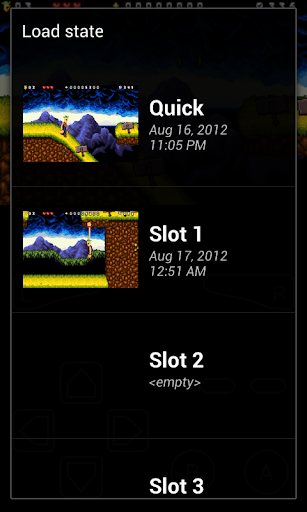
My Boy! provides a variety of tools to enhance gameplay. It supports IPS/UPS ROM patching for custom modifications, offers an OpenGL rendering backend for better graphics, and includes numerous video filters through GLSL shaders to improve visuals. You can also fast-forward through slow sections or slow down gameplay to beat tricky parts. Save your progress anytime with screenshot support and seamlessly sync your saved games with Google Drive, allowing you to switch devices and continue your adventure effortlessly.
Customizable Layout and User Interface
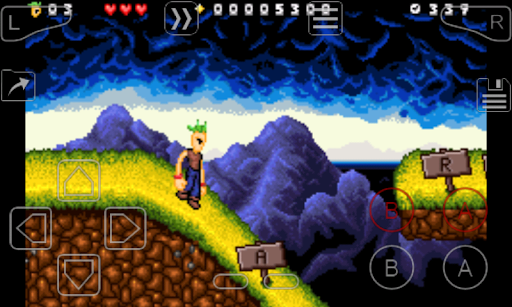
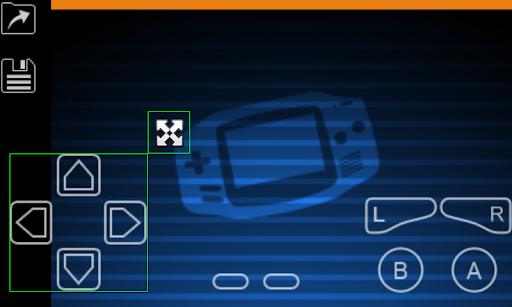
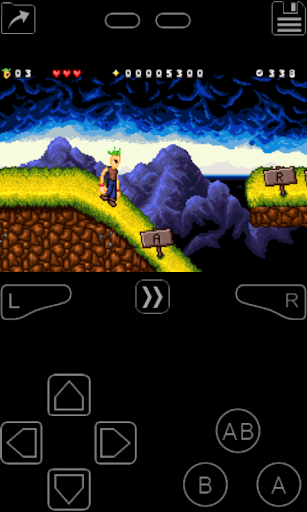
The emulator features a screen layout editor that allows you to personalize control positions and sizes for optimal comfort. It also supports multiple profiles for key-mapping and screen layouts, making it easy to switch between different gaming setups. The user interface is sleek and intuitive, designed to provide a smooth experience in line with the latest Android standards.
Additional Functionalities
On-screen controls and shortcut buttons, such as load/save, enhance user convenience. The app allows for easy launching of favorite games through custom shortcuts on your home screen. It also supports connecting external controllers for a more authentic gaming experience. Please note, the app does not include game files; you need to acquire ROMs legally and place them in your device storage to start gaming.
Why Choose My Boy! - GBA Emulator?
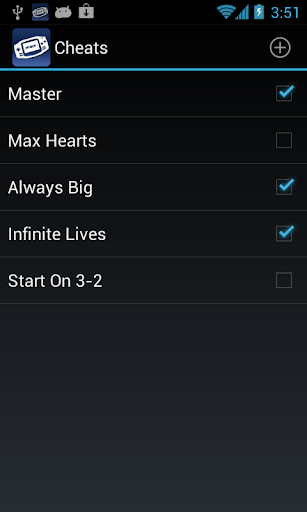
If you are passionate about retro gaming and want a reliable, high-performance emulator, My Boy! delivers just that. Its features allow both casual players and avid gamers to enjoy GBA titles with ease and customization. Its support for multiplayer, cheat codes, save states, and screen customization makes it a versatile tool for nostalgic gaming sessions.
Designed with simplicity and power in mind, the emulator is easy to set up and use, even for beginners. Its lightweight footprint ensures that your device resources are preserved, providing a smooth gaming experience without lag or crashes. Whether you're reliving childhood memories or exploring GBA classics for the first time, My Boy! is a must-have app for nostalgic gamers everywhere.
So, dive into the exciting world of Game Boy Advance games on your mobile device, and let the adventures unfold. With its rich feature set, high compatibility, and user-friendly interface, My Boy! transforms your device into a portable GBA console — all you need to do is acquire your favorite ROMs legally, load them into the app, and start gaming!
Pros
- Fast and smooth gameplay experience.
- Supports a wide range of GBA games.
- Highly customizable controls.
- Save and load game states easily.
- Low battery consumption.
Cons
- Ads can be intrusive at times.
- Some features require in-app purchases.
- Compatibility issues with certain games.
- Limited support for ROM hacks.
- No multiplayer support.