Introduction to MD.emu: The Ultimate Sega Genesis Emulator
Are you feeling nostalgic and yearning to revisit classic Sega Genesis titles? Look no further than MD.emu, a feature-rich emulator designed to bring the nostalgic charm of Sega Genesis, Mega Drive, Sega CD, and Master System/Mark III games directly to your mobile device. Whether you're on Android or iOS, MD.emu offers an authentic retro gaming experience with minimal setup and enhanced performance, making it the go-to solution for Sega enthusiasts around the globe.
Features that Capture the Retro Spirit
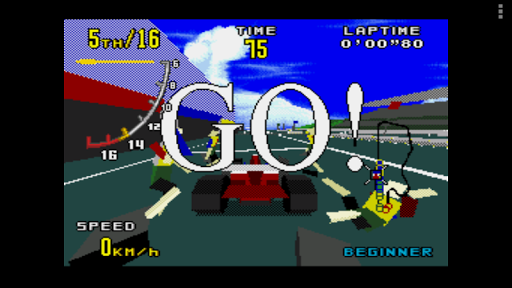
One of the standout aspects of MD.emu is its extensive support for various game file formats, such as .bin, .smd, .gen, and .sms. The app can handle compressed files in ZIP, RAR, or 7Z formats, providing flexibility for users with different ROM collections. Experience authentic gameplay with hardware support for the SVP chip in Virtua Racing, and CD emulation by loading .cue or .bin files—although this feature is currently in beta. The emulator also supports a broad range of audio formats including FLAC, Ogg Vorbis, and Wav, ensuring high-quality sound reproduction that faithfully remasters those iconic 16-bit tunes.
Controller and Input Support
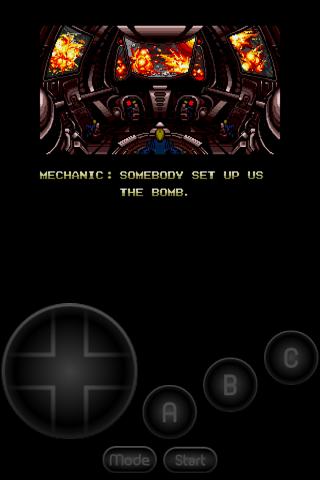
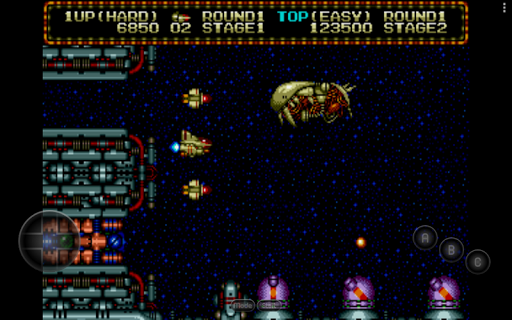
MD.emu recognizes a 6-button controller and supports multitap for 4-player multiplayer. For players looking for an authentic experience, the emulator offers gun support compatible with devices like Menacer and Justifier. Customizable on-screen controls allow for personalized layouts, while Bluetooth and USB gamepads and keyboards are fully supported, accommodating any HID device, such as Xbox or PlayStation controllers. This extensive input support ensures seamless gameplay across a variety of devices, from classic Xperia Play phones to the latest NVIDIA Shield and Pixel phones.
Performance and Compatibility
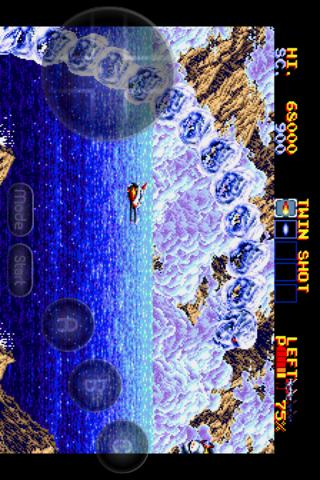
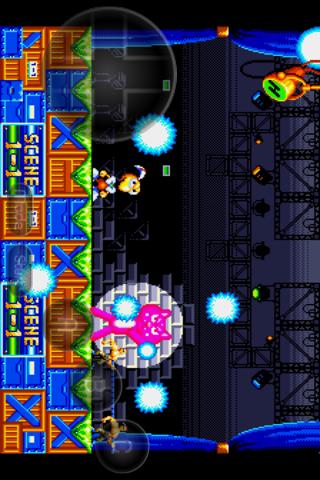
When it comes to performance, MD.emu excels with low audio/video latency, delivering smooth gameplay without noticeable lag. Games like Sonic the Hedgehog and Streets of Rage run effortlessly, with audio faithfully capturing the essence of 16-bit era music. The emulator is compatible across a wide range of devices and screen sizes, ensuring a consistent experience whether you're on a large tablet or a compact smartphone. Regular updates keep bugs at bay and improve stability, reinforcing MD.emu as a reliable tool for retro gaming.
Getting Started with MD.emu
Setting up MD.emu is straightforward and user-friendly. Simply download the app, and it guides you through the process of selecting and loading your personal game ROMs—no game files are included to respect copyright. The app integrates seamlessly with Android’s storage access framework, allowing you to open files stored internally or externally, including SD cards and USB drives. Once your ROMs are loaded, you can customize controls, enable cheat codes using .pat files (similar to Kega Fusion or Genesis Plus GX), and optimize your gaming environment for maximum comfort and fun.
Why Choose MD.emu for Retro Gaming?
If you’re craving an authentic Sega Genesis gaming experience on modern devices, MD.emu is hard to beat. Its support for multiple file formats, low latency, broad device compatibility, and customizable controls make it an excellent choice for casual players and hardcore enthusiasts alike. The emulator’s ongoing development ensures continuous improvements, so your nostalgic gaming sessions will only get better over time. With the ability to replay your favorite titles with high audiovisual fidelity and multiplayer support, MD.emu truly bridges the gap between retro charm and modern convenience.
Final Thoughts
Embrace the retro gaming revival with MD.emu, a powerful Sega Genesis emulator tailored for mobile devices. Whether you're reliving childhood memories or discovering classic titles for the first time, MD.emu offers a seamless and immersive experience. Download it today and step back in time to enjoy timeless Sega classics, reimagined with modern technology and performance.
Pros
- High compatibility with Genesis games.
- Customizable on-screen controls.
- Supports various cheat codes.
- Save and load game states easily.
- Fast performance.
- Smooth operation on devices.
Cons
- Limited features in the free version.
- Occasional minor graphical glitches.
- No native support for multiplayer.
- Requires external BIOS files.
- User interface design is outdated.