Jigsolitaire: A Unique Puzzle Experience
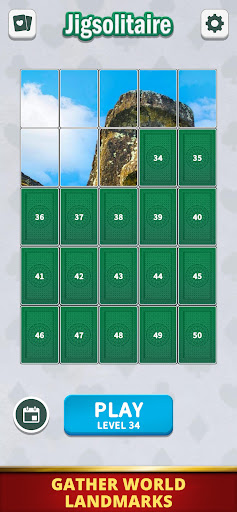
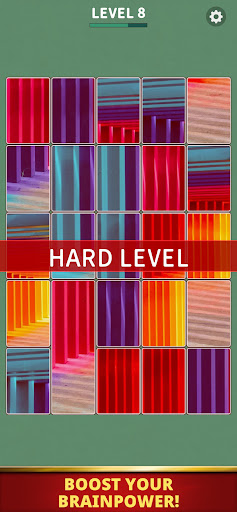
Discover Jigsolitaire, an engaging puzzle game that challenges players to combine photos on cards to recreate complete images. The game offers a satisfying and enjoyable experience as you fit the pieces together perfectly, giving you a sense of accomplishment with each successful snap. Whether you're a casual gamer or a puzzle enthusiast, Jigsolitaire provides endless entertainment and a relaxing way to test your spatial skills.
Game Features
Enjoy Completing Photos by Combining Cards
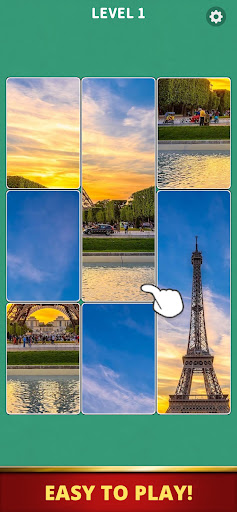
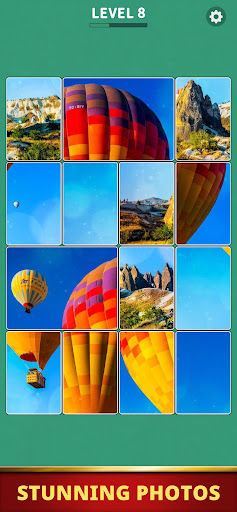
Initially, the cards may seem random, but your task is to find the exact spots where each piece fits to complete beautiful photos. The process of matching the pieces and hearing the snap sound when they lock into place creates a uniquely satisfying sensation that keeps players hooked.
Intuitive Swipe Controls
Navigation in Jigsolitaire is effortless—simply swipe to move the cards around. When multiple cards are correctly aligned, they snap together and can be moved as a group, making the gameplay smooth and intuitive. This control scheme ensures a seamless experience suitable for all players, regardless of experience level.
Exhilarating Chain Reactions
The thrill of witnessing multiple cards locking into place simultaneously offers an addictive gameplay element. These chain reactions add excitement and unpredictability, boosting the game's high replay value and keeping players engaged for hours.
Designed for All Skill Levels
Whether you have a few minutes or want to immerse yourself in longer sessions, Jigsolitaire caters to all skill levels. With each playthrough, you'll uncover new strategies and discover fresh details, ensuring the game remains interesting and challenging over time.
A Wide Variety of Themed Photos
The game features an extensive collection of photos across different themes, including flowers, landscapes, animals, and more. The developers are committed to continuously adding new images, providing players with an ever-expanding gallery of beautiful visuals to assemble.
How to Play Jigsolitaire
Swipe to Move Cards
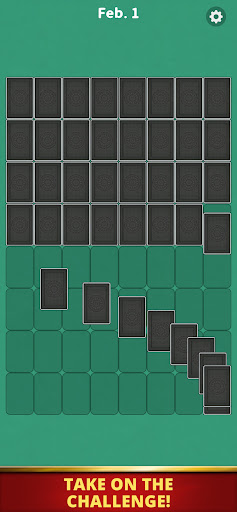
Use your finger or mouse to swipe across the screen and drag the cards to the desired positions. This simple control makes the game accessible for everyone.
Move Connected Cards All at Once
When the cards are correctly aligned, they will snap together, allowing you to move the entire connected group as a single unit. This feature helps in efficiently assembling complex images.
Beware of Overlapping Large and Small Cards
If you place a smaller card over a larger one, the larger card might shrink or change size. Pay close attention to size changes to avoid accidentally misplacing pieces. Careful strategic placement is key to completing the puzzles efficiently.
Why Choose Jigsolitaire?
Despite its straightforward controls, Jigsolitaire offers depth through strategic card placement and puzzle-solving. Whether you're a fan of jigsaw puzzles, enjoy solitaire, or simply want a light-hearted, fun puzzle, this app provides an engaging way to relax and improve your visual and spatial reasoning skills.
With continually updated themes and images, Jigsolitaire ensures there's always something new to discover. Its high replay value and satisfying gameplay mechanics make it a perfect choice for gamers of all ages seeking a casual yet challenging puzzle experience.
Pros
- User-friendly interface makes navigation easy.
- Offers a wide range of features to enhance user experience.
- Reliable performance with minimal downtime.
- Excellent customer support services.
- Regular updates ensure the app remains current and secure.
Cons
- Some features require a subscription, which may be costly.
- Occasional bugs can affect usability.
- Limited customization options for advanced users.
- High battery consumption during extended use.
- Requires frequent internet connection for optimal performance.