




















Dreamy Room
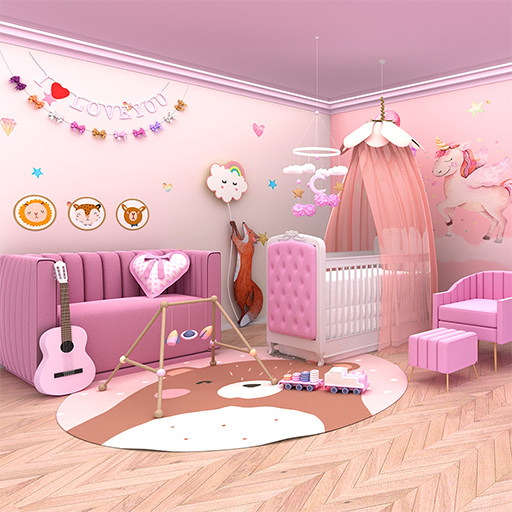
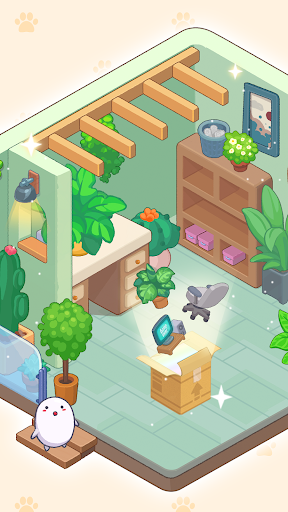
Dreamy Room is more than a game — it’s a satisfying heartfelt journey that reminds us of the beauty in life’s quiet, ordinary moments. With every box you open, you’ll uncover personal belongings and carefully find the perfect spot for each item. As you unpack, you'll reveal the story of a life, room by room, year by year, piecing together tender memories and heartfelt milestones. Take your time to organize, decorate, and create cozy spaces that tell a story without a single word. There’s no pressure—just the peaceful satisfaction of bringing order to chaos. From tiny trinkets to treasured keepsakes, every object carries meaning. You'll find yourself reminiscing, imagining, and smiling as you unpack a life and watch it unfold before your eyes. Let the gentle visuals, soothing sounds, and thoughtful gameplay wrap you in a warm hug of nostalgia and comfort.
Why You'll Love Dreamy Room
A Relaxing Escape: It’s the perfect blend of mindfulness and creativity, offering a peaceful retreat from the chaos of daily life.
Beautiful Storytelling: Each item you place reveals pieces of a life story, told entirely through objects—personal, intimate, and deeply relatable.
A Cozy Atmosphere: With soft visuals, calming music, and no timers, it’s all about taking your time and enjoying the process.
The Joy of Organizing: There's something deeply satisfying about putting everything in its perfect place and creating a space that feels just right.
Nostalgia and Emotion: From childhood bedrooms to first apartments, every room tells a story that sparks memories and emotions we all share.
Unique Gameplay: It’s unlike anything else—simple, intuitive, and endlessly charming. Dreamy Room isn’t just a game—it’s a cozy escape into the beauty of life’s little details, a journey into the little moments that make a house feel like home.
Dreamy Room: A Personal Experience
Hey there! So, I recently stumbled upon this app called Dreamy Room and, let me tell you, it’s like a little virtual escape for your mind. Imagine a place where you can design your dream room without any limitations or budget constraints. Yep, that’s exactly what this app lets you do, and it’s pretty fantastic.
Getting Started
Dreamy Room is available for Android and iOS, which is super convenient. After a quick download and installation, you’re greeted with a user-friendly interface. The navigation is smooth, and everything is laid out in a way that makes sense even if you’re not tech-savvy.
Designing Your Dream Space
The app offers an extensive library of furniture, decor, and even color palettes to choose from. It’s like having a personal interior designer at your fingertips. I spent hours mixing and matching different styles, and it was honestly hard to stop. The level of detail in the 3D models is impressive, making everything feel quite realistic. One feature I absolutely love is the ability to see your designs in augmented reality. You can literally project your dream room into your physical space using your phone’s camera. It’s wild to see how a virtual room setup could look in real life, and it definitely helps in visualizing the final outcome.
Sharing and Exploring Ideas
What’s even cooler is that Dreamy Room has a social sharing feature. You can share your designs with friends or browse what others have created. It’s a nice touch to get inspiration from fellow users, and who knows, you might discover a new style you hadn’t considered before. There’s also an option to collaborate on projects, which is perfect if you’re designing a space with someone else. It’s easy to invite others and work together on the same design, making the app not just a solo experience but also a collaborative one.
Final Thoughts
In the end, Dreamy Room is more than just an app; it’s a creative outlet. Whether you’re looking to redecorate your actual room or just enjoy designing for fun, this app offers a lot of flexibility and inspiration. The mix of creativity and technology is seamlessly blended, making it a must-try for anyone interested in interior design or just looking to have some fun. So, if you’re in the mood to unleash your inner designer and bring your dream room to life, give Dreamy Room a try. It’s a delightful escape into the world of design, and who knows, you might end up transforming your real-life space into something straight out of a magazine!
Pros
- User-friendly interface
- Variety of room designs
- Regular updates
- Customizable features
- No ads
Cons
- Limited free content
- Some designs are premium
- Occasional bugs
- Requires internet
- High battery usage