

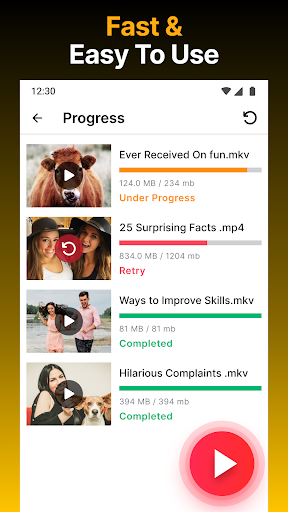
Overview of Video Downloader HD - Vidow
Are you a video enthusiast who loves having your favorite clips available offline? Whether it’s a hilarious meme, an engaging tutorial, or the latest music video from your favorite artist, the ability to save videos for offline viewing transforms your entertainment experience. Video Downloader HD - Vidow is a versatile app designed to help users effortlessly download videos from a wide range of platforms directly to their devices. Say goodbye to buffering issues and data constraints — this app helps you create your own personal video library that’s accessible anytime, anywhere.
Key Features of Video Downloader HD - Vidow
User-Friendly Interface
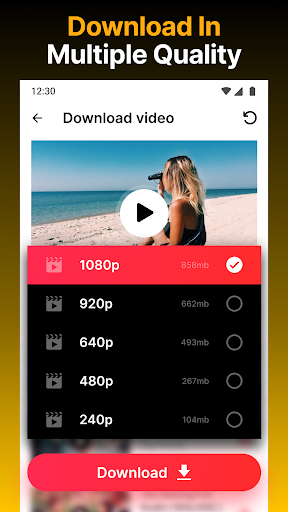
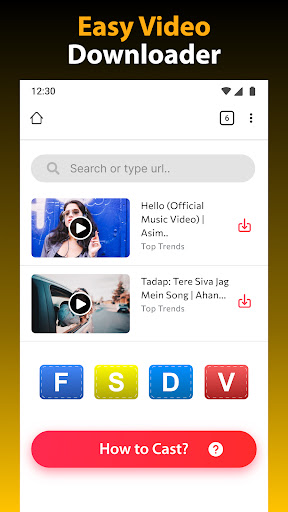
One of the standout aspects of Vidow is its intuitive and easy-to-navigate interface. Even if you’re not tech-savvy, you'll find it simple to access the core functions. Just open the app, paste the URL of the video you'd like to save, and hit the download button. The process is straightforward, making offline content collection hassle-free. Compatibility with multiple formats — including m4a, mp4, avi, mov, and more — ensures you can choose the best format that suits your device and preferences.
Fast and Efficient Downloading
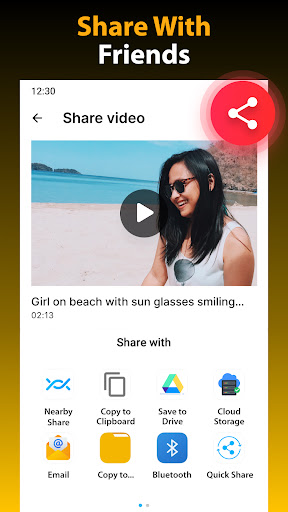
Speed is crucial when downloading for offline viewing, and Vidow excels in this area. The app supports high-speed downloads, allowing you to batch download multiple videos simultaneously. This is perfect for users preparing for a long trip or who want to save a large library of videos quickly. Additionally, the app’s powerful download manager keeps everything organized and allows you to pause, resume, delete, or share files effortlessly.
Unlimited Video Formats and Platforms
Video Downloader HD - Vidow isn’t limited to just a few sites. It can automatically detect videos from popular social media platforms like Facebook, Instagram, Twitter, TikTok, Vimeo, and Dailymotion. Whether you're saving a short clip or an entire playlist, the app supports downloading from over 1,000 sites, making it a comprehensive tool for all your video needs. It also provides support for high-definition 4K video download, ensuring exceptional quality for your offline library.
Private and Secure Browsing
Security and privacy are top concerns for many users. Vidow offers a built-in private browser that supports multi-tab browsing, enabling you to search and view videos securely. The private downloader supports password-protected folders to keep your downloaded content safe and confidential. Multi-threaded downloading enhances speed without compromising security, and background downloading allows you to continue browsing even while videos are saving.
Additional Features for Enhanced Experience
- **Built-in Video Player:** Play downloaded videos directly within the app, supporting offline viewing without switching apps.
- **Support for SD Card:** Save videos directly to your device’s SD card, expanding storage options.
- **Bookmark and Manage Downloads:** Easily organize your favorite sites and manage your downloaded content with options to rename, delete, or share files.
- **Download Media from Social Platforms:** Download videos from social media sites like TikTok, Facebook, Instagram, and Twitter in batches.
- **Offline Video Library:** Maintain a history of downloaded videos and watch them anytime, even without an active internet connection.
- **Support for SD Card:** Save videos directly to your device’s SD card, expanding storage options.
- **Bookmark and Manage Downloads:** Easily organize your favorite sites and manage your downloaded content with options to rename, delete, or share files.
- **Download Media from Social Platforms:** Download videos from social media sites like TikTok, Facebook, Instagram, and Twitter in batches.
- **Offline Video Library:** Maintain a history of downloaded videos and watch them anytime, even without an active internet connection.
How to Use Video Downloader HD - Vidow Effectively
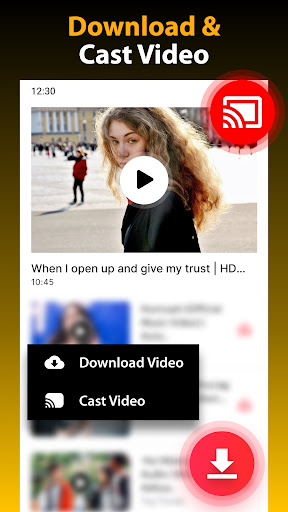
Getting started with Vidow is quick and simple. First, browse your favorite website using the built-in browser, then let the app auto-detect videos available for download. Choose the desired video format and click the download button to start the process. Thanks to multi-threaded downloads and a built-in file manager, managing your downloaded videos and music is seamless. This makes it easy to organize your offline content for quick access later.
Why Choose Video Downloader HD - Vidow?
If you’re searching for a reliable, all-in-one video downloader with fast download speeds, secure private browsing, and support for a wide range of platforms and formats, Vidow is an excellent choice. Its comprehensive features cater to casual users and heavy downloaders alike, making offline entertainment more accessible and enjoyable. Plus, its built-in media player and background downloading support ensure you never miss out on your favorite content.
Conclusion
In today’s fast-paced digital age, having access to your favorite videos offline can significantly enhance your entertainment options. Video Downloader HD - Vidow empowers users with a straightforward, speedy, and secure way to download videos from various social media and video sharing platforms. Its user-friendly interface, support for high-quality downloads, private browsing features, and flexible management options make it a top choice for anyone looking to create a personal offline video library. Whether you’re planning for long trips or simply want quick access to videos on your device, Vidow delivers the tools you need for seamless video saving and offline playback.
Pros
- Supports multiple video formats
- Fast download speeds
- User-friendly interface
- Free with optional in-app purchases
- Allows background downloads
Cons
- Contains ads
- Limited editing features
- Requires internet connection
- May not support all sites
- Occasional bugs reported