Introducing TigerConnect: The Leading Solution for Secure Clinical Communication
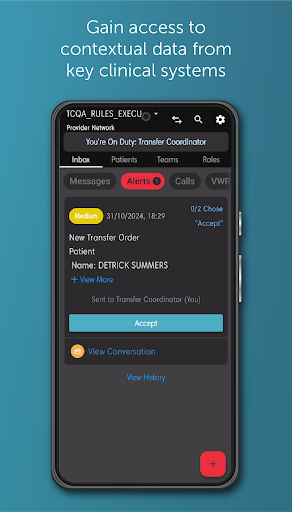
TigerConnect is a leader in clinical communication and collaboration, dedicated to unifying communications and streamlining workflows within healthcare environments. It empowers healthcare providers by delivering real-time clinical data directly at the point of care, which significantly enhances patient outcomes and boosts productivity and profitability for healthcare organizations. Built with reliability, security, and HITRUST certification in mind, TigerConnect ensures consistent and secure communication across your entire health system. It seamlessly integrates with various clinical systems, including EHRs, nurse call, staff and physician scheduling, patient monitors, and more. These integrations help accelerate workflows and improve throughput, ultimately leading to better patient care and operational efficiency.
Currently certified for use in the U.S. and Canada, TigerConnect offers an immediate upgrade to clinical communication tools. While users outside these regions can access the app for free, the experience may vary, and optimal functionality is guaranteed within certified regions. For support or inquiries, you can visit the official support page.
Revolutionizing Secure Communication in Professional Settings with TigerConnect
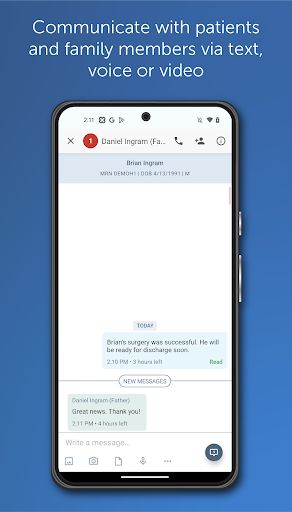
Have you ever faced a situation where your standard messaging apps fall short during crucial communication? Enter TigerConnect. This app is designed to transform secure and efficient communication, especially in high-stakes professional environments. It goes far beyond traditional messaging apps; TigerConnect is a comprehensive secure communication platform tailored for confidentiality and rapid information exchange.
What Makes TigerConnect a Game-Changer?
Security is paramount, and TigerConnect excels with its advanced encryption protocols. In industries such as healthcare and finance, safeguarding sensitive conversations is essential. TigerConnect acts like a personal security guard for your messages, ensuring they reach only the intended recipients without compromise.
Powerful Features to Enhance Communication
Beyond robust security, TigerConnect offers a diverse suite of features designed to boost productivity. A standout is the message lifespan setting, which allows messages to automatically disappear after a designated time. This function helps keep inboxes clean and protects sensitive data from lingering longer than necessary—akin to a self-destruct feature.
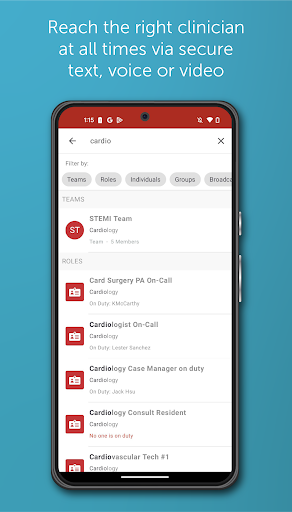
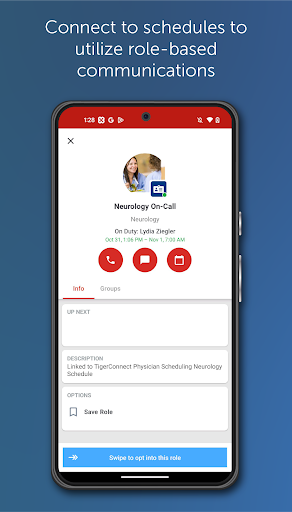
Another notable feature is role-based messaging, which simplifies communication within organizations by allowing messages to be sent to entire roles or groups rather than individuals. This ensures that relevant personnel stay informed, facilitating smoother workflows and clear communication channels.
Intuitive User Experience and Seamless Integrations
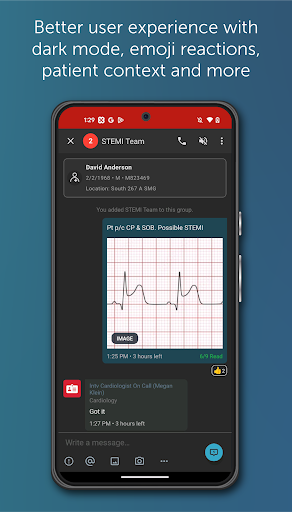
TigerConnect offers a sleek and user-friendly interface, designed for effortless navigation. Its minimal learning curve means teams can quickly adapt without extensive training. Additionally, the platform supports integrations with other tools—such as calendars and project management platforms—making it easy to synchronize and enhance overall productivity.
Conclusion: The Optimal Communication Tool for Modern Professionals
In summary, if you’re seeking a secure, efficient, and user-friendly communication solution, TigerConnect stands out as the premier choice. It’s not merely an app but a comprehensive communication platform designed to meet the demanding needs of healthcare, finance, and other sectors that require confidential and swift communication. With proven security measures, seamless integrations, and a focus on user experience, TigerConnect can significantly elevate your organization’s communication capabilities. Consider trying TigerConnect today and discover the difference it can make in your professional interactions.
Pros
- Intuitive user interface.
- Supports secure messaging.
- Integrates with EHR systems.
- Offers video conferencing.
- Provides real-time notifications.
Cons
- Limited free version features.
- Requires stable internet connection.
- Occasional notification delays.
- No offline access.
- Limited customization options.