


Discover the Rewards and Convenience of the Starbucks App
Are you looking for an easier and more rewarding way to enjoy your favorite coffee and snacks from Starbucks? The Starbucks app is designed to enhance your coffee experience with seamless features that save you time and earn you rewards. Whether you're on the go or relaxing at home, this app transforms your smartphone into a personalized coffee companion. Let’s explore the key features that make the Starbucks app a must-have for every coffee enthusiast.
Easy Ordering with a Tap
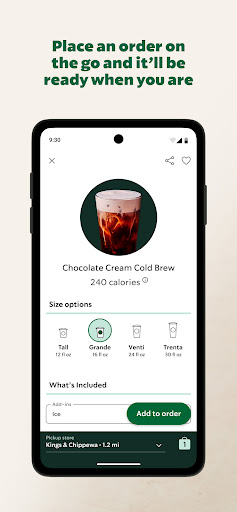
One of the most popular features of the Starbucks app is the ability to order ahead effortlessly. With just a few taps, you can customize your drink exactly how you like it—adjusting the number of syrup pumps, choosing your preferred milk, or adding special modifications. The app remembers your favorite orders, speeding up the process for future visits. Simply select your items, pay through the app, and then pick up your order at your convenience—no more waiting in long lines during busy mornings. This feature makes your daily coffee routine faster and more convenient, especially when you're in a hurry.
Earn Rewards and Freebies
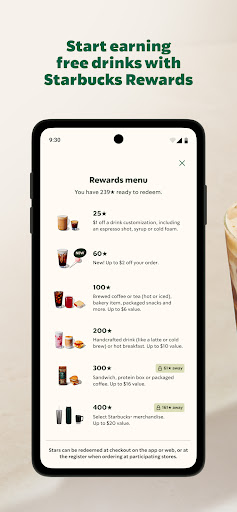
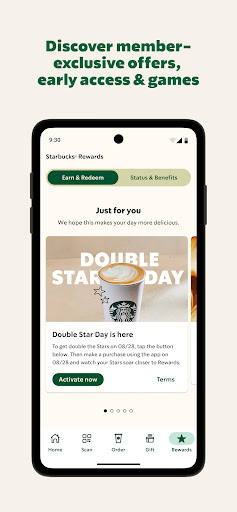
Join the Starbucks Rewards program directly from the app to start earning Stars with every purchase. These stars can be redeemed for a variety of rewards, including free food, drinks, and exclusive treats like a special birthday gift. As you accumulate more Stars, you'll unlock exciting benefits and bonus challenges that accelerate your path to free items. Watching your rewards grow adds an extra layer of satisfaction to your coffee runs, making each visit more rewarding.
Convenient Payment and Tipping Options
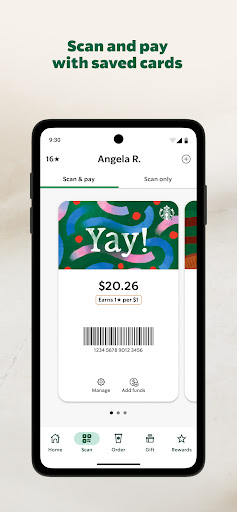
Say goodbye to wallet hassle—pay directly through the Starbucks app using your saved payment methods. The quick checkout process ensures a smooth, in-and-out experience at many participating stores in the U.S.. Additionally, in many locations, you have the option to leave a tip for your barista right within the app, supporting the hardworking team behind your favorite beverages.
Send E-Gifts and Share the Love
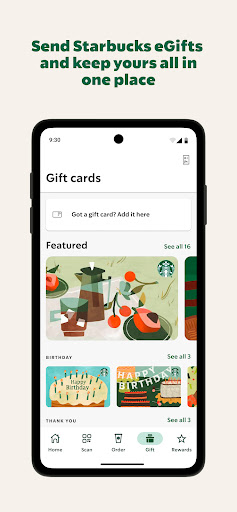
Looking to surprise a friend? The Starbucks app allows you to send eGifts via email, text message, or messaging apps. Choose from a range of unique designs suited for any occasion—birthdays, holidays, or just because. It’s a thoughtful way to share your love of Starbucks and brighten someone’s day without leaving your phone.
Find Stores and Stay Updated
The app features an easy-to-use store locator. Find nearby Starbucks locations, get directions, view operating hours, and check out available amenities like drive-thru service and free Wi-Fi. Plus, stay in the know with exclusive offers, new product launches, and seasonal drinks. The app ensures you're always up-to-date on the latest happenings at Starbucks, so you don’t miss out on any special promotions or limited-time treats.
Enhance Your Coffee Experience
Overall, the Starbucks app is more than just a mobile ordering tool—it's a comprehensive digital companion for any fan of the brand. It combines convenience, rewards, and personalization to make each visit more enjoyable. Whether you're a coffee connoisseur or someone who appreciates a quick snack on the go, this app elevates your Starbucks experience to a whole new level. Download it today and transform every coffee run into a seamless, rewarding journey.
Pros
- User-friendly interface
- Easy navigation
- Rewards program provides excellent perks
- Order ahead feature saves time
- Customizable beverage options
- Regular updates and improvements
Cons
- Limited payment options
- Occasional app crashes observed
- Requires internet connection to operate
- High data usage during updates
- Limited functionality without creating an account