Introduction to the Signia App
The Signia App is a versatile and user-friendly application designed to empower users on their hearing journey. Whether you're at a noisy restaurant, relaxing at home, or on the move, this app serves as your personal hearing assistant, making it easier to manage and optimize your hearing experience. With a simple interface and powerful features, the Signia App enhances the functionality of your hearing aids, providing you with greater control, confidence, and health awareness.One of the key strengths of the Signia App is its ability to seamlessly integrate with compatible hearing aids. This integration allows for quick and intuitive adjustments that can significantly improve your day-to-day hearing comfort. Plus, the app offers a range of features geared towards personalizing your auditory environment, ensuring that your hearing aids adapt perfectly to your individual needs and preferences.In this blog-style feature, we'll explore the main capabilities of the Signia App, highlighting how it can be a valuable tool for anyone looking to get the most out of their hearing aids. From effortless control to personalized sound settings and effortless connectivity, discover why this app has become an essential companion for hearing aid users worldwide.
Main Features of the Signia App
Control and Personalization
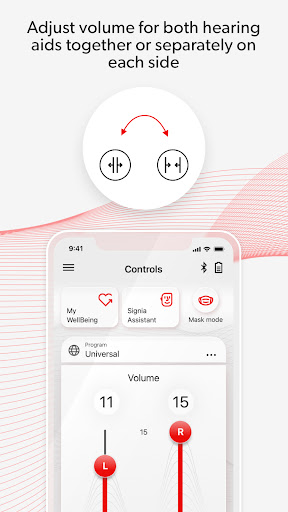
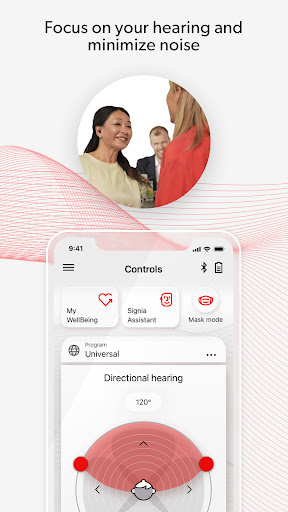
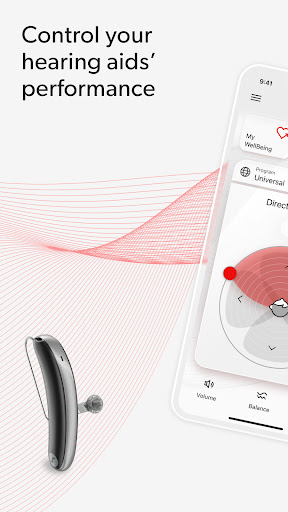
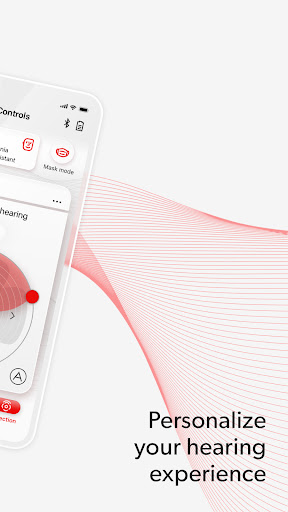
The Signia App puts you firmly in control of your hearing aids with intuitive features such as volume adjustment and program changes— instantly accessible at your fingertips. Whether you want to turn volume up during a lively conversation or switch to a different listening program for watching TV, everything is simplified within the app. This immediate access ensures a natural and effortless hearing experience.A standout feature is the personalization capabilities. The app allows you to fine-tune elements like bass, mid, and treble to suit your unique hearing preferences. Think of it as a custom equalizer tailored solely for your ears. Additionally, the app learns from your habits over time and suggests adjustments that could further enhance your hearing comfort.One particularly useful feature is Mask Mode. As masks have become part of our daily attire, this mode helps improve speech clarity when communicating with masked individuals. Whether in a crowded café or a busy shopping area, Mask Mode can make a noticeable difference, enabling clearer conversations even in challenging environments.
Connectivity and Support
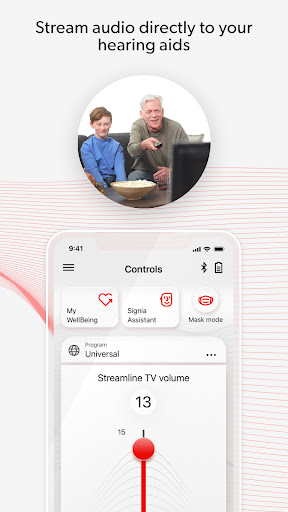
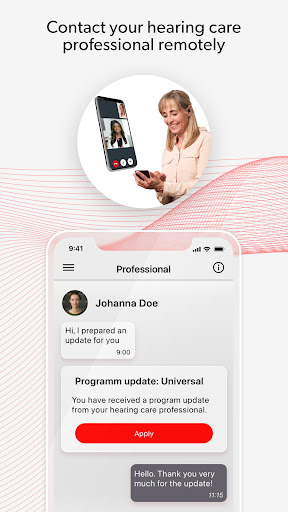
Beyond personalization, the Signia App excels in connectivity. It supports Bluetooth streaming, allowing you to effortlessly listen to music, podcasts, or phone calls directly from your smartphone without any hassle. The connection remains stable, providing a seamless listening experience with minimal interruptions.The app also keeps you informed with real-time notifications about firmware updates for your hearing aids. Staying up-to-date ensures you always have access to the latest features and improvements, enhancing the overall performance and longevity of your devices.Furthermore, the app integrates TeleCare features, enabling your hearing professional to provide remote assistance and quick support when needed—adding an extra layer of confidence during your hearing journey. Although the availability of some features may depend on your specific hearing aid model, firmware version, and geographic location, the app offers comprehensive support to optimize your hearing experience.
Additional Resources and User Support
A detailed user guide for the Signia App is accessible within the app settings menu. Alternatively, users can download the electronic version from www.wsaud.com. Printed copies are available free of charge and will be delivered within 7 working days, making it easy to understand all functionalities and get the most out of your application.It is recommended to review the user guide carefully before using the app to familiarize yourself with its features and ensure optimal usage of your hearing aids. Proper understanding of the app's capabilities can significantly enhance your hearing comfort and overall experience.
Conclusion
In summary, the Signia App is a powerful and intuitive tool for anyone who uses Signia hearing aids. With its seamless integration, easy control features, and personalized sound adjustments, it transforms the way you manage and enhance your hearing experience. The app's ability to connect effortlessly with your devices, support remote assistance, and offer valuable insights into your hearing health makes it an essential companion.If you're looking to optimize your hearing aids and enjoy a more natural, comfortable listening experience, the Signia App is highly recommended. Its combination of simplicity and advanced features ensures that users can confidently take charge of their hearing journey, enjoying better communication and an improved quality of life.
Pros
- User-friendly interface for easy navigation.
- Wide range of hearing aid customization options.
- Real-time adjustments to hearing aids.
- Remote support available from audiologists.
- Easy Bluetooth connectivity.
Cons
- Some features require internet access.
- Limited support for older devices.
- Battery consumption increases with continuous use.
- Initial setup can be complicated for new users.
- Connectivity may occasionally be inconsistent.