Introducing the Segway Mobility App
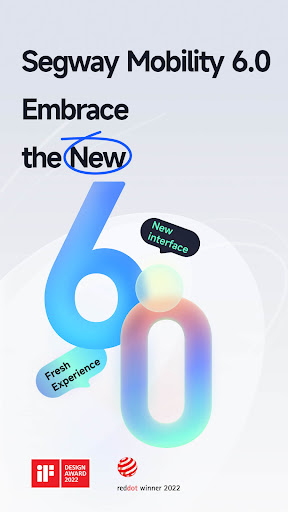
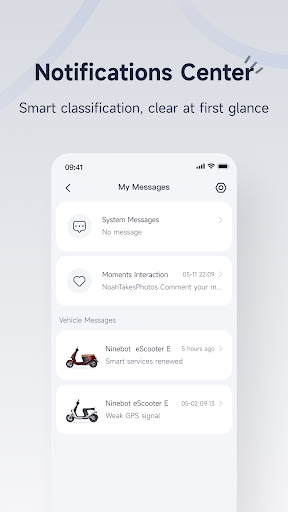
The Segway Mobility application has just launched its highly anticipated 6.0 version, delivering a fresh and innovative user experience. Featuring a complete overhaul in interactive processes and page design, along with over one hundred new features, this update elevates your mobility experience to new heights. Once you open version 6.0, you embark on an intelligent journey that seamlessly blends technology with versatile transportation solutions. Whether you're a daily commuter or a casual rider, the latest Segway Mobility app is designed to make every ride smarter, safer, and more enjoyable. From enhanced diagnostics to social sharing options, this app transforms your device into a personal transport assistant in your pocket, enabling you to navigate your city with ease and confidence.
Beyond the Two Wheels: The Features of Segway Mobility
When you think of Segway Mobility, the first image that might come to mind is a smooth ride atop a two-wheeled vehicle. However, this app offers much more than just ride control—it's a comprehensive tool for managing your personal transportation. Let me share my experience with this innovative app—from the initial download to cruising through city streets.
Getting Started: First Impressions
Setting up the Segway Mobility app was a breeze. After downloading it effortlessly from the app store, I was welcomed by a sleek and modern interface. Its intuitive design makes navigation simple, even for those who aren’t tech-savvy. The app connects flawlessly with your Segway device via Bluetooth, and the initial setup took only minutes. Once paired, I was ready to hit the road and enjoy a seamless ride experience.
Key Features That Enhance Your Ride
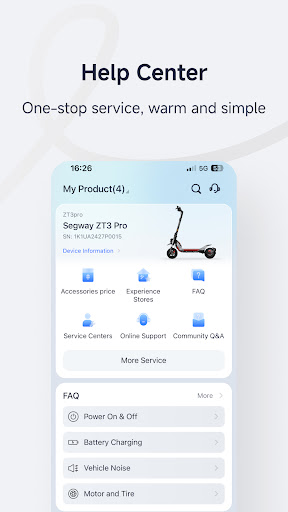
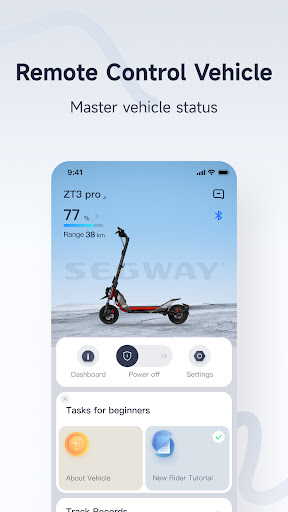
What truly impressed me was the suite of features embedded within the Segway Mobility app. The real-time diagnostics feature is invaluable; it provides instant updates on your device’s battery life, mileage, and even temperature, effectively serving as a mechanic on call. Security is prioritized as well—via the anti-theft system, you can lock your Segway remotely, offering peace of mind when you're away from your vehicle.
For the fitness-minded, the app tracks your rides meticulously, supplying detailed data on your speed and distance. Think of it as a fitness tracker tailored specifically for your Segway rides. Additionally, the social sharing feature allows you to showcase your latest ride statistics, fostering a sense of community and friendly competition among users.
Navigating the Streets with Confidence
Once your Segway is connected to the app, exploring becomes effortless. The navigation system offers turn-by-turn directions, ensuring you never lose your way. Whether you're commuting to work, exploring new neighborhoods, or seeking fun routes, the app is your reliable guide. It even suggests popular Segway routes, guiding you to discover hidden gems and scenic paths around your city.
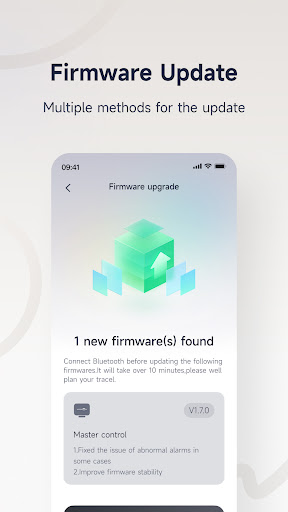
What struck me during my rides was the seamless connectivity. The app remained stable, without lagging or crashing—crucial features for a smooth experience on the move. Regular updates further enhance its capabilities, so you always have access to the latest features, improvements, and safety enhancements.
Final Thoughts: Elevate Your Segway Experience
In sum, the Segway Mobility app significantly enriches your riding experience. Its user-friendly interface combined with a plethora of features makes it an essential companion for all Segway users. Whether you're a casual rider or utilize your Segway daily for errands or commuting, this app turns your device into a powerful mobility assistant. It's not merely about moving from point A to B; it’s about enhancing every journey through innovative technology.
If you're ready to take your Segway rides to the next level, the Segway Mobility app is your perfect partner. With features that promote safety, convenience, and fun, it truly makes the streets your playground. Explore your city with confidence—because with this app, every ride becomes an exciting adventure as much as reaching your destination.
Pros
- Provides a smooth ride with advanced stabilization features
- Features intuitive controls for easy operation
- Offers long-lasting battery life for extended usage
- Has a compact design for easy storage
- Includes Bluetooth connectivity for smart functions
Cons
- Limited speed capabilities compared to competitors
- High price point may be a barrier for entry-level users
- Requires regular maintenance checks
- App interface may be confusing to users
- Not suitable for off-road terrains