

Samsung Food: Meal Planning
A free, all-in-one app to take you from ‘what’s for dinner’ to ‘food on the table.’ Samsung Food gives you all the food information and features you need to help you make the food, health, and cooking decisions that are right for you. Get recipe inspiration and saving, meal planning, nutritional information, automatic shopping lists, guided cooking, ingredient search, recipe reviews, and food communities in one spot. It’s food, your way.
Samsung Food features give you a single platform to:
Samsung Food: Meal Planning – A smarter way to plan meals
Ever wished your meal planning could be as smart as your phone? Well, if you’re juggling a busy life and trying to eat healthily, let me introduce you to Samsung Food: Meal Planning. This app is like having a personal chef in your pocket, minus the fancy hat.
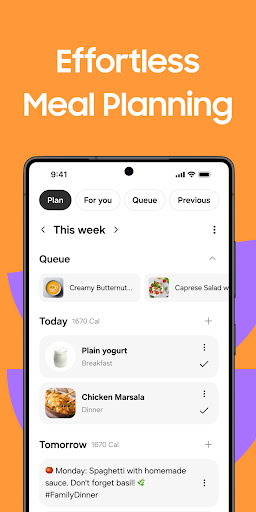
What’s the deal with Samsung Food: Meal Planning? Essentially, it’s a sleek app that helps you plan meals like a pro. It’s designed with a user-friendly interface, making it easy to navigate even if you’re not a tech guru. Trust me, you don’t need a degree in culinary arts to whip up something tasty using this app.
Features That Stand Out
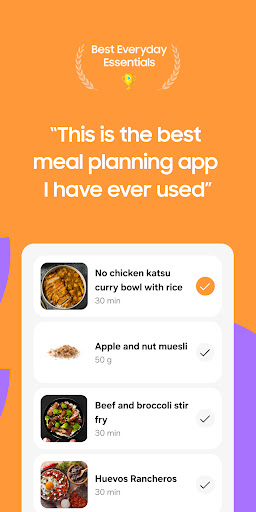
The app offers a variety of recipes from different cuisines. Whether you’re craving Italian pasta or Asian stir-fry, you’ll find a recipe that tickles your taste buds. The best part? The app lets you customize these recipes based on dietary preferences. Going keto or vegan? No problem, Samsung Food has got your back.
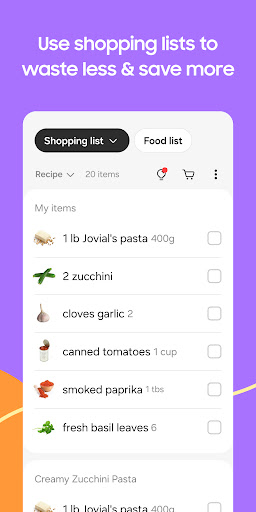
Another cool feature is the shopping list generator. You know that moment when you’re halfway through cooking and realize you’re out of olive oil? Yeah, it’s the worst. The app helps prevent these mishaps by generating a list of ingredients for your chosen recipes, ensuring you have everything you need before you start cooking.
Why You’ll Love It
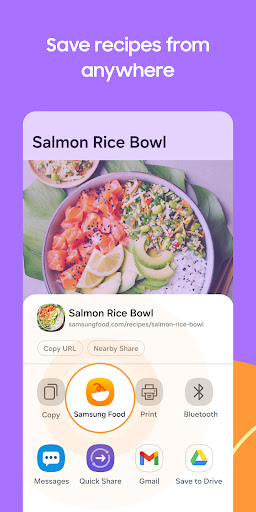
What makes Samsung Food a standout is its integration with smart devices. Imagine planning your meals from your smartphone and sending instructions directly to your Samsung appliances. It’s like living in the future, where your fridge knows what you’re about to cook. Also, for those of us who are a bit forgetful, the app’s meal reminders are a lifesaver. It nudges you when it’s time to start prepping, so you never miss out on your planned meals. Plus, the ability to save and categorize your favorite recipes means you can easily revisit any culinary masterpiece you’ve created.
Final Thoughts
If meal planning has always felt like a chore, Samsung Food: Meal Planning might just change your mind. It’s not just an app; it’s your new kitchen companion. With its smart features and seamless integration with Samsung devices, it turns meal prep into an enjoyable experience rather than a dreaded task. So, whether you’re a seasoned cook or someone who frequently burns toast, give Samsung Food a try. It’s designed to make your life easier, one meal at a time. Happy cooking!
Blog-style feature description
Samsung Food: Meal Planning is more than a recipe book — it is a complete kitchen companion designed for modern life. This smart meal planning app helps you move from grocery lists to plated dinners with ease, turning what used to be a rush of last-minute decisions into a calm, confident process. From the moment you open the app, you’ll notice a clean, intuitive interface that makes meal planning feel almost effortless. It is built for busy people who want healthy eating without the stress, offering a seamless blend of recipe discovery, dietary customization, and practical tools that save time and money.
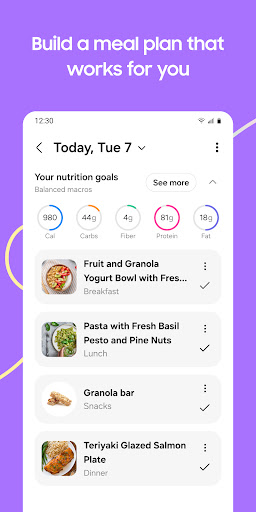
At the heart of Samsung Food is a vast library of recipes spanning cuisines and occasions. Whether you crave comforting Italian pasta, zippy Thai stir-fry, or a quick weeknight option, you’ll find options that fit your schedule and preferences. The app’s powerful filters help you tailor results by cook time, skill level, and dietary needs, so you can whip up something tasty even on a hectic day. For households with specific eating plans, keto, vegan, gluten-free, or dairy-free options are easy to filter and adapt, ensuring every family member can join the meal without compromise.
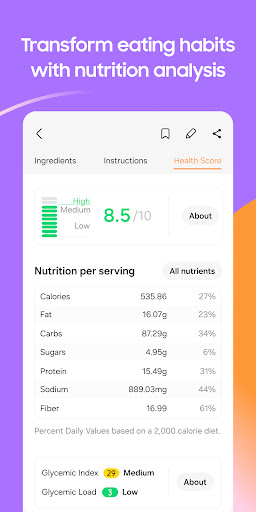
One of the standout conveniences is the shopping list feature. As you pick recipes, the app automatically generates a consolidated grocery list, organized by aisle to speed up shopping trips. If someone else in your home is helping, you can share a synchronized list and avoid duplicate runs to the store. The nutrition details on each recipe provide transparency about calories, macros, and ingredients, helping you align meals with your health goals, whether you’re aiming to lose weight, gain muscle, or simply eat more mindfully.
What elevates Samsung Food above other meal planning tools is its smart integration with Samsung devices and the broader ecosystem. Pre-warm the oven with a tap, set precise timers, and even manage compatible appliances from the same app. Reminders keep you on track, so prep time never sneaks up on you, and the ability to save favorites makes it easy to revisit beloved meals or iterate on a favorite dish. The app also fosters community, letting you discover tips from fellow home cooks and share your own culinary tweaks and reviews, which enhances learning and inspiration every time you cook.
In short, Samsung Food: Meal Planning turns meal preparation into a confident, enjoyable activity. It’s ideal for busy families, health-conscious individuals, and anyone who loves cooking but hates the friction of planning. With its rich feature set, practical planning tools, and seamless device integration, this app makes healthy eating accessible, affordable, and fun — one thoughtfully planned meal at a time.
Pros
- User-friendly interface for easy navigation.
- Extensive recipe library with diverse cuisines.
- Customizable meal plans to suit dietary needs.
- Integration with Samsung Health for tracking.
- Offline access to saved recipes and plans.
Cons
- Limited free features.
- Premium required for full access.
- Occasional syncing issues with Samsung Health.
- Ads can be intrusive in the free version.
- No support for third-party fitness apps.
- Limited offline functionality for new content.