
ReSound Smart 3D icon

ReSound Smart 3D

44.63K
4.4
Installs
1.00M
Version
1.43.1
Advertisement
ReSound Smart 3D screenshot
Advertisement

ReSound Smart 3D App: Enhanced Hearing Aids Control and Personalization

The ReSound Smart 3D app is a cutting-edge mobile application designed to give users full control over their hearing aids directly from their smartphones or tablets. This innovative app simplifies the way you manage your hearing devices, offering a wide range of features to optimize your hearing experience seamlessly. Whether you want to change programs, make sound adjustments, or find your lost hearing aids, the ReSound Smart 3D app puts everything at your fingertips for maximum convenience and customization.

Main Features of the ReSound Smart 3D App

Personalized Hearing Adjustments

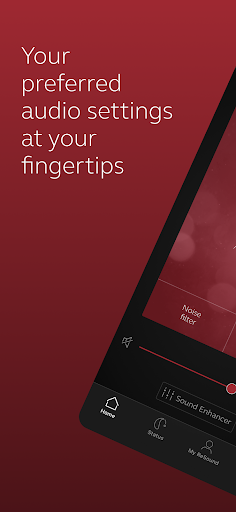
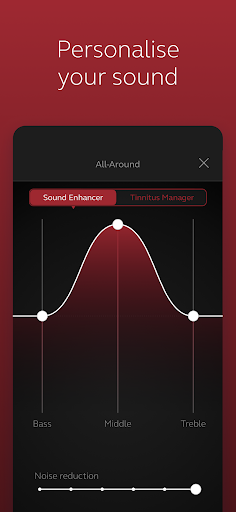
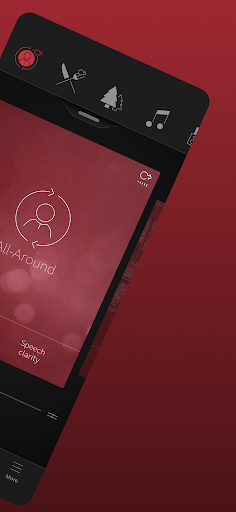
The app allows you to tailor your hearing experience with simple or advanced sound adjustments. You can modify volume levels, focus on specific speech or noise environments, and adjust treble, middle, and bass tones to suit your preferences. Saving favorite settings becomes effortless, and you can tag them to specific locations for quick access.

Remote Fine-Tuning and Software Updates

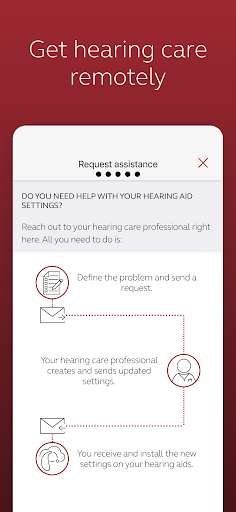
One of the standout features is the ReSound Assist option, enabling you to request help from your hearing care professional remotely. They can send updates and fine-tune your hearing aids without requiring a visit to the clinic. This convenience ensures your devices are always optimized for your current environment and needs.

Device Management and Connectivity

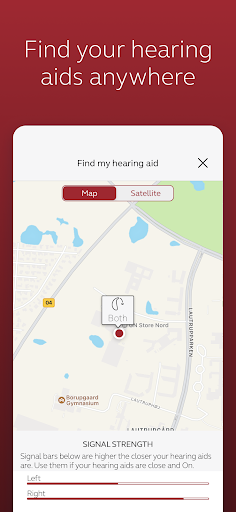
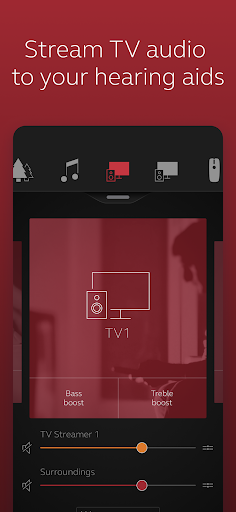
The app offers intuitive control over your hearing aids, including volume adjustments, program changes, and stream management. You can also monitor the battery status of rechargeable hearing aids and easily locate lost hearing aids. Compatibility with various smartphones and other smart devices ensures seamless connectivity for streaming calls, music, and more, turning your hearing aids into high-quality wireless earbuds.

Additional Features

The Tinnitus Manager feature allows you to customize sound therapy for tinnitus relief by adjusting sound variation and frequency. For models supporting it, the Nature Sounds feature offers soothing ambient noises. Moreover, you can personalize program names, adjust sound focus, and save preferred settings as favorites, even tagging them to specific locations for easy recall.

Compatibility and Support

For optimal experience, ensure your ReSound hearing aids are running the latest software version. Compatibility with various devices can be checked on the ReSound app website. Regular updates from your hearing care professional ensure that your hearing aids are always delivering the best performance.

Why Choose the ReSound Smart 3D App?

If you're seeking a way to personalize and enhance your hearing experience with greater independence, the ReSound Smart 3D app is an invaluable tool. Its user-friendly interface makes it easy for users of all ages to navigate and customize settings on the go. The ability to request remote assistance, update software, and control streaming options means you can enjoy a richer, more natural sound environment wherever you are.

Conclusion

The ReSound Smart 3D app exemplifies the future of hearing aid technology by combining powerful features with easy-to-use controls. Whether adjusting for background noise, changing programs, or locating your devices, this app empowers users to take charge of their hearing health conveniently from their mobile device. For those with compatible hearing aids, integrating this app into daily life can significantly improve comfort and auditory clarity, making everyday moments more enjoyable and less stressful.

Pros

  • User-friendly interface for straightforward navigation.
  • Easy synchronization with hearing aids.
  • Extensive options for customizing settings.
  • Allowing real-time adjustments anytime.
  • Includes a feature to monitor battery levels.

Cons

  • Requires compatible hearing aid devices.
  • Features are limited for users who do not use ReSound products.
  • Connectivity can sometimes be unreliable.
  • Does not support offline use.
  • Consumes a significant amount of battery power.

Download From Google Play Download From App Store
Advertisement

Frequently Asked Questions

What is ReSound Smart 3D and who should use it?

ReSound Smart 3D is an all-in-one app for users of ReSound hearing aids. It enables customization of sound settings, management of accessories, and remote support from hearing care professionals. It is suitable for individuals seeking to control their hearing aid settings easily and enhance their listening experience.

How do I connect my ReSound hearing aids to the Smart 3D app?

Ensure Bluetooth is enabled on your device. Open the app and follow the instructions to pair your hearing aids, which typically involves selecting your model and allowing the app to search for devices. Confirm the connection once your hearing aids are detected, and they will sync with the app for smooth operation.

What features does the ReSound Smart 3D app offer?

The app provides personalized sound adjustments, environment-specific sound enhancement, a 'Find My Hearing Aids' feature, remote fine-tuning by a professional, and battery status tracking to optimize hearing aid use.

Is the ReSound Smart 3D app compatible with all smartphones?

It works with most iOS and Android devices. Users should check the system requirements on the app’s download page to ensure compatibility. Keeping the device’s operating system updated is recommended for optimal performance.

How can I get support if I encounter issues with the ReSound Smart 3D app?

Support options include in-app troubleshooting guides and FAQs in the help section. You can also contact your hearing care professional for personalized help. Additionally, ReSound offers customer support through their website and helpline for further assistance.

You May Like