



Introducing the QR Code Reader: QR Code Maker App
In today's digital age, the ability to quickly scan and generate QR codes has become an essential skill for both personal and professional use. The QR Code Reader: QR Code Maker app stands out as a versatile, user-friendly solution that seamlessly combines the functionalities of a QR code scanner and a QR code generator. Whether you're in a hurry at a busy event, need to share contact details effortlessly, or want to create custom QR codes for branding purposes, this app proves to be an invaluable tool.
Comprehensive QR Code Scanning Capabilities
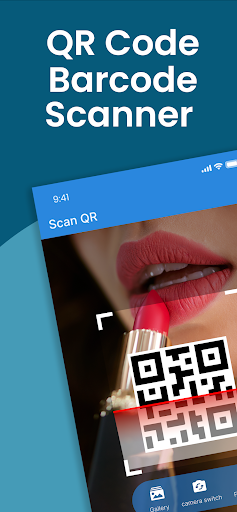
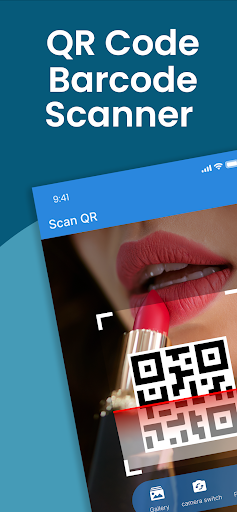
The core feature of this app is its ability to scan QR codes and barcodes instantly. Designed with lightning-fast technology, it detects and decodes various barcode and QR code formats within seconds, making it ideal for quick product price checks, website access, or information sharing. Its simplicity ensures that even novice users can navigate the app with ease—just open the app, point your camera at any code, and get the relevant information almost immediately.
Beyond just QR code scanning, the app also incorporates advanced functions such as barcode lookup and image-to-text conversion. This means you can convert scanned images into editable text, providing a powerful data extraction tool. The app supports all major barcode and QR code formats, making it a genuine all-in-one scanner suitable for various scenarios—from retail price comparison to quick product identification.
Powerful Features for Personal and Professional Use
This innovative app does more than just scanning. It offers a host of features tailored to diverse needs:
- Free QR Code Scanner: Quickly scan QR codes on the go without any cost.
- Barcode Scanner: Read product barcodes to check prices or gather product details efficiently.
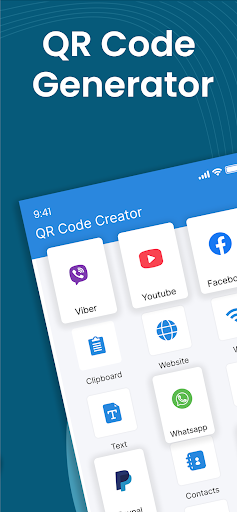
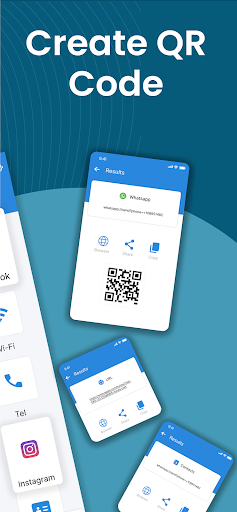
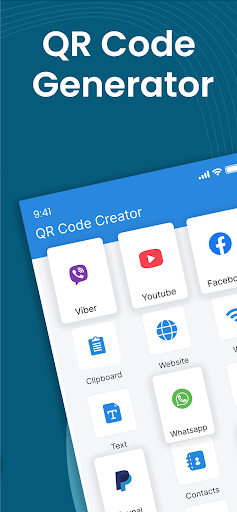
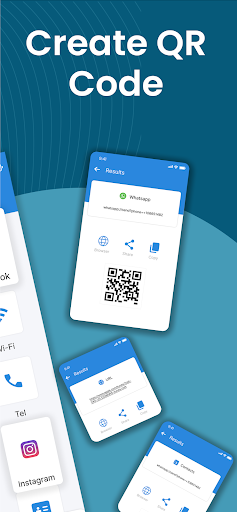
- QR Code Generator: Create personalized QR codes for sharing websites, contact info, Wi-Fi credentials, or social media profiles.
- Price Scanner: Easily compare prices by scanning product barcodes, helping you make smarter purchasing decisions.
- Image to Text: Convert images into editable text, ideal for data collection and digitization purposes.
The app’s simple, intuitive interface ensures that all these features can be accessed and used with minimal effort, making it suitable for all user levels.
Why Choose the QR Code Reader: QR Code Maker?
This app combines versatility and ease of use in a single package. Whether you're scanning QR codes, creating customized codes, or performing barcode lookups, it handles all tasks efficiently. Its support for all popular formats, combined with features like code customization, makes it a comprehensive tool for various needs—be it everyday personal use or professional marketing campaigns.
For those frequently engaging in networking events, travel, retail, or digital marketing, this app provides a quick and reliable way to share information seamlessly. With privacy in mind, it doesn’t require an internet connection to scan codes, ensuring your data stays secure while you use the app confidently anywhere, anytime.
Features That Make a Difference
Some standout features of the QR Code Reader: QR Code Maker include:
- Quick Scanning and Generation: Instantly read and produce QR codes for any purpose.
- Code Customization: Alter colors and designs for more attractive and personalized codes, ideal for branding or social sharing.
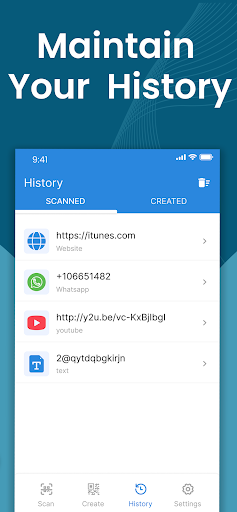
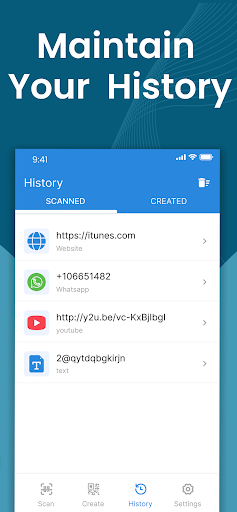
- Code Storage: Keep a history of scanned QR codes for easy access later, avoiding confusion or forgotten links.
- No Internet Needed: Scan QR codes offline for absolute privacy and security.
- Multiple Format Support: Capable of handling all major barcode and QR code formats efficiently.
Final Thoughts
The QR Code Reader: QR Code Maker app brings together powerful functionality with a straightforward user experience. Its ability to quickly scan, decode, and create QR codes makes it an essential utility for anyone needing instant access to digital information or wishing to share data seamlessly. Whether you’re in marketing, retail, travel, or just managing daily personal tasks, this app can simplify your digital interactions. Download this versatile QR code tool today and experience the convenience of having a digital Swiss Army knife at your fingertips—making scanning and creating QR codes easier and more efficient than ever before.
Pros
- Fast QR code scanning and generation
- User-friendly interface
- Supports multiple QR code formats
- Offline functionality available
- Customizable QR code designs
Cons
- Contains ads in the free version
- Limited features without premium upgrade
- Occasional scanning errors
- Requires camera permission
- No batch scanning feature