Publix Delivery & Curbside: A Shopper‑First Grocery Experience
Publix Delivery lets you order groceries from your neighborhood Publix to be shopped and delivered by Instacart the same day, sometimes in as little as one hour. Shop right from the app by creating an Instacart account and then ordering from the South’s favorite supermarket via Instacart. You can get fast door‑to‑door delivery for groceries, home essentials, and more. If you prefer to pick up without entering the store, Publix Curbside is available at select locations, where skilled Publix associates shop your order and bring it right to your car. These convenient services cover many zip codes across the Southeast, and you can check availability in the app near you.
Instacart shoppers check expiration dates and select quality produce
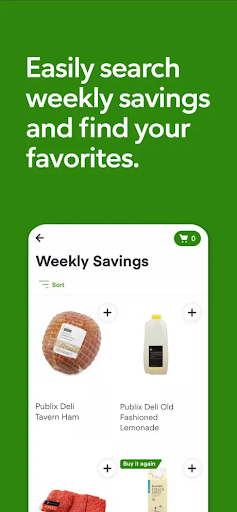
Save with weekly sales
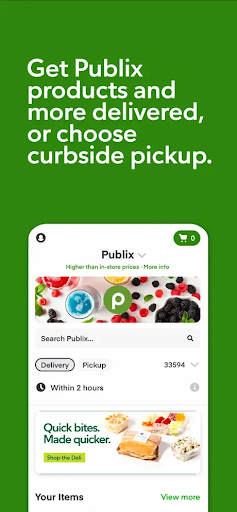
Get delivery from Instacart in as little as one hour
Order Publix Curbside, drive to a reserved spot, get your groceries to your car
Reorder previous items with ease
Contact your Instacart shopper in real time
Save with weekly sales
Get delivery from Instacart in as little as one hour
Order Publix Curbside, drive to a reserved spot, get your groceries to your car
Reorder previous items with ease
Contact your Instacart shopper in real time
Instacart is an independent business that provides online ordering, shopping and delivery services to Publix’s customers.
Both services are designed for convenience and flexibility, letting you shop from the comfort of your couch and still enjoy the trusted Publix quality. Availability varies by location, but the app makes it easy to see when delivery or curbside is an option near you.
A Personal Take on Publix Delivery & Curbside
Seamless Shopping Experience
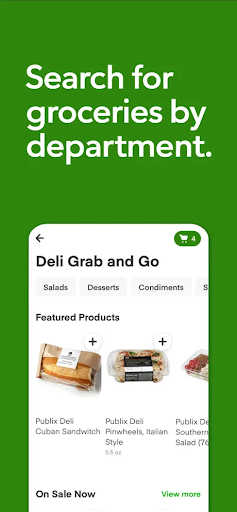
From the moment I opened the Publix Delivery & Curbside app, I noticed how intuitive the layout was. The home screen groups items into familiar categories like dairy, produce, bakery, and more, making it simple to browse what I need without hunting through menus. Even if you’re not tech‑savvy, it’s easy to navigate and start your order quickly.
Wide Range of Products
What surprised me was the breadth of options beyond groceries. The app also carries household items, pet supplies, and personal care products, so I can tackle most shopping lists in one place. And when I’m after a deal, the promotions section highlights current sales, helping me stretch my budget without sacrificing quality.
Deals and Promotions
Seeing discounts highlighted in the app makes it easy to spot where savings are strongest. It’s a small touch, but it adds up over a week, especially for staple items I buy regularly.
Convenience at Your Fingertips
Scheduling a delivery or curbside pickup is a breeze. You can choose a time slot that fits your day, with the option for an immediate delivery in about an hour or a later slot if your plans change. The flexibility is a game changer for busy weeks, when every minute matters.
Reorder and Personalization
One of my favorite features is the ability to re‑order previous items with just a couple taps. If you tend to buy the same staples, you can save time by quickly repurchasing your go‑tos without re‑searching each item.
Reliable Delivery Service
Deliveries arrived on time and in good condition, with fresh produce that looked just as expected. The drivers were friendly and professional, which adds a layer of reassurance when groceries come to your door. The curbside option is equally smooth—pull up, confirm your arrival in the app, and your order is loaded into your car without a hitch.
Final Thoughts
Overall, Publix Delivery & Curbside has reshaped my grocery routine. It saves me time, reduces the hassle of shopping in store, and still delivers the dependable quality Publix is known for. If you’re juggling a busy schedule or simply want to avoid crowds, this app is worth trying. It blends the convenience of online ordering with the trusted service you expect from Publix, making it a strong choice for modern shoppers seeking flexibility and efficiency.
Pros
- User-friendly interface for easy navigation
- Wide range of products available
- Real-time order tracking
- Secure payment options
- Efficient customer support
Cons
- Limited delivery areas
- Occasional app crashes
- Some items may be out-of-stock
- Delivery fees can be high
- Inconsistent delivery times