Introduction to the Oticon Companion App
Discover how the Oticon Companion app can revolutionize your hearing experience by offering seamless control over your hearing aids directly from your mobile device. Designed for simplicity and enhanced accessibility, this innovative app transforms your smartphone into a powerful tool to personalize and optimize your hearing. Whether you're in a noisy environment or enjoying a quiet moment, the Oticon Companion provides tailored features that make managing your hearing aids effortless and intuitive.
Key Features and Functionalities
Ultimate Sound Control
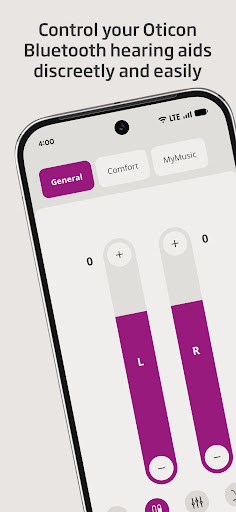
The Oticon Companion app allows users to adjust sound volume for each hearing aid individually or simultaneously, providing precise control. You can mute surroundings to improve concentration or switch between predefined programs set by your hearing care professional, ensuring optimal hearing in various environments.
Battery & Connectivity Monitoring
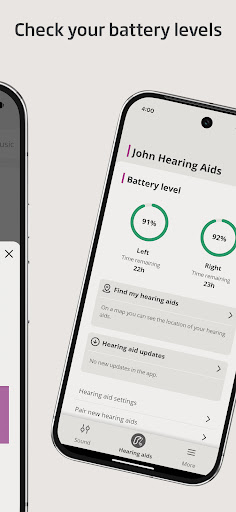
Keep track of your hearing aid battery levels to avoid unexpected disruptions. The app also enables streaming of calls, music, and podcasts directly to your hearing aids, real-time adjustments with a streaming equalizer, and managing wireless accessories like TV Adapters or ConnectClip enhances your overall experience.
Personalization & Environment Adjustment
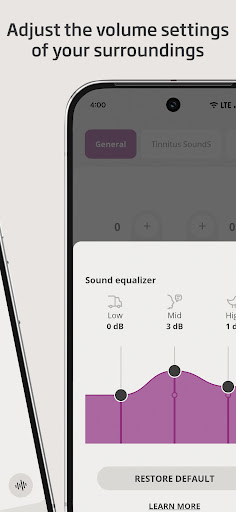
Using the sound equalizer, you can modify sounds around you for a more natural listening experience—availability varies depending on your hearing aid model. Additionally, features like SpeechBooster help reduce background noise and accentuate speech, improving clarity especially in challenging settings.
Health & Support Features
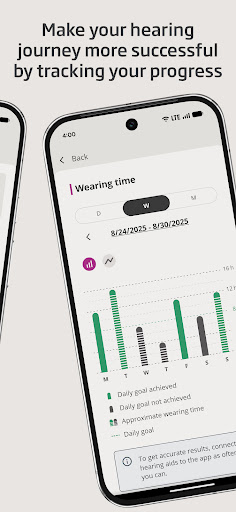
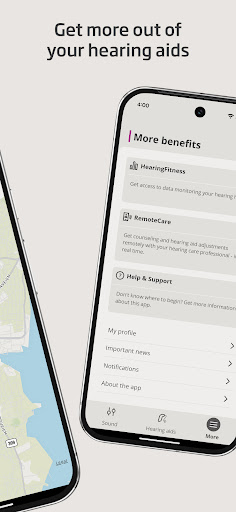
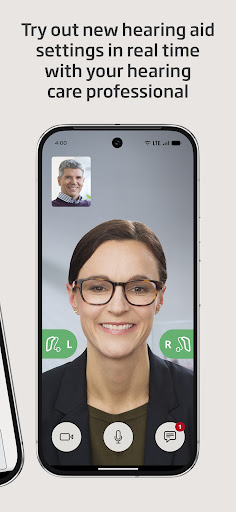
The app offers a HearingFitness™ feature to track your hearing progress and provides easy access to app support and troubleshooting resources. For your convenience, you can also schedule online visits with your hearing care professional, making check-ups more accessible.
Additional Capabilities
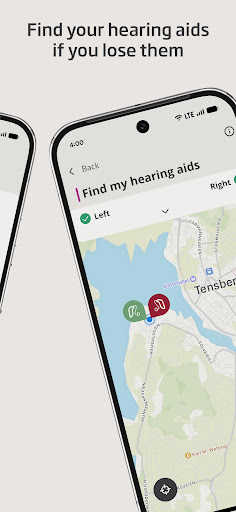
If your hearing aids are lost, the app can help find them, provided location services are enabled. The app supports pairing with wireless accessories like Oticon EduMic, making your auditory experience more advanced and flexible. Some features, such as adjusting streaming sounds and tracking hearing progress, are available only on specific models like Oticon Intent™ and Oticon Real™.
Getting Started with Oticon Companion
Initialization begins by pairing your hearing aids with the Oticon Companion app, which is compatible with most hearing aid models. For devices manufactured between 2016 and 2018, ensure an update is completed for full functionality. The app performs best on devices running Android OS 10 or later. Regular updates during your routine hearing check-ups ensure optimal performance and access to new features.
To verify device compatibility and download the app, visit the official support page: Oticon Compatibility Support.
Why Choose the Oticon Companion App?
Imagine transforming your hearing with just a few taps—this is exactly what the Oticon Companion app offers. It is more than a remote control; it’s a personalized hearing assistant that adapts to your environment and lifestyle. The intuitive interface makes it easy for anyone to customize settings, monitor device status, and stay connected on the go.
Whether you’re adjusting sounds for a quiet café or managing wireless accessories, this app makes enhanced hearing simple and accessible. Its smart features like SpeechBooster and environment-specific programs ensure a tailored experience that enhances clarity and comfort. Plus, with features such as HearingFitness™, you can track your hearing health over time, gaining valuable insights into your auditory well-being.
Ultimately, the Oticon Companion app empowers users to take control of their hearing health with confidence—making daily interactions more vibrant and engaging. It’s an essential tool for Oticon hearing aid users seeking convenience, customization, and connectivity in their auditory experience.
Pros
- User-friendly interface for easy navigation.
- Real-time hearing aid adjustments.
- Seamless connectivity with multiple devices.
- Customizable sound profiles for different environments.
- Provides hearing loss insights and tips.
Cons
- Limited features for non-Oticon hearing aids.
- Requires smartphone for full functionality.
- Battery consumption can be high.
- Occasional connectivity issues.
- Limited offline capabilities.