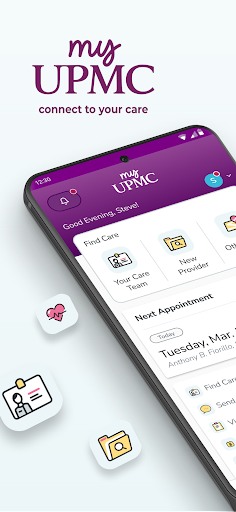
Introduction to the MyUPMC App
Key Features of MyUPMC
Easy Communication with Healthcare Providers
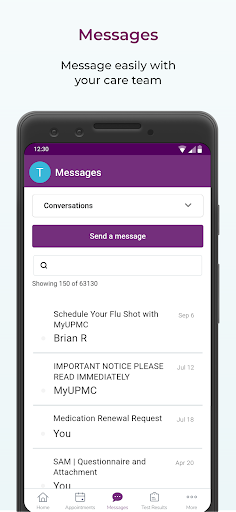
Send a message directly to your doctor’s office anytime, allowing for quick questions or follow-up discussions without the need for an appointment. The app's secure messaging system ensures your privacy while making communication efficient and convenient.
Schedule and Manage Appointments
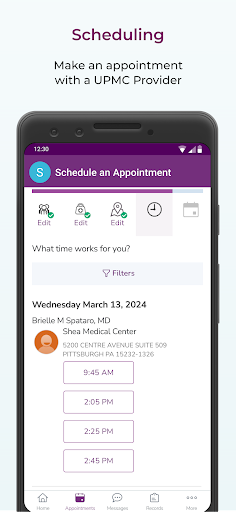
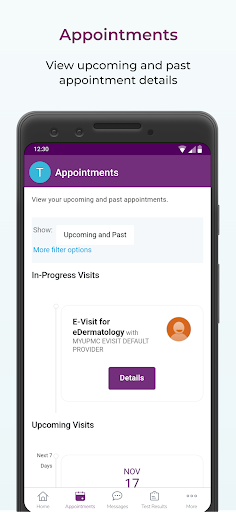
With MyUPMC, scheduling appointments with UPMC providers is simple. You can view your doctor's availability and select a time that fits your schedule. Rescheduling or canceling appointments can be done effortlessly, saving you time and effort.
Access and Manage Medical Records
The app provides secure access to your entire medical records, including test results, medications, immunization history, and visit summaries. This organized digital record-keeping makes it easier to track your health background, especially when traveling or consulting new healthcare professionals.
Family Healthcare Management
Manage your entire family’s health by viewing and updating information for each member. It’s an efficient way to oversee appointments, health histories, and medications for everyone in your household from a single app.
Test Results and Medications
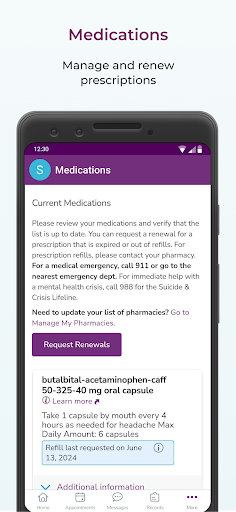
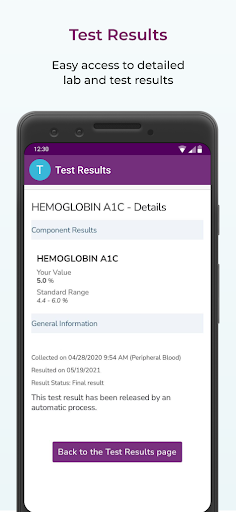
Get test results as soon as they’re available, eliminating the need to wait anxiously. You can also view your medications, immunization records, and more, all neatly organized within the app.
Prescription Management and Bill Payment
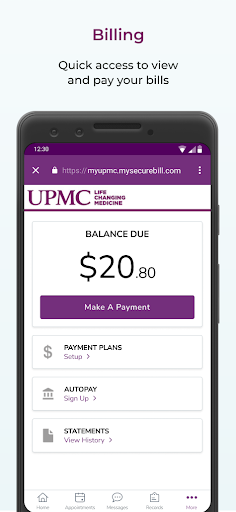
Renew prescriptions directly through MyUPMC without calling your doctor’s office. Additionally, you can quickly view and pay your healthcare bills, streamlining your healthcare financial management process.
Find Healthcare Providers
Looking for a UPMC doctor? Whether you need a primary care physician, pediatrician, or specialist, the app helps locate providers and facilitates appointment requests for your convenience.
Getting Started and Tips for Use
Getting started with MyUPMC is straightforward. Simply download the app from your device’s app store and follow the setup instructions. The intuitive interface makes navigation easy, even for those who aren’t tech-savvy. For optimal performance, ensure your mobile device or tablet is updated to the latest operating system.
If you experience any issues, try completely closing the app, restarting your device, and relaunching the application. This often resolves common glitches quickly and effectively.
Note that MyUPMC is primarily designed for users within the UPMC network. While many features are accessible to all users, some benefits are optimized for affiliated patients.
Support and Feedback
If you encounter problems or have questions, contact MyUPMC Support at 1-866-884-8579, option 2. Your feedback helps improve the app, so consider sharing your experience or suggestions via email at MyUPMC_Feedback@upmc.edu. Your insights are valuable as UPMC continuously works to enhance digital health services.
Enjoying MyUPMC? Don’t forget to rate the app and let the developers know your thoughts!
Why Choose MyUPMC for Your Healthcare Needs?
Invest in your health with a reliable, easy-to-use mobile health app that puts control right in your hands. Give MyUPMC a try today and experience the difference it can make in your healthcare journey.
Pros
- Easy access to medical records
- User-friendly interface
- Convenient appointment scheduling
- Secure messaging with doctors
- Prescription refill requests
Cons
- Limited features without full registration
- Occasional app crashes
- Slow response time during peak hours
- Requires constant internet connection
- Limited customization options