Discover the Amazing Features of the myPhonak App
Are you searching for a seamless, personalized hearing experience? Look no further than the myPhonak app – a smart, user-friendly tool designed to empower you in managing your Phonak hearing aids effortlessly. Whether you're a tech enthusiast or simply want a straightforward way to enhance your hearing, myPhonak seamlessly integrates cutting-edge technology with intuitive controls to bring your hearing health to the forefront.
Getting Started with myPhonak
Starting your journey with myPhonak is quick and easy. Once you download the app, connecting it to your compatible Phonak hearing aids is straightforward thanks to its intuitive interface. The setup process guides you step-by-step, ensuring even users with minimal technical experience can get your hearing aids up and running smoothly. The clean design and clear instructions make personalized hearing control accessible to all, making the initial setup a breeze.
Unmatched Personalization and Control
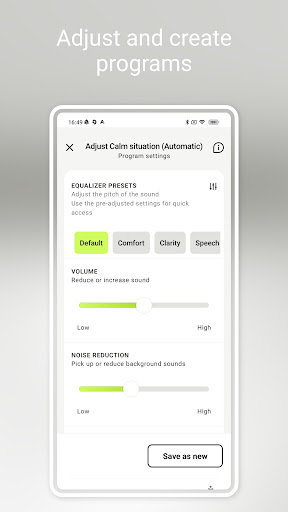
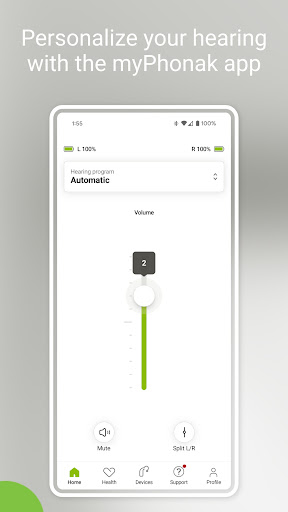
One of the standout benefits of the myPhonak app is its ability to tailor your hearing experience. You can modify volume levels directly, switch between various listening programs tailored for different environments, and adjust key features such as noise reduction to reduce background noise effectively. These adjustments are made in real time, allowing you to adapt instantly to noisy settings, like busy restaurants or peaceful libraries. The app also offers an equalizer—where you can customize sound quality by adjusting preset modes like default, comfort, clarity, or softer. For finer control, sliders allow you to modify bass, middle, and treble levels, giving you a truly personalized hearing profile.
Remote Support and Adjustments
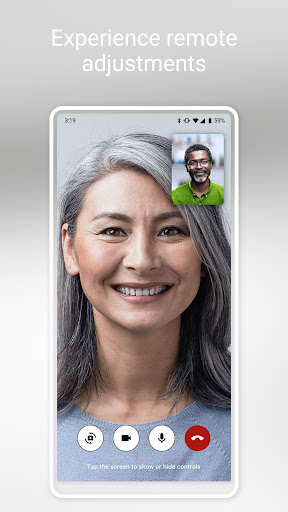
Need professional assistance? The myPhonak app provides Remote Support features that connect you with your hearing care professional via live video calls. This means you can receive expert adjustments remotely—no need for frequent office visits. Just schedule an appointment, and your audiologist can fine-tune your hearing aids directly through the app, ensuring optimal comfort and performance whenever you need it.
Enhance Your Hearing with Health Tracking
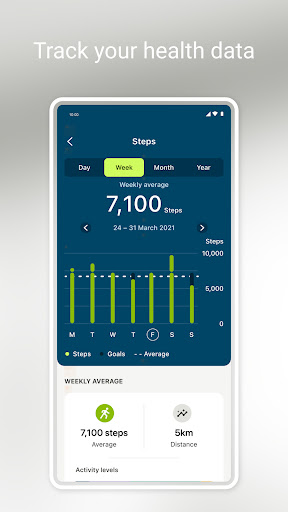
Beyond sound customization, myPhonak offers comprehensive health and activity tracking features. You can monitor your Steps and Wearing time, set goals for daily activity, and track metrics like Heart rate, Distance walked, or Ran. These features empower you to take a proactive approach toward your overall health and well-being, integrating seamlessly with trusted platforms like Apple Health. Please note that certain health metrics, such as heart rate and activity levels, are available only on compatible devices like Lumity, Infinio, and Audéo Fit.
Additional Practical Features
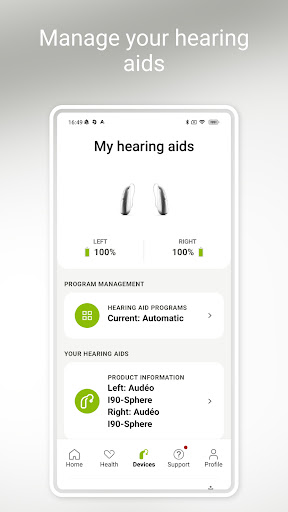
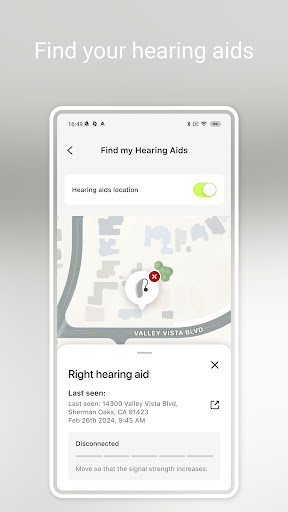
The myPhonak app also allows you to configure Tap Control settings, personalize cleaning reminders, check your battery level, and view the status of connected hearing aids and accessories. These handy features ensure your devices are always ready to perform at their best, providing convenience and peace of mind.
Wide Compatibility for a Better Hearing Experience
The app supports a broad range of Bluetooth-enabled Phonak hearing aids, including models like Phonak Virto, Audéo, Näida, Sky, Naída, and others across various generations — from Paradise to Marvel. Compatibility extends to Android devices supporting Bluetooth 4.2 and Android OS 8.0 or newer, and is also compatible with iOS devices. To verify your device’s compatibility, visit the official Phonak website or their compatibility checker.
Why Choose myPhonak? Your Personal Hearing Assistant
In summary, myPhonak is more than just a remote control app; it’s your personal hearing assistant. Its array of features allows for effortless customization, real-time adjustments, professional support, and health tracking—all designed to optimize your hearing experience. Whether you're in a noisy restaurant, taking a walk, or simply relaxing at home, this app adapts to your lifestyle, ensuring your hearing aids work perfectly in every situation. With user-friendly design and extensive connectivity, myPhonak empowers you to take charge of your hearing health, making it a must-have companion for anyone with Phonak hearing aids.
Pros
- Customizable sound settings.
- Real-time environment adjustment.
- Seamless Bluetooth connectivity.
- User-friendly interface.
- Remote support available.
Cons
- Limited features in the free version.
- Battery consumption may be high.
- Connectivity issues can occur occasionally.
- Requires frequent updates.
- Not compatible with all devices.