
Introducing JB4 Mobile: The Ultimate Tuning Companion for Car Enthusiasts
JB4 Mobile is the latest innovative application designed to bring advanced automotive tuning and monitoring directly to your smartphone. Built specifically for use with Burger Motorsports' JB4 tuning hardware, this app transforms your mobile device into a powerful digital dashboard, enabling you to optimize your vehicle’s performance with ease. Whether you're a seasoned tuner or a casual enthusiast, JB4 Mobile offers a suite of features that enhance your driving experience and provide unparalleled insight into your car’s operation.
Key Features and Capabilities
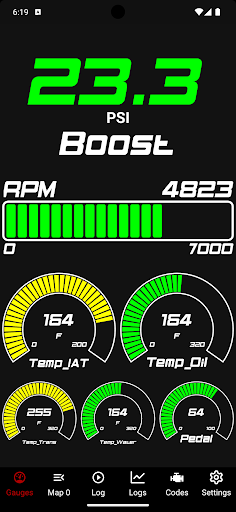
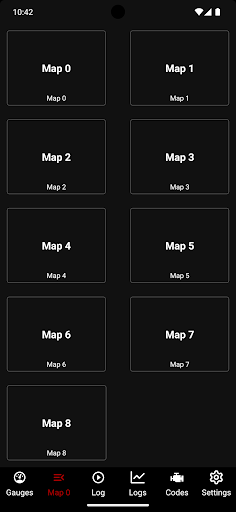
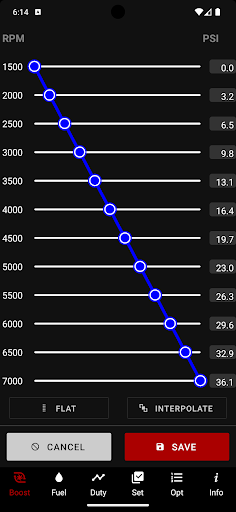
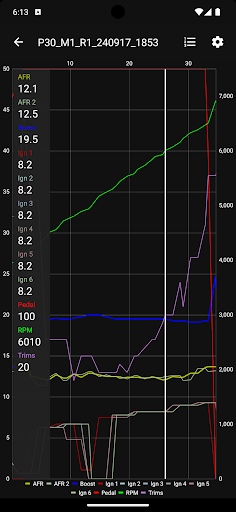
The main attraction of JB4 Mobile lies in its comprehensive set of features that cater to automotive enthusiasts seeking to maximize their vehicle’s potential. With live gauges, users can monitor vital parameters such as boost pressure, engine RPM, fuel trims, air-fuel ratios, and ignition timing in real-time. The app's data logging capability allows drivers to record performance metrics during drives, making it easier to analyze data and make informed adjustments.Another standout feature is data graphing, which visually represents logged parameters for better understanding and troubleshooting. Exporting logs via email ensures you can share insights with tuning experts or review performance on your own schedule. The app also offers code reading and deletion functions, allowing users to diagnose and clear engine trouble codes effortlessly.JB4 Mobile’s flexibility extends further with the ability to modify user adjustments for boost, fuel, and other settings, giving you fine control over your vehicle’s performance. Additionally, the app supports map switching on the fly, enabling quick changes between different tunes for various driving conditions. The auto WOT (Wide Open Throttle) logging and firmware updating features ensure your tuning remains current and optimized.
Seamless Integration and Compatibility
Designed with user convenience in mind, JB4 Mobile boasts a modern, user-friendly UI that’s easy to navigate even for those new to car tuning. The app seamlessly connects wirelessly via Bluetooth Low Energy (BLE), eliminating the need for tangled wires or complicated setups. This wireless integration makes it simple to monitor and adjust your vehicle’s parameters in real-time during your drive.JB4 Mobile works with the JB4 Connect Kit and the BMS Data Cable, ensuring versatile compatibility across various vehicle models, including BMW, Mercedes, and Mini. Setting up is straightforward: just follow the installation guides, create or sign into your account, grant app permissions, and connect your device. Once paired, you can effortlessly control and monitor your car’s parameters in a few taps.The app also supports firmware updates for your JB4 hardware, guaranteeing your device runs the latest improvements and features. Its integration with backend servers allows for ongoing enhancements, ensuring the app evolves alongside automotive tuning advancements.
Enhanced User Experience and Community Engagement
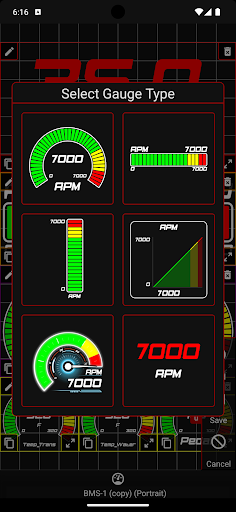
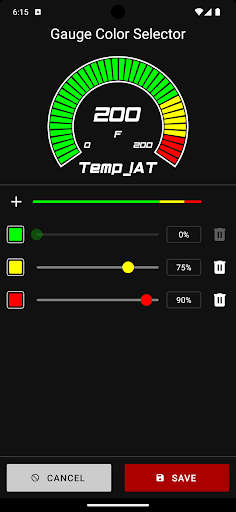
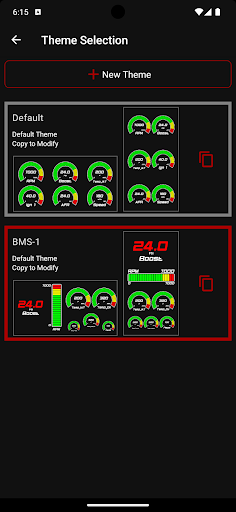
Beyond its technical prowess, JB4 Mobile enhances the car tuning journey by fostering a community of passionate enthusiasts. With access to forums and user groups within the app, users can exchange tips, share tune setups, and seek advice from fellow gearheads around the world. This sense of community transforms the tuning process into a collaborative and enjoyable experience.Moreover, the customization options allow users to personalize gauge themes and adjust parameters according to their preferences, creating a tailored digital dashboard that matches their style. Regular updates from Burger Motorsports further improve app stability, introduce new features, and refine existing ones, ensuring enthusiasts always have the best tools at their fingertips.In summary, JB4 Mobile is not just an app; it’s a comprehensive digital platform that empowers car enthusiasts to explore, refine, and understand their vehicle’s performance. Its intuitive interface, extensive features, and community support make it the ideal choice for anyone looking to elevate their automotive experience. Whether aiming for more horsepower, better fuel efficiency, or simply deeper insight into your car's behavior, JB4 Mobile stands out as a must-have device for modern vehicle tuning.
Pros
- Intuitive user interface design.
- Displays real-time engine data.
- Allows customization of dashboard settings.
- Provides comprehensive vehicle diagnostics.
- Compatible with a wide range of vehicle models.
Cons
- Requires Bluetooth connection.
- Full feature access requires a subscription.
- Limited support for older vehicle models.
- Occasional app crashes have been reported.
- Consumes a lot of battery during use.