





Instapaper: Save, Read Offline, and Organize Your Reading
Instepaper is the simplest way to save and store articles for reading—offline, on-the-go, anytime, anywhere. It strips away the clutter to deliver a clean, perfectly formatted text view, making long-form reading comfortable on phones and tablets. On Android, Instapaper also offers a mobile- and tablet-optimized Text view that keeps content readable even when you’re offline, whether you’re on a plane, in a subway, or using a Wi‑Fi‑only device.
What is Instapaper?
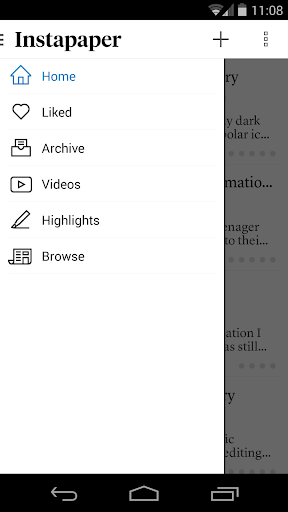
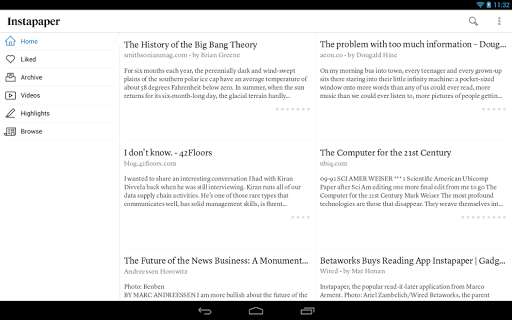
Instapaper is a read-it-later tool that lets you save articles, videos, and other web content to read later—even offline. Think of it as a personal librarian you carry in your pocket. Getting started is a breeze: sign up by email or via Facebook or Google, then start saving content from any browser or device. Install the browser extension or use the app’s share function, and your reading list begins to grow. The interface is sleek and intuitive, designed to help you focus on the content without unnecessary distractions.
Core & Plus Features
- Saves most web pages as text only, stripping away the full-sized layout to optimize for tablet and phone screens
- Distraction-free reading environment that gets out of your way so you can focus on the content
- Everything you download is then available OFFLINE, so you can read whenever you want, even on airplanes, subways, or Wi‑Fi‑only devices away from internet connections
- PLUS:
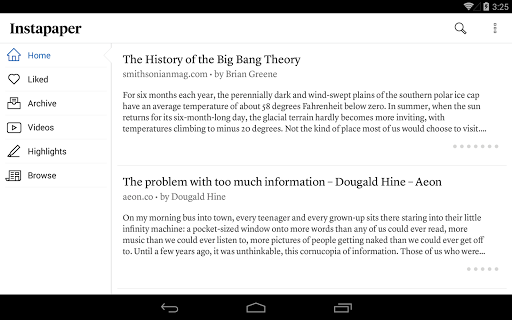
- Optimized tablet interface
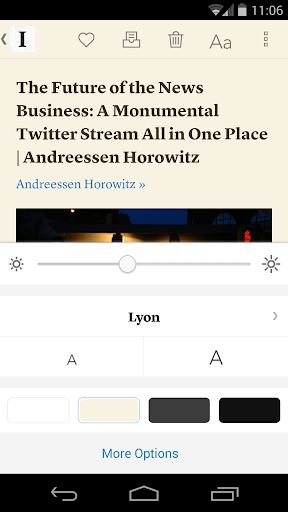
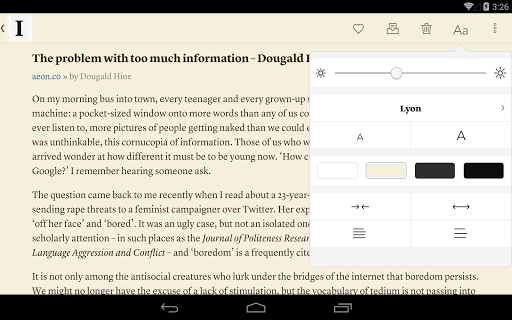
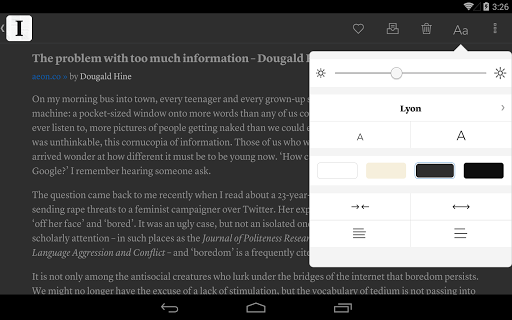
- Adjustable fonts, text sizes, line spacing, and margins
- Dark mode and brightness control for night reading
- Sort your list of unread items by popularity, date, article length, and shuffle
- Folders for organization
- Share via web browser and any app that supports sharing
- Rotation lock
- Download up to 500 articles on your phone or tablet, and store unlimited articles on the Instapaper website
- Dictionary and Wikipedia lookups
- Tilt scrolling, page-flipping
- Preview links in the built-in browser without leaving the app
- Search (available with in-app enhancements or purchases)
Standout Features & Reading Experience
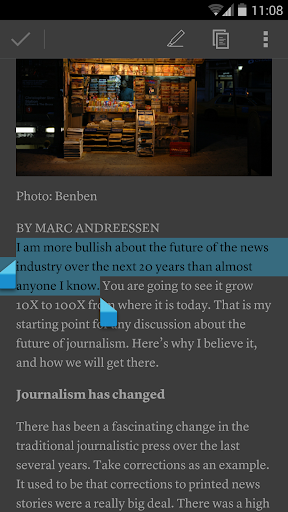
A standout feature is the text-to-speech option, which lets you listen to saved articles when you’re on the move—turning your reading time into a hands-free experience. Instapaper delivers a clean reading experience by stripping away ads and distractions, leaving you with the core content you chose. You can highlight and comment on passages, making it easy to capture insights or ideas for later reference. Organizing your saved items is effortless thanks to folders and tags, helping you quickly locate your next read. With OFFLINE access, you’ll never worry about losing your place or running out of content when you’re offline. Additional handy capabilities include a tablet-optimized interface, adjustable typography, a dark mode for nighttime reading, and intuitive navigation like rotation lock and tilt scrolling. You can even preview links in a built-in browser without leaving the app, and you’ll find dictionary and Wikipedia lookups tucked into context when you want quick definitions or background information.
Why You’ll Love Instapaper
If you love consuming content but are often short on time, Instapaper is a game-changer. It’s like having a personal assistant who curates a tailored reading list just for you. Whether you’re on a long flight, commuting, or relaxing at home, you’ll have a treasure trove of articles ready at your fingertips. The combination of offline access, distraction-free formatting, and robust organization helps you build a sustainable reading habit without feeling overwhelmed. It’s not merely about saving articles; it’s about interacting with content more meaningfully—highlighting key ideas, annotating important passages, and revisiting your notes later. With cross-device sync, you can start reading on one device and pick up right where you left off elsewhere, ensuring your reading flow stays uninterrupted.
Getting Started and Best Practices
To get the most from Instapaper, sign up with your preferred method (email or social login), install the browser extension, or use the app’s share feature to save content with a tap. Explore folders and tags to keep your library organized, tailor the reading settings to your comfort, and experiment with the text-to-speech feature for hands-free experiences. Whether you’re planning ahead for travel or building a daily reading routine, Instapaper makes it easy to curate a personalized, offline-ready reading queue that travels with you.
Pros
- Easy-to-use interface for saving articles
- Offline reading capability
- Syncs across multiple devices
- Supports highlighting and commenting
- Integrates with other apps
Cons
- Limited free account features
- Occasional sync issues
- No built-in text-to-speech
- Ads in free version
- No advanced search options