
Discover the Power of Google Maps Go: The Lightweight Navigation Solution
Google Maps Go is the lightweight Progressive Web App version of the popular Google Maps application. Designed to provide essential features with minimal storage requirements, this version is perfect for devices with limited memory and unreliable network connections. Unlike the full Google Maps app, Google Maps Go requires only a fraction of the space—up to 100 times less—ensuring quick load times and smooth operation on older or entry-level smartphones.
Compact Design Without Compromising Features
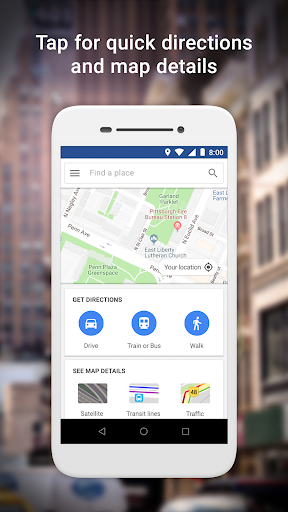
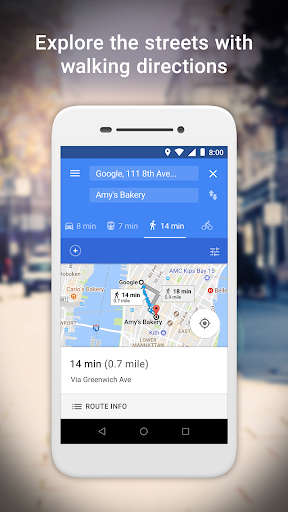
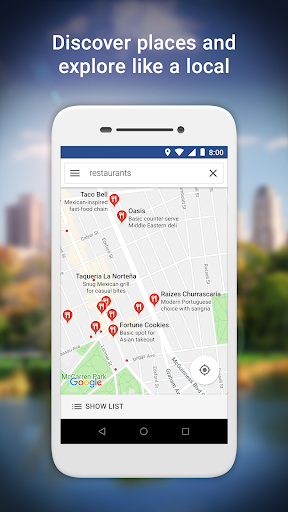
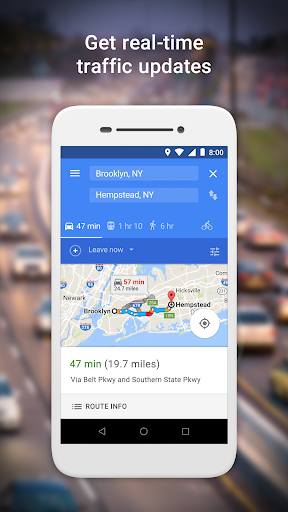
Despite its small size, Google Maps Go delivers a comprehensive navigation experience. Users can access real-time GPS tracking, detailed directions for driving, walking, and public transit, and enjoy traffic updates and route planning. The app also enables users to search for millions of places, including landmarks, restaurants, shops, and other local businesses, providing valuable information such as phone numbers, addresses, operating hours, and user reviews.
Optimized for Connectivity and Performance
One of the outstanding features of Google Maps Go is its ability to function efficiently in areas with spotty internet connectivity. Whether you're navigating through remote regions or traveling in areas with weak networks, this app ensures your maps load quickly, and your directions remain accurate. Its efficient map loading and offline capabilities make it an excellent travel companion, especially for explorers venturing off the beaten path.
Key Features for Everyday Navigation
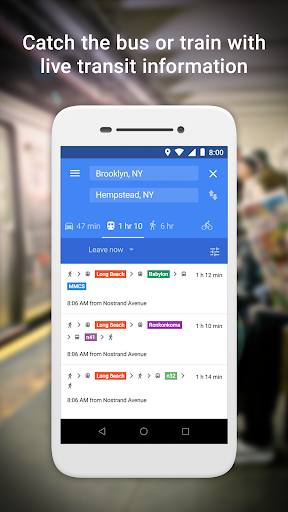
Google Maps Go is loaded with features that cater to everyday navigation and discovery. You can effortlessly find the fastest route, combining options like two-wheelers, metro, buses, taxis, walking, and even ferries. Live schedules for public transport make planning your trips smoother, while step-by-step directions and route previews help you travel confidently. Additionally, users can discover new places and explore local attractions with ease, thanks to detailed maps—including satellite and terrain views—covering 200 countries and territories.
Personalized and Convenient
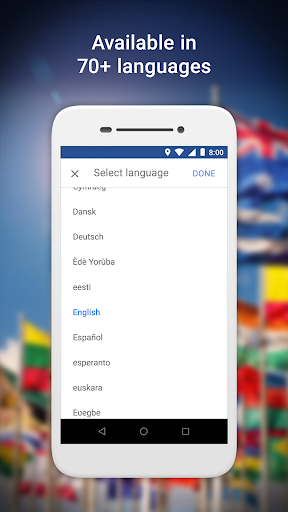
The app allows you to save favorite places for quick access later, enabling efficient planning and navigation. Whether you're visiting a restaurant regularly or exploring a new city, Google Maps Go makes it easy to locate business information, read customer reviews, view pictures, and find contact details. Furthermore, it supports multiple languages, boasting availability in over 70 languages, making it accessible to users worldwide.
Extensive Transit and Local Information
For commuters and travelers, Google Maps Go offers valuable public transportation data for over 20,000 cities. Access real-time city transit schedules, navigate complex routes, and make informed decisions about your trip. Additionally, the app delivers detailed information on more than 100 million businesses and landmarks, ensuring you have a wealth of data at your fingertips.
Join the Beta Program
Interested users can become beta testers to help improve the app and stay updated on upcoming features: Become a beta tester here.
In Summary: A Reliable and Efficient Mapping App
Google Maps Go is a compact, efficient, and reliable alternative to the traditional Google Maps application. Perfect for devices with limited storage or slower networks, this lightweight mapping app offers essential navigation features, real-time traffic updates, public transit information, and access to millions of places globally. Whether you're a casual user or a frequent traveler, Google Maps Go provides the core functionalities needed to discover, navigate, and explore your surroundings effortlessly. Make it your go-to navigation app and enjoy stress-free trips—anywhere in the world!
Pros
- App is lightweight and performs quickly
- Uses minimal data
- Suitable for devices on low data plans
- User interface is easy to use and navigate
- Provides precise real-time traffic information
- Works well on older devices
- Offers extended usability
Cons
- Fewer features compared to full Google Maps
- Offline maps are not supported
- Requires internet connection
- Does not support turn-by-turn navigation
- Updates with new features are infrequent
- Limited ability to integrate with other applications