Overview of the GameStop App
The GameStop app has been significantly upgraded to provide an improved shopping experience tailored specifically for gamers and tech enthusiasts. Built with a user-centric design, the app makes discovering, purchasing, and trading gaming products more convenient than ever. Whether you're searching for the latest game releases, browsing a vast selection of consoles and accessories, or managing trades, the GameStop app brings the entire store experience right to your fingertips.
Key Features of the GameStop App
Search and Shop Made Easy
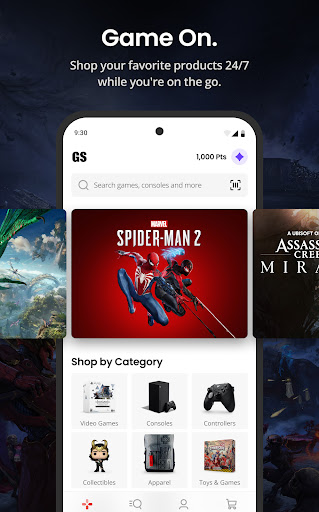
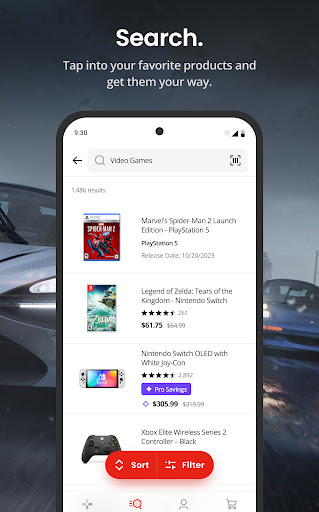
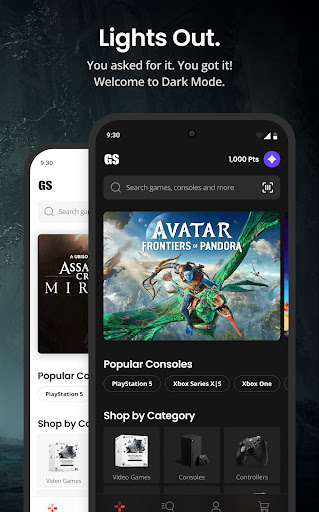
The app features a clean, intuitive interface that simplifies navigation. Users can easily search for specific games, consoles, pre-owned gadgets, and collectibles using a powerful search bar that delivers quick results. Each product listing includes rich details, ratings, and reviews, helping shoppers make well-informed decisions upfront. This means no more wandering aimlessly through physical stores or browsing countless websites—everything is at your convenience.
Introducing GameStop Pro
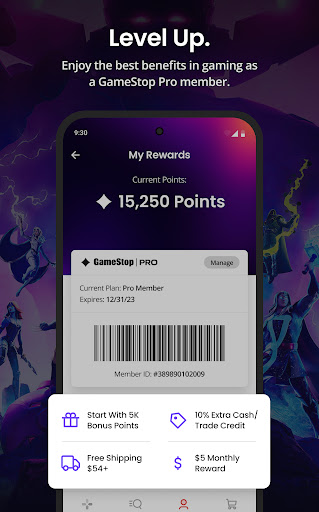
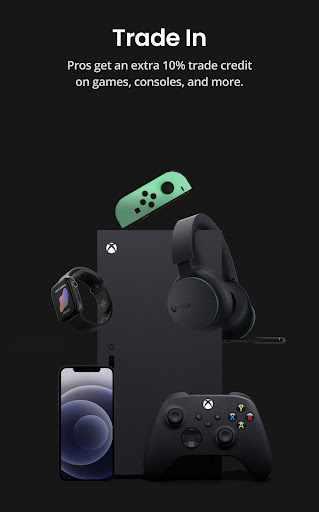
Elevate your gaming experience by becoming a GameStop Pro member. With an affordable $5 Welcome Reward, new members receive $65 in value right away, plus ongoing benefits such as $5 Monthly Pro Rewards. Members enjoy earning 2% back in rewards, receiving an additional 5% discount on pre-owned items, collectibles, and more, as well as an extra 10% on trades. Exclusive deals, special drops, and Pro Weeks are part of the perks available to Pro members, making it a rewarding choice for dedicated gamers.
Order Online with Flexibility
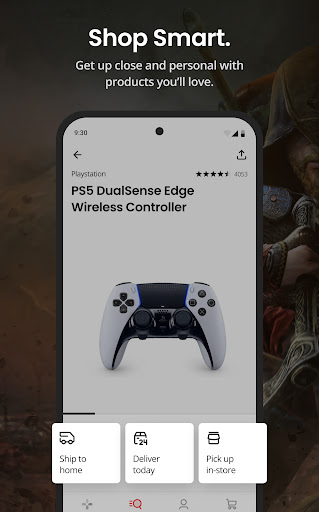
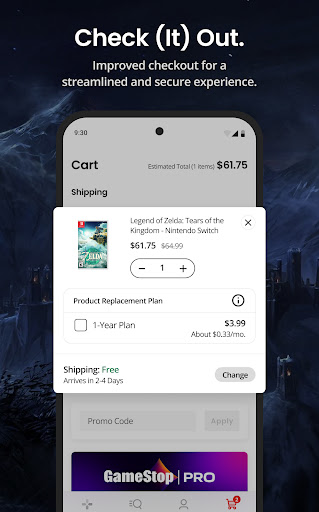
The app enables seamless online ordering with various delivery options that fit your schedule. Choose home delivery, in-store pickup, or same-day delivery on select items. The app provides real-time tracking updates so you can follow your orders every step of the way. It also keeps track of your purchase history, making future shopping even more efficient.
Trade-Ins for Cash or Credit
Need to clear out old electronics or games? The GameStop app facilitates quick and convenient trade-ins. Sell your devices for cash or store credit, and enjoy the easy process of turning your used items into valuable rewards or new gaming gear.
Why Gamers Love the GameStop App
User-Friendly Interface & Vast Collection
One of the standout aspects of the GameStop app is its straightforward, user-friendly design. Upon first opening, users are greeted with a neatly organized layout that makes browsing effortless. Whether you're seeking the latest Xbox, PlayStation, or Nintendo Switch titles, the app offers an extensive catalog, including both new releases and classic favorites. Accessories and pre-owned items are also readily available, giving users a virtual store experience anytime and anywhere.
Availability Checks & Local Store Features
A handy feature allows users to check product availability in nearby stores. Spot a game or accessory online and see if it’s ready for pickup close to home. This makes shopping more immediate and convenient, eliminating the wait for shipping and enabling quick access to deals.
Exclusive Deals & Rewards Program
The PowerUp Rewards program is a highlight of the app, offering special discounts and promotions exclusive to members. Personalized notifications alert users to sales, restocks, and new releases, ensuring you stay in the loop. Many users appreciate earning rewards and discounts simply for engaging with the app and shopping frequently, turning loyalty into tangible benefits.
Final Thoughts
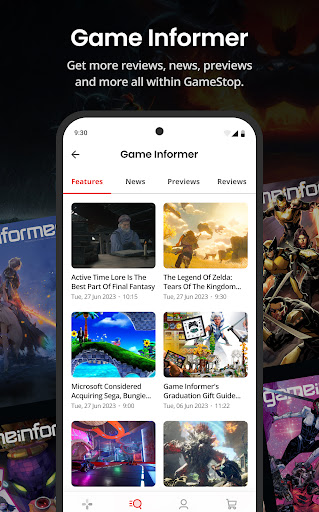
Overall, the GameStop app is a comprehensive platform that caters to every gamer’s needs. Its polished interface, extensive product selection, exclusive deals, and flexible ordering options make it an indispensable tool for gaming enthusiasts. While occasional slow loading may occur, the overall experience remains dependable and rewarding. Whether you’re hunting for your next favorite game, looking to trade old devices, or just want to stay updated on gaming trends, the GameStop app is a must-have companion in your gaming journey. Dive in and discover how it can elevate your gaming experience today!
Pros
- Intuitive interface that simplifies navigation.
- A broad range of games and consoles to choose from.
- Regular discounts and exclusive deals.
- Loyalty rewards for repeat customers.
- Prompt and dependable customer service.
Cons
- Limited stock of rare collectibles.
- Occasional delays in shipping.
- Need for membership to access certain discounts.
- Inconsistent updates of online inventory.
- App performance may decrease during busy periods.