

Fly Delta: The Ultimate Travel Companion for Seamless Flying
Welcome to Fly Delta, Delta’s award-winning Android application designed to revolutionize your travel experience. Whether you're planning a domestic getaway or an international adventure, this app packs everything you need to make your journey smooth, efficient, and stress-free. From booking flights to managing upgrades, and from navigating airports to tracking your bags, Fly Delta is your go-to travel partner. Let’s explore the features that make this app a must-have for frequent travelers and occasional Flyers alike.
Planning Your Trip
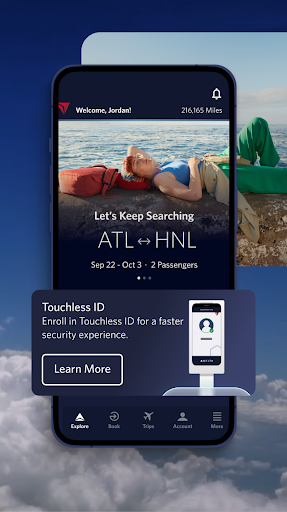
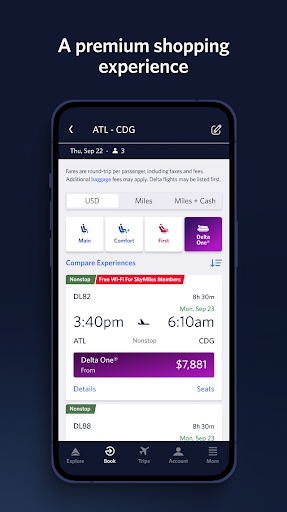
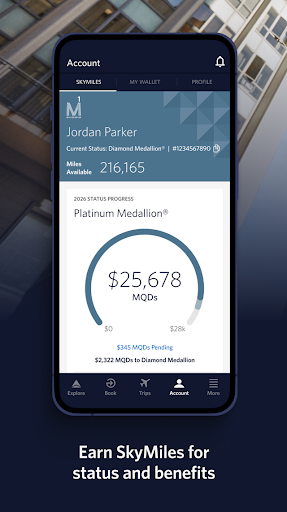
Start your journey by effortlessly browsing and booking both domestic and international flights. The app allows you to easily manage your travel preferences and payment methods. Want to maximize your SkyMiles®? You can instantly track and pay for upgrades using your miles, making your travel more comfortable and rewarding. Save a travel companion directly to your profile for quicker booking and management. If you need assistance, the app offers a convenient Live Chat feature, enabling you to chat with one of Delta’s agents for support at any time.
Using the App at the Airport
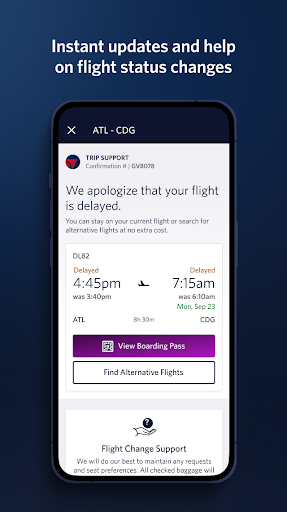
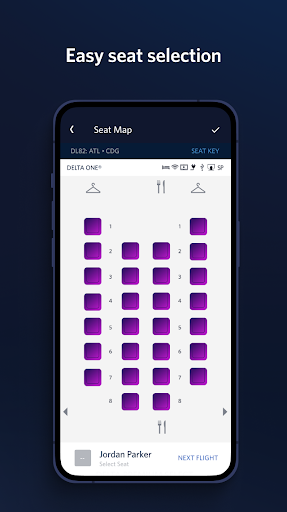
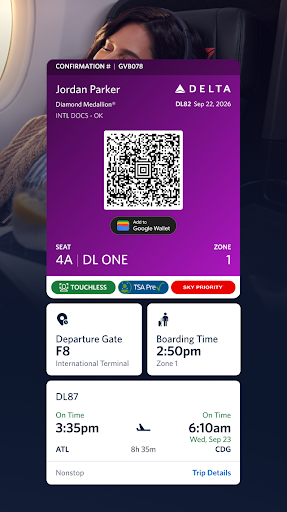
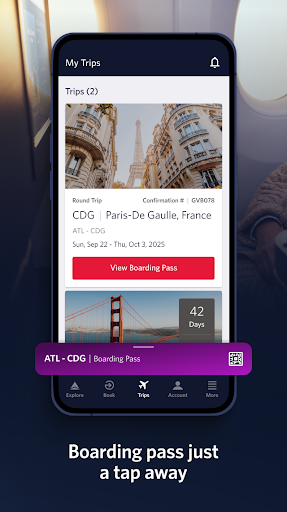
The Fly Delta app is your all-in-one airport assistant. On the day of travel, access the “Today” section, which contains everything you need for your journey—check in, digital boarding passes, and real-time flight information. Receive instant notifications about gate changes, delays, and other updates. Use interactive airport maps to navigate through terminals seamlessly. You can also view your position on the upgrade/standby list and utilize your offline boarding pass for convenience. The app allows you to scan your passport during check-in, select or change seats—including Preferred Seats like bulkhead or aisle—and pay for additional services like Wi-Fi passes or Mileage Boosters. Plus, you can track checked bags, access reservations for Trip Extras, and stay updated about your flight status.
During & After Your Flight
Once onboard, the app continues to serve your needs by providing real-time bag tracking alerts and mapping your flight in progress. Find info about Delta Sky Clubs® and store mobile drink vouchers for use during your journey. In case of cancellations or missed connections, the app makes rebooking straightforward. It’s designed to keep you informed and make your travel experience as comfortable as possible from takeoff to landing.
Security and Privacy
When downloading and using Fly Delta, your personal data is processed in accordance with Delta’s Privacy Policy. For more details, you can review this policy on Delta’s official website. Rest assured, your information is handled securely to ensure a safe and compliant travel experience.
Why Travel Enthusiasts Love Fly Delta
If you’re an avid traveler or someone who flies periodically, you’ll find Fly Delta to be an indispensable tool. The app acts like a personal assistant, guiding you through every phase of your trip with a friendly interface that’s easy to navigate—even for those not tech-savvy. Managing your flights, checking in, and monitoring your SkyMiles balance are all just a few taps away. The real-time flight updates ensure you stay informed about gate changes, delays, and baggage info, empowering you to plan better and avoid travel-related stress. The convenience of offline boarding passes and quick access to seat upgrades enhances your travel comfort greatly.
Final Thoughts
In summary, Fly Delta is more than just a flight booking app—it's a comprehensive travel assistant designed to elevate your flying experience. From seamless check-in and real-time updates to loyalty management and airport navigation, this app has everything a modern traveler needs. Whether you’re booking a spontaneous trip or carefully planning an international vacation, make sure to download Fly Delta for a more efficient, enjoyable journey. Give it a try and discover how it transforms your travel routines into smooth, hassle-free adventures. Happy flying!
Pros
- User-friendly interface for easy navigation
- Real-time flight updates and notifications
- Ability to book and manage trips effortlessly
- In-app boarding pass for convenience
- 24/7 customer support directly through the app
Cons
- Limited functionality without internet access
- Occasional glitches during app updates
- Requires personal data for full access
- In-app ads can be distracting
- Some features exclusive to Delta members