





Overview of Facebook
Facebook stands out as a social media platform where real people propel your curiosity. Whether you're exploring the Marketplace for hidden gems, sharing reels with your friends, or enjoying fun images reimagined by AI, Facebook helps you make things happen like no other social network. With its diverse features, it allows users to explore and expand their interests seamlessly.
Features for Exploring Interests
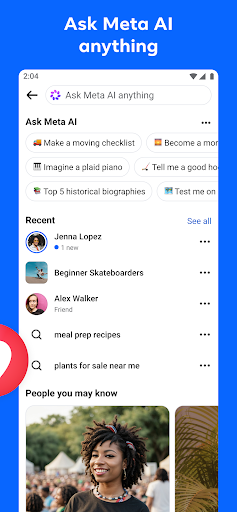
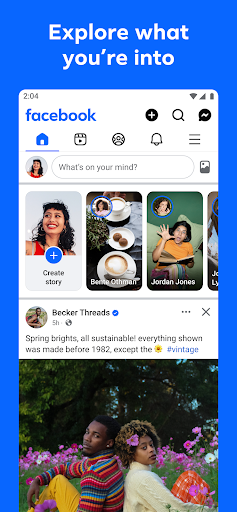
Facebook offers a variety of options to discover and cultivate your passions. The Shop Marketplace allows you to find unique items and take your hobbies to the next level. You can personalize your Feed to see more of what truly interests you and less of what doesn't, creating a tailored social experience. If you're seeking instant answers, just ask Meta AI for information, and get immediate responses. Dive into engaging reels that mirror your preferences and search Facebook on any topic for interactive results, ensuring you stay connected with trending discussions and ideas.
Connecting with People and Communities
One of Facebook's core strengths is its ability to help users connect with people and communities. Join various groups to gain tips and insights from others who share your interests. Be inspired by content creators, or catch up with friends to share your latest updates. You can add new friends to broaden your social circle and control how closely you keep up with each connection. The platform also provides a private messaging system to share relatable posts with close friends or engage with trending reels that everyone is talking about, making social interactions more personalized and meaningful.
Sharing Your World
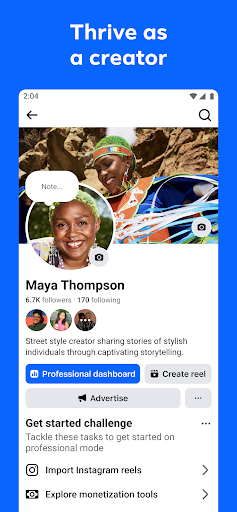
Facebook makes it easy to share your world in creative ways. Use generative AI to craft custom stickers and images that delight your friends. Personalize your profile to showcase your personality and control who can see your posts. Create engaging reels effortlessly using trending templates or showcase your creativity with a full arsenal of editing tools. Capture life’s moments on the fly with stories, ensuring your memories are shared instantly with your audience. These features help you express yourself and stay connected to your community in vibrant, innovative ways.
Mobile Experience and User Engagement
Using Facebook on mobile devices provides a dynamic social experience, whether you're a social media enthusiast or someone who simply wants to stay in touch with friends. The app's primary goal is to keep you connected, with easy-to-use features that facilitate chatting, sharing photos, and catching up on others’ updates. The user interface is intuitive, making navigation straightforward and efficient. Features like Stories, Marketplace, and Groups are all designed to enrich your social engagement, helping you find local events, discover new interests, and maintain meaningful connections.
Personalization and Privacy
Facebook excels at personalization, allowing you to tailor your content feed to include more of what you love. Privacy settings are user-friendly, giving you control over who sees your posts and how your information is shared. While the platform helps you stay informed and entertained, it also respects your boundaries by enabling customized privacy roles, so you can enjoy social media responsibly. Though sometimes the amount of content can be overwhelming, thoughtful customization ensures your experience remains enjoyable and relevant.
Conclusion
In summary, Facebook on mobile is a powerhouse for social networking. Its intuitive interface, rich feature set, and ability to connect people and communities make it a must-have app for many users worldwide. Whether you're sharing moments, exploring interests, or engaging with locals, Facebook offers a comprehensive platform to stay connected and express yourself. Embrace the digital age and see how Facebook fits into your social lifestyle—you might find it is the perfect app to keep your social circle spinning.
Pros
- User-friendly interface
- Wide range of features
- Global connectivity
- Regular updates
- Strong security measures
Cons
- Data privacy concerns
- High battery consumption
- Frequent notifications
- Complex privacy settings
- Dependence on internet