Disney Cruise Line Navigator: Your Ultimate Cruise Companion On and Off the Ship
Imagine a personal assistant that travels with you from home planning to days at sea. The Disney Cruise Line Navigator app is exactly that—a pocket-sized guidebook that keeps your plans organized, your adventures synchronized, and your Disney magic within reach. With real-time updates, deck-by-deck navigation, and a built-in planning hub, it turns any Disney cruise into a smoother, more seamless experience for first-timers and seasoned sailors alike.
Plan at Home
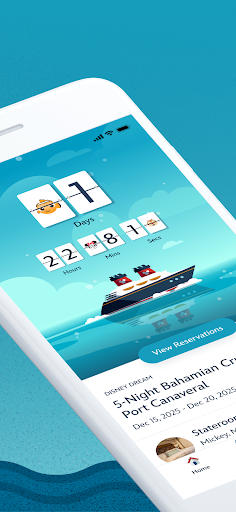
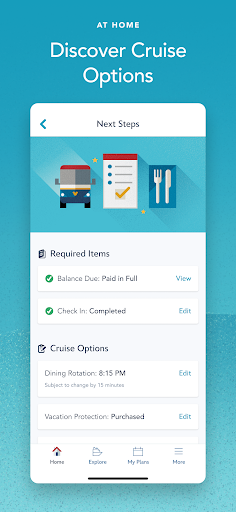
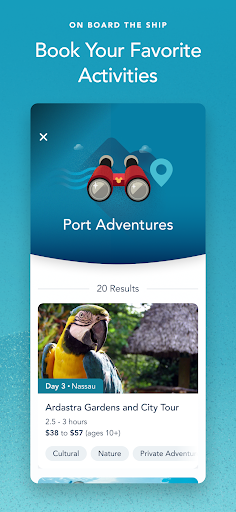
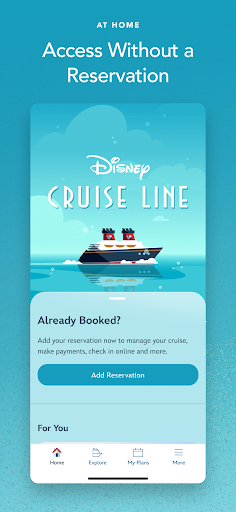
Retrieve your reservation to review details and organize essential documents, payments, and more. Use My Online Check-In to complete cruise paperwork and register kids for youth clubs. Explore activities and entertainment ahead of time, and book favorites like Port Adventures, adult dining, onboard fun, spa & fitness, or nursery services. You can keep or adjust your dinner seating and add or edit a Vacation Protection Plan or Ground Transportation. The app also helps you view Air Transportation and make special requests—whether it’s dietary needs, accommodations for little ones, or celebrations—so you arrive ready to sail.
On Board: Enhance Your Experience
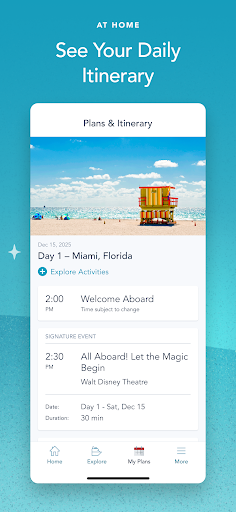
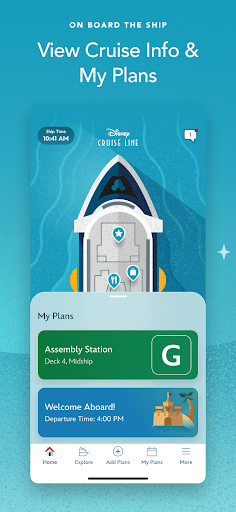
Once you’re aboard, the Navigator becomes your day-by-day planner. View onboard activities across your entire voyage, plan each day from shows to shopping, and review ports of call and at-sea days. Read detailed information about activities that interest you and check dining menus (including kids’ menus) and your dining schedule in one place. Keep an eye on the latest offers and specials, save favorite activities in a single list, and view booked activities such as Port Adventures, adult dining, onboard fun, spa & fitness, or nursery. You can also spot Disney Characters throughout the ship and consult the Help Center for assistance as needed.
Know Where to Go
Navigate ship decks from bow to stern with a clear, deck-by-deck map. Find the locations of activities you want to do and plan your route so you spend less time wandering and more time making memories.
Stay in Touch
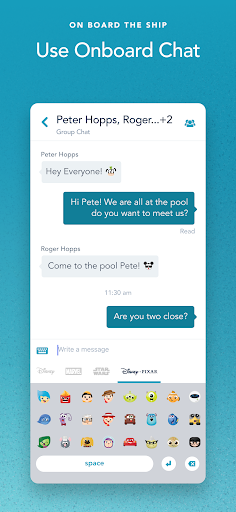
Onboard Chat lets you stay connected with family, friends, and shipmates—one-to-one or in groups—without needing a separate internet connection. Express yourself with a wide array of Disney emoticons as you chat and coordinate meet-ups across the vessel.
Getting Started and Practical Notes
To use Onboard Chat, you’ll typically need to provide your full name, stateroom number and birthdate. For younger guests, parental supervision is encouraged when using chat features. The Navigator’s offline-friendly capabilities blend smoothly with the ship’s onboard Wi-Fi, which is complimentary for app users and keeps your plans connected while you explore.
Download the Disney Cruise Line Navigator today and unlock a streamlined, stress-free planning experience that blends home preparation with on-board magic. From deck plans and itineraries to dining menus and shore excursions, this app puts the best of Disney cruise planning in the palm of your hand. Whether you’re charting your first voyage or your hundredth, Navigator helps you make the most of every moment—covering every step of your magical Disney cruise journey.
Pros
- Intuitive user interface for easy navigation.
- Provides real-time updates on ship activities.
- Comprehensive dining and entertainment options.
- Personalized itineraries and reminders.
- Access to free onboard Wi-Fi for app use.
Cons
- Limited functionality without Wi-Fi connection.
- App can be slow during peak times.
- Occasional glitches in reservation system.
- Limited customization options for alerts.
- Requires frequent updates for new features.