Dexcom G6 icon

Dexcom G6

14.10K
3
Installs
1.00M
Version
1.16.0.291
Advertisement
Dexcom G6 screenshot
Advertisement

Overview of the Dexcom G6 App

The Dexcom G6 app is a vital companion for individuals using the Dexcom G6 or G6 Pro CGM Systems. Designed specifically for diabetes management, this app allows users to always know their glucose levels and understand where those levels are headed, all without the need for fingerstick calibration or daily blood testing, making diabetes care more convenient and less invasive.

The primary purpose of the Dexcom G6 app is to provide real-time glucose readings and personalized alerts. It is indicated for individuals with type 1 or type 2 diabetes aged 2 years and older. This app not only displays glucose data every five minutes but also sends alarms and alerts based on your glucose levels, helping you to manage your condition proactively. With seamless smart device integration, the Dexcom G6 app empowers users with the insights needed to make informed treatment decisions and maintain stable blood sugar levels.

Key Features of the Dexcom G6 App

Real-Time Glucose Monitoring

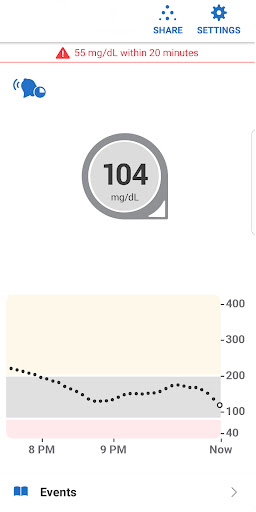
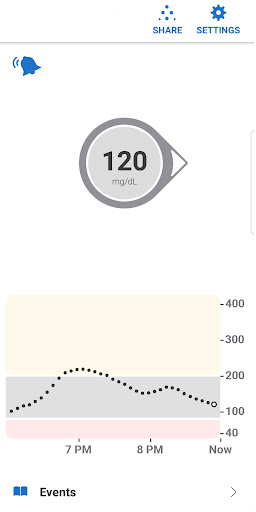
The core feature of the Dexcom G6 app is providing continuous, real-time glucose data. Every five minutes, your glucose levels are updated and displayed, giving you an accurate picture of your current condition. This ongoing monitoring helps you detect trends and patterns, assisting with better management of diabetes symptoms and avoiding dangerous highs or lows.

Customizable Alerts and Alarms

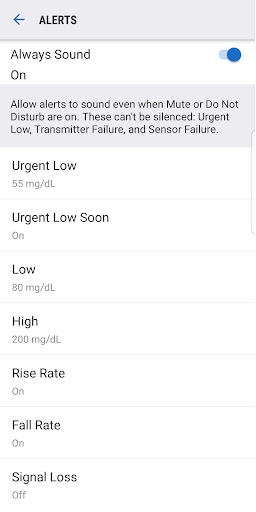
The app offers an array of alert options tailored to your preferences. You can set alert schedules to match your daily routine—such as work hours or sleep periods—and choose different custom alert sounds, including a Vibrate-Only option on your phone. Key alerts, like the Urgent Low Alarm, cannot be turned off, ensuring safety during critical moments. Additionally, the Always Sound setting, which is enabled by default, guarantees you receive essential alerts even if your device is muted or in Do Not Disturb mode. These alerts include Low and High Glucose warnings, Rise and Fall Rate alerts, and the Urgent Low Alarm.

Share and Follow Features

The Share function allows users to share their glucose data with up to ten followers in real time. Followers, such as family members or healthcare providers, can monitor your glucose trends remotely through the Dexcom Follow app. This feature fosters better support and collaborative management of diabetes, providing peace of mind for both users and loved ones. A compatible internet connection is necessary for sharing data effectively.

Additional Functionalities

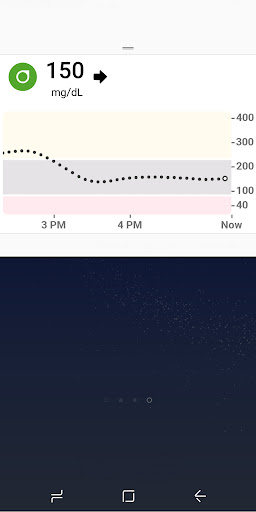
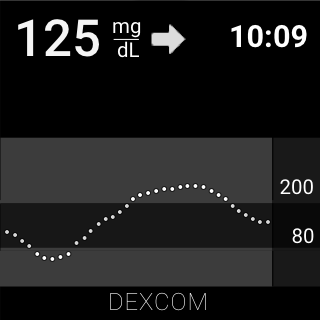
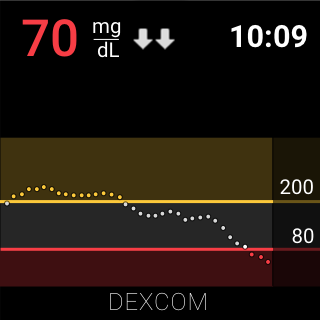
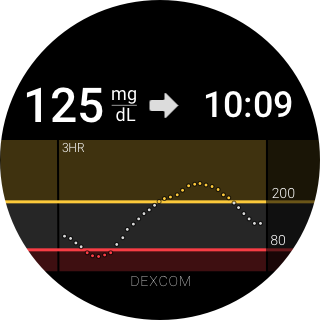
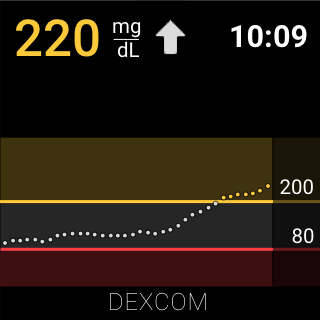
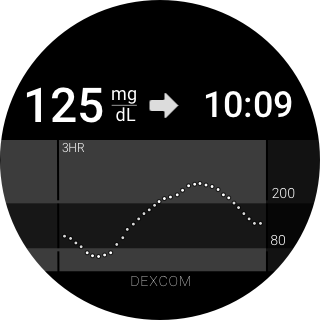
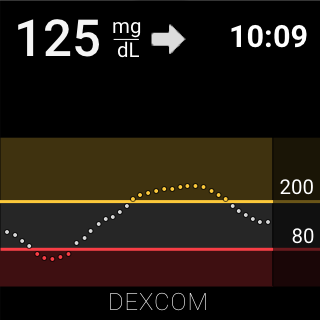
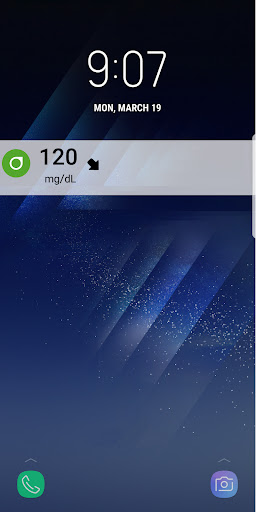
The app provides quick access to vital information via Quick Glance, which displays your glucose data directly on the lock screen of your device—although this feature is unavailable for the G6 Pro system. Integration with Wear OS devices enables users to view glucose alerts directly from their smartwatch, promoting continuous monitoring without needing to check your phone frequently. For advanced tracking and analysis, Health Connect compatibility allows retrospective sharing of glucose trends with third-party health apps.

Getting Started and User Experience

Setting up the Dexcom G6 app is straightforward. Once you have your sensor and transmitter, pairing them with your device involves simple, guided instructions within the app. The user interface is clean, intuitive, and easy to navigate, making it accessible whether you’re tech-savvy or new to digital health tools.

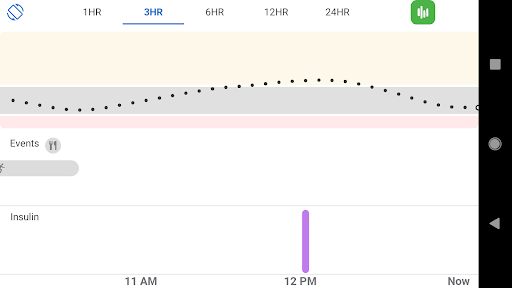
The app’s graphical charts and data summaries are designed to be easily digestible, providing a clear understanding of your glucose patterns. Its seamless integration capabilities enable synchronization with other health apps and devices, creating an all-in-one health management dashboard tailored to your needs.

Final Thoughts

Overall, the Dexcom G6 app stands out as a powerful, user-friendly tool for anyone managing diabetes. Its ability to deliver continuous, real-time glucose monitoring, combined with customizable alerts and sharing abilities, helps users stay proactive about their health. The peace of mind provided by knowing your glucose trends and receiving timely alarms can significantly enhance quality of life and ease daily diabetes management.

Whether you’re new to continuous glucose monitoring or looking to upgrade your current system, the Dexcom G6 app offers a comprehensive solution. It acts as a true health companion, delivering critical insights and support right at your fingertips. Incorporating this app into your diabetes care routine could be a game-changer, empowering you to live a healthier, more connected life with confidence.

Pros

  • Real-time glucose monitoring.
  • User-friendly interface.
  • Customizable alerts.
  • Seamless data sharing.
  • Long sensor wear time.

Cons

  • Requires smartphone compatibility.
  • Frequent sensor calibration.
  • High subscription cost.
  • Battery life concerns.
  • Limited third-party app integration.
Download From Google Play Download From App Store
Advertisement

Frequently Asked Questions

What is the Dexcom G6 and how does it work?

The Dexcom G6 is a continuous glucose monitoring (CGM) system created for individuals with diabetes. It functions by inserting a small sensor just beneath the skin to measure glucose levels in interstitial fluid. The data is wirelessly transmitted to a display device or smartphone application, providing real-time glucose readings and trending information. This system removes the need for fingerstick blood tests, offering greater convenience and aiding users in managing their diabetes more effectively.

Is the Dexcom G6 app compatible with my smartphone?

Before downloading the Dexcom G6 app, confirm its compatibility with your smartphone. The app supports both iOS and Android devices, but specific OS versions are required. For iOS, the app generally works on devices running iOS 12.0 or newer, while Android devices need to run Android 8.0 or newer. Ensure your device meets these requirements to use the app properly.

How long does the Dexcom G6 sensor last, and how do I replace it?

Each Dexcom G6 sensor can be worn for up to 10 days before needing replacement. After this period, the sensor will cease transmitting data, so timely replacement is essential to continue receiving glucose readings. Replacing the sensor involves removing the old one and inserting a new sensor with the provided applicator. The process is straightforward and can be performed at home, ensuring ongoing glucose monitoring.

Can I share my glucose data from the Dexcom G6 with others?

Yes, the Dexcom G6 app allows users to share their glucose information with others, such as family members, caregivers, or healthcare providers. This feature, called Dexcom Share, can be configured within the app. It enables real-time data sharing, permitting selected individuals to monitor your glucose levels remotely. This can be especially helpful for those who need assistance managing their diabetes.

Does the Dexcom G6 require calibration with fingerstick tests?

A key benefit of the Dexcom G6 system is that it does not need calibration through fingerstick tests. It is factory-calibrated, meaning users can depend on the sensors for accurate glucose readings without performing additional blood tests. This simplifies diabetes management by reducing the frequency of fingerstick calibrations, making the Dexcom G6 a user-friendly option for continuous glucose monitoring.

You May Like