
Introduction to the CVS Health App
The CVS Health app is a comprehensive mobile solution designed to simplify and improve your overall health management experience. Whether you're managing prescriptions, scheduling health services, or shopping for wellness products, this app consolidates all your pharmacy needs into one intuitive platform. With features tailored for convenience and savings, the CVS Health app aims to be your personal health assistant in your pocket.
Key Features of the CVS Health App
Staying Healthy, Saving Time, Spending Less
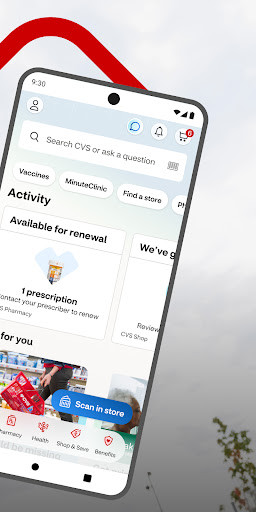
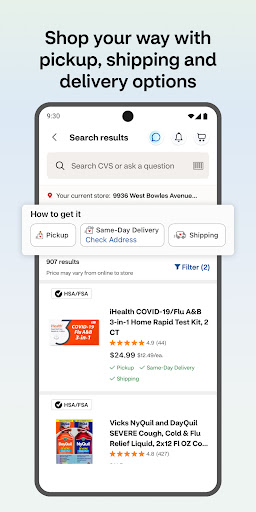
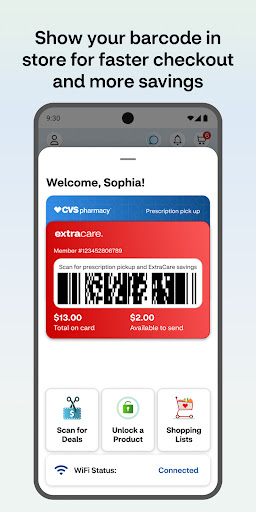
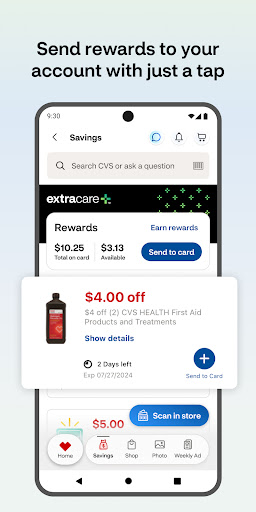
The app makes three core health goals easier: staying healthy, saving time, and reducing costs. Its streamlined checkout process allows you to save with ExtraCare rewards and pick up prescriptions with just a quick scan. You can also access exclusive app-only deals, view all your offers, coupons, and rewards when you link your ExtraCare card, and opt-in for notifications to never miss a deal or important updates about your prescriptions.
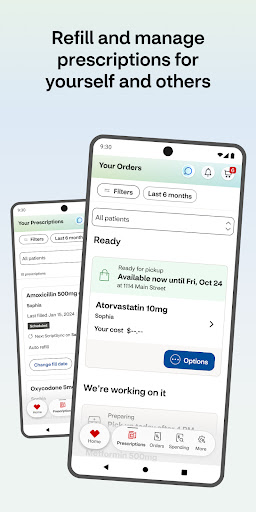
Managing Prescriptions Effortlessly
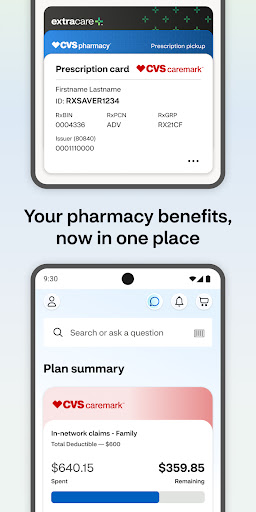
With the CVS Health app, refilling prescriptions, checking their status, and viewing your medication history is a breeze. Simply scan your barcode for faster pickup at the pharmacy once you've attached a payment method and signature. You can also pay for medications directly through the app and even schedule delivery services to your home. The app provides helpful information about drug interactions and medication details, making it easier to manage all your family's pharmacy needs in one centralized location.
Taking Care of Your Health
The app empowers you to schedule vaccinations and medical appointments at nearby CVS Pharmacy® locations or MinuteClinic®. You can view wait times, reserve your spot, and access general clinical services. For ongoing health needs, the app supports video chats with healthcare providers 24/7, ensuring you get medical advice whenever you need it. Additionally, it helps you find the closest MinuteClinic®, check insurance coverage, and explore available healthcare services to keep your health on track.
Photo Printing Made Easy
Beyond health services, the CVS Health app allows you to order photo prints and other personalized products from your device or online albums for same-day pickup at select stores. This feature makes capturing and printing memories quick and hassle-free, adding a personal touch to your wellness experience.
Getting Started with the CVS Health App
Getting started is simple. Ensure your device runs the latest operating system — support starts from Android 10.0 and higher. Once installed, the user-friendly interface guides you through setting up your profile, linking your ExtraCare card, and exploring the wide array of features designed to fit into your daily health routine.
Enhanced Experience and Privacy
The CVS Health app emphasizes privacy and security, with policies in place to protect your personal health information. You can review the Privacy Policy and WA Consumer Health Privacy Policy. Keep in mind that using GPS features may impact your device's battery life, but these functionalities enhance your location-based services such as finding nearby clinics and health resources.
Conclusion: Your Ultimate Health Companion
The CVS Health app is more than just a digital tool — it's a personal health assistant that simplifies managing your wellness. From refilling prescriptions and scheduling vaccinations to shopping for health products and printing photos, this app consolidates everything you need into one accessible platform. Its ease of use, robust features, and focus on privacy make it an invaluable resource for maintaining a healthier lifestyle. Download the CVS Health app today and take a proactive step towards smarter health management.
Pros
- User-friendly interface suitable for users of all ages
- Complete health monitoring features
- Provides access to prescription refills
- Supports in-app appointment scheduling
- Works smoothly with other health applications
Cons
- Requires a stable internet connection
- Features are limited without a CVS account
- App sometimes crashes unexpectedly
- Not accessible in all regions
- Lacks offline mode for entering health data