Blood Pressure Diary: Your Personal Health Tracking Companion
Managing blood pressure is an essential part of maintaining good health, especially for those with hypertension or irregular heartbeat concerns. The Blood Pressure Diary app offers a comprehensive, user-friendly solution that helps you log, track, and analyze your blood pressure data effectively. This app is designed to empower users to take control of their health with ease and confidence, making it an invaluable tool for anyone committed to proactive health management.
Important Notes and Usage Guidelines
It’s crucial to understand that the Blood Pressure Diary app does NOT measure blood pressure directly. To get accurate readings, you should use a certified FDA-approved blood pressure monitor (i.e., BP monitor) in order to reliably measure your blood pressure (BP). Once you have your readings, this app makes it simple to log and monitor your levels, helping you to manage conditions such as Hypertension effectively. The application is designed to be simple and easy to use, ensuring that users can quickly record and interpret their data without any hassle.
Key Features of the Blood Pressure Diary
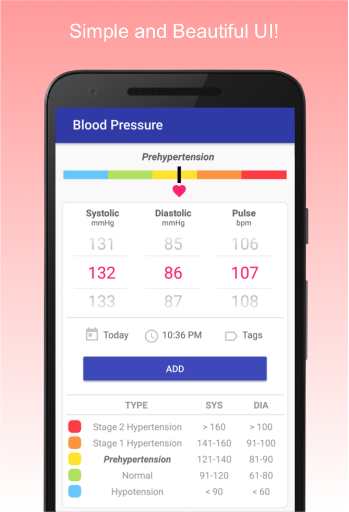
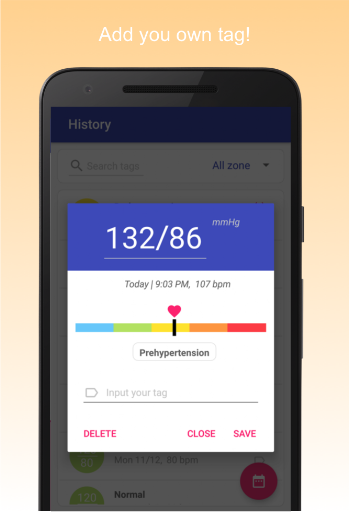
- Effortless Logging: Quickly record systolic, diastolic, and pulse readings with just a swipe of your finger.
- Tag Management: Easily add tags such as irregular heartbeat, cuff location (left/right arm), or seated/reclined positions to contextualize your data.
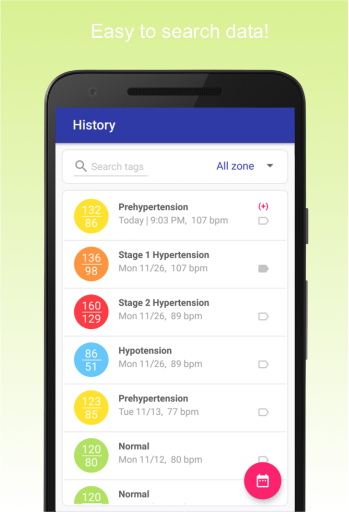
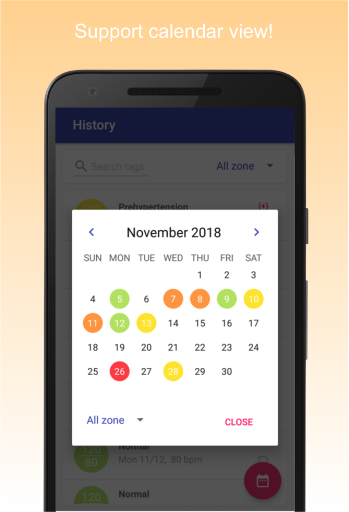
- Advanced Search and Filtering: Find your data by date, tags, or blood pressure zones for detailed analysis.
Automatic Blood Pressure Zone Integration
The app fully supports the calculation of blood pressure zones, helping users monitor their health more effectively:
- Automatically identifies the blood pressure zone based on your readings.
- Supports all zones including Stage 1 and 2 Hypertension, Prehypertension, Normal, and Hypotension.
- Helps you visualize your blood pressure status, making it easier to take timely action.
Free, User-Friendly, and Feature-Rich
This app offers all features FREE, with no restrictions such as limited CSV exports. Its beautiful material UI provides a seamless experience:
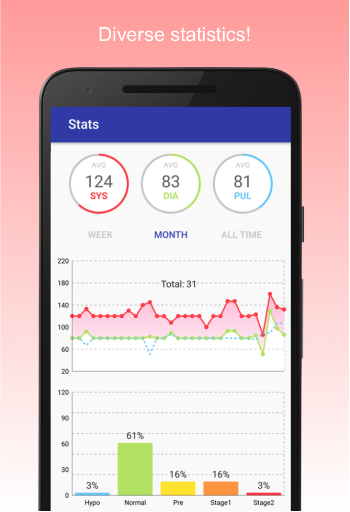
- Comprehensive statistics with graphs and charts displaying averages, minimums, and maximums.
- Interactive UI elements for the blood pressure zones.
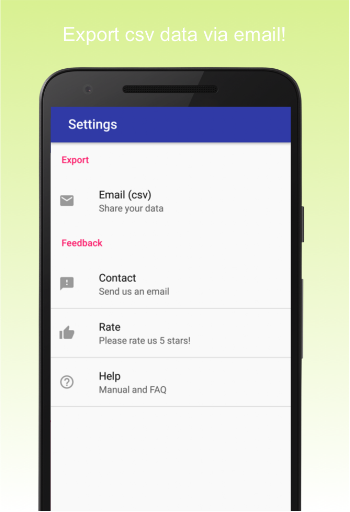
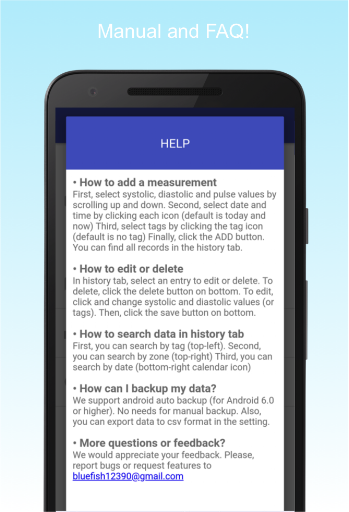
- Support for auto backup (Android 6.0 and above) and easy CSV export to share data with your physician or doctor.
Additional Monitoring Capabilities
In addition to blood pressure, the app allows you to record heart rate and heartbeat, emphasizing the importance of comprehensive cardiovascular health monitoring. Regularly tracking these metrics can be crucial, especially for those managing hypertension or experiencing low blood pressure.
Why Choose Blood Pressure Diary?
If you’re looking for a simple, effective way to manage your blood pressure, this app is an excellent choice. It’s an all-in-one solution that combines easy data entry, visual insights, and secure data management to support your health goals. Whether you are a patient monitoring your hypertension or want to keep a close eye on your cardiovascular health, Blood Pressure Diary makes tracking and understanding your data straightforward and accessible.
Take Control of Your Blood Pressure Today
Managing your blood pressure and heart rate is vital for maintaining overall health. Download the Blood Pressure Diary app to start your journey toward better health management. Its intuitive design, comprehensive features, and free access make it an ideal companion for anyone eager to take charge of their wellbeing and prevent potential health issues. Embrace proactive health tracking with a reliable app that keeps your data organized, accessible, and meaningful.
Pros
- Easy to monitor daily blood pressure.
- Intuitive interface suitable for users of all ages.
- Graphical display of history for trend analysis.
- Options for personalized reminders to take readings.
- Data can be securely backed up and exported.
Cons
- Advertisements may be disruptive at times.
- Few features are available in the free version.
- Lacks compatibility with fitness tracking devices.
- Requires manual input of data.
- Sometimes encounters synchronization problems.