

Overview of the American Airlines App
The American Airlines app serves as a comprehensive digital companion designed to streamline your travel experience. Whether you're a frequent flyer or an occasional traveler, this app offers a multitude of features that put essential information right at your fingertips. From mobile boarding passes to airport navigation, the app covers all aspects of your journey, making travel more convenient and less stressful. Its user-friendly interface adapts dynamically to your travel stage, ensuring you have the right tools when you need them most.
Key Features of the American Airlines App
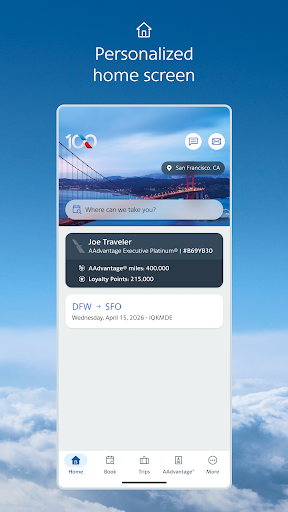
Dynamic Home Screen
The app features a dynamic home screen that intelligently recognizes where you are in your travel process. This means it provides quick access to relevant tools—whether you're checking in, viewing flight details, or navigating the airport.
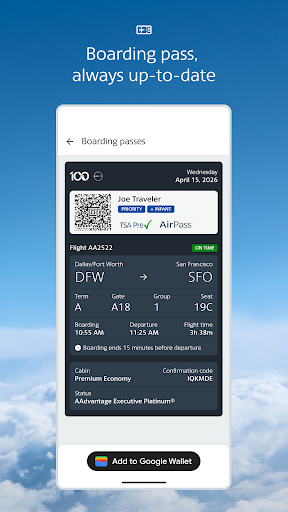
Mobile Boarding Pass
Say goodbye to paper tickets with the mobile boarding pass. You can check in and retrieve your digital boarding pass directly from the app, which is continually updated to reflect any changes, ensuring you're always informed and prepared.
Flight Updates & Notifications
The app delivers latest flight updates through notifications. By retrieving your reservation, American Airlines can send alerts about gate changes, delays, and baggage claims, providing peace of mind and helping you navigate busy airports with ease.
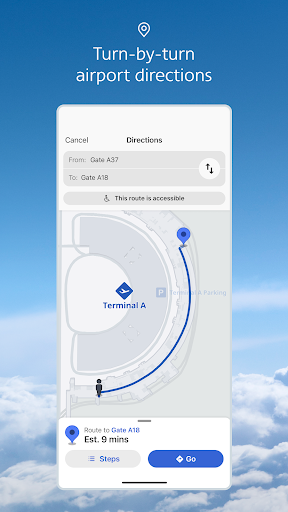
Interactive Terminal Maps
Navigating unfamiliar airports is simplified with interactive terminal maps. Find the nearest Admirals Club® lounge or get directions to your connecting gate, making your airport experience smooth and efficient.
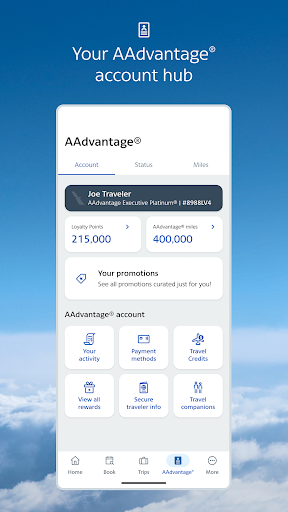
AAdvantage® Account Management
Review your AAdvantage® account details directly within the app. Not a member? You can sign up effortlessly and start earning miles toward rewards on your travels.
Seat & Upgrade Management
Easily select or change seats at any point, and request or purchase upgrades. The app displays your upgrade standby list within four hours of departure, helping you plan ahead.
Bag Tracking & Reservation Saving
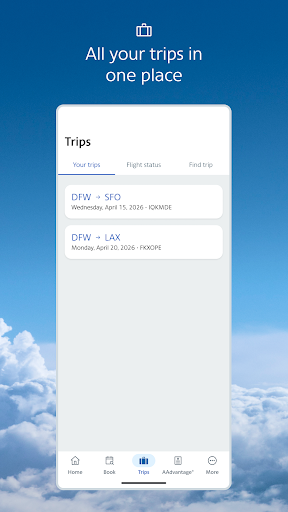
Track your baggage from check-in to arrival with the bag tracking feature, and save your recent reservations for quick access on future trips.
In-Flight Wi-Fi & Entertainment
On flights with Wi-Fi, use the American Airlines app or aa.com to access flight information, browse the internet, or enjoy movies and TV shows at no additional cost, making your in-flight experience more enjoyable.
Why Travelers Love the American Airlines App
Many users, including frequent travelers, find that the American Airlines app significantly enhances their flying experience. The convenience of managing bookings, checking in, and receiving real-time alerts ensures travelers are always well-informed. For example, receiving an early notification about a gate change allows quick adjustments and avoids last-minute stress. The integrated features, such as seat selection and upgrade requests, streamline airport procedures, saving valuable time. Moreover, the app's ability to track baggage and save reservations simplifies journey planning.
Personal Experiences and Tips
Users have shared positive experiences, noting that the app makes traveling smoother—from avoiding hectic last-minute gate runs to effortlessly managing in-flight entertainment. While some find certain navigation elements slightly clunky, overall, the app's benefits outweigh minor usability quirks. For travelers frequently flying with American Airlines, having all travel essentials in one place contributes to a more relaxed and enjoyable trip.
Final Thoughts on the American Airlines App
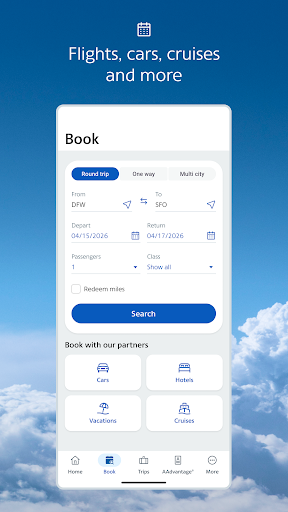
In summary, the American Airlines app is a powerful tool designed to simplify your travel experience. It centralizes all necessary features—booking, check-in, flight status, baggage tracking, and more—in a user-friendly platform. Whether planning an upcoming trip or managing last-minute changes, the app offers valuable assistance. If you're looking to make your journeys more efficient and less stressful, downloading and exploring the American Airlines app is highly recommended. It truly acts as a reliable travel companion, helping you navigate every stage of your trip with confidence.
Pros
- Wide selection of destinations
- User-friendly platform
- Loyalty rewards for frequent travelers
- Streamlined check-in process
- Dependable flight schedules
Cons
- Inconsistent service during flights
- Limited in-flight entertainment options
- Occasional delays in flights
- Expensive baggage fees
- Occasional app performance issues