Experience the Convenience of Aetna Better Health - Medicaid App
Aetna Better Health offers a user-friendly mobile application designed specifically for Medicaid members to access their healthcare information and services effortlessly. This innovative app serves as a comprehensive tool that simplifies healthcare management, making it easier for members to stay informed and connected with their health plans.
Key Features for Medicaid Members
As a member of Aetna Better Health Medicaid, you can leverage a variety of features within the app to manage your health plan efficiently:
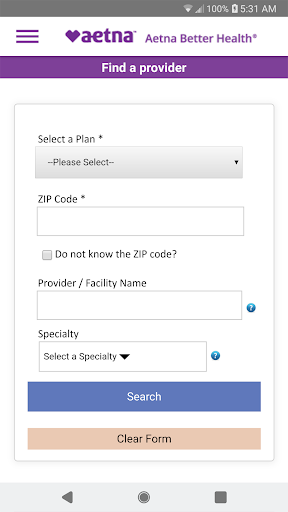
Find or Change Your Provider
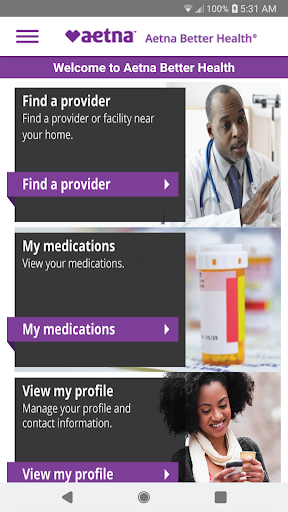
Easily locate healthcare providers in your area or update your existing provider information. The app allows you to filter search results by location, specialty, and language spoken, ensuring you find the right care provider suited to your needs.
View Medical and Prescription Claims
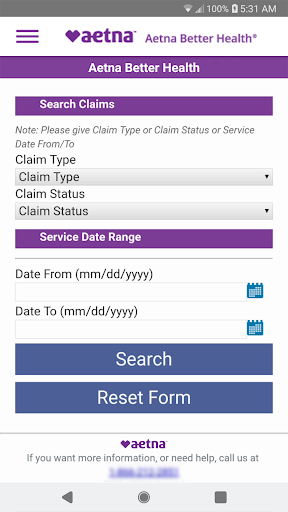
Access detailed information about your medical visits, treatments, and prescription claims. This transparency helps you keep track of your healthcare expenses and coverage without the need for phone calls or paperwork.
Manage Your Medications and Benefits
View your current medications, including dosage and refill information, along with your benefits summary. This feature assists in staying on top of your prescriptions and understanding your coverage details.
Set Up a New Account
Register for a new account that can be used seamlessly across both mobile and web platforms. This flexibility allows you to manage your healthcare anytime, anywhere.
Connect Securely with Your Health Plan
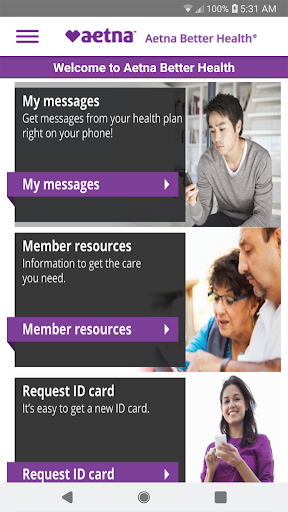
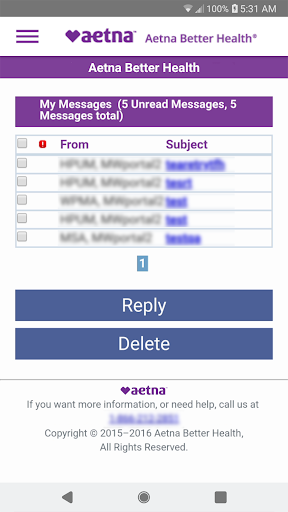
Use the secure inbox to request an ID card, ask questions about your benefits, or request a change in your primary care provider (PCP). This direct communication channel streamlines your interactions with the health plan.
Enhanced User Experience and Service Accessibility
The Aetna Better Health - Medicaid app is designed with simplicity and usability in mind, providing an intuitive interface that makes navigating healthcare services straightforward for users of all technical skill levels. Registering is quick and easy, requiring only basic information like your member ID.
Intuitive Dashboard
Once logged in, the app greets you with a summary of your plan details, recent claims, and coverage information. This immediate access helps you stay informed about your healthcare status at a glance.
Additional Tools for Better Health Management
The app features a pharmacy locator to find nearby pharmacies and check if your prescriptions are ready for pickup, saving you time and effort. Moreover, it includes a messaging feature to contact customer service directly within the app, making support accessible and convenient.
Health Resources and Reminders
A built-in health library provides resources on managing chronic conditions, wellness tips, and preventive care. The app also sends appointment reminders and health notifications, helping you stay organized and proactive about your health.
Overall Benefits and Final Thoughts
Aetna Better Health - Medicaid is a valuable mobile app tailored to meet the needs of Medicaid beneficiaries. Its comprehensive features promote easy access to healthcare information, simplified provider management, and secure communication channels. The app’s emphasis on user-friendly design ensures that even those with limited tech experience can navigate and utilize its tools effectively. If you're a Medicaid member seeking a reliable and convenient way to manage your healthcare plan, this app might just become your essential health companion.
Pros
- User-friendly interface improves navigation.
- Provides detailed health coverage information.
- Available 24/7 to connect with healthcare providers.
- Offers real-time updates on claims and benefits.
- Ensures secure and confidential handling of user data.
Cons
- Limited features for users who are not members.
- Occasional reports of app crashes.
- Customer service responses can be slow.
- Requires a stable internet connection to function properly.
- Registration process for new users is complicated.